

### Blog Post:
Best standing desk under 500—if that’s your search, you want hard numbers, not hype. You need a desk that’s stable at full height, won’t rattle your apartment with noisy motors, keeps cables out of sight, and never risks tipping your monitors (or ruining your day) just to save a few bucks.
Key Takeaways
- Quality electric standing desks under $500 do exist: With proven models like the Branch, Flexispot E7 Pro, and Vivo 1B Series delivering usable stability, strong motors, and real warranties.
- Stability, lifting noise, and cable management are what separate a workhorse from a wobble-prone regret—lab and user data cut through the marketing fog.
- Assembly quality and after-sale support matter as much as specs. Buy with confidence by checking warranty terms, looking for quiet motors (≤61dB), and reading verified pain points.
- Quick verdict — Best standing desk under $500 (shortlist)
- How we measured value: stability, capacity, and noise (method summary)
- Stability deep-dive — what the numbers mean for daily use
- Payload & build — choosing the right weight capacity and frame
- Noise & motor behavior — measured dB and subjective quietness
- Cable management — built-in trays, aftermarket fixes, and real user reports
- Common problems buyers report (and how to avoid them)
- Warranty, returns, and long‑term reliability signals to check
- What top-ranking articles leave out (the unique coverage you’ll get here)
- Buying checklist & decision matrix (final buyer flow)
- Short profiles — buy/lift/avoid at-a-glance
- Assembly, setup tips, and maintenance for long-term stability
- Final recommendation & CTA
- FAQ
Quick verdict — Best standing desk under $500 (shortlist)
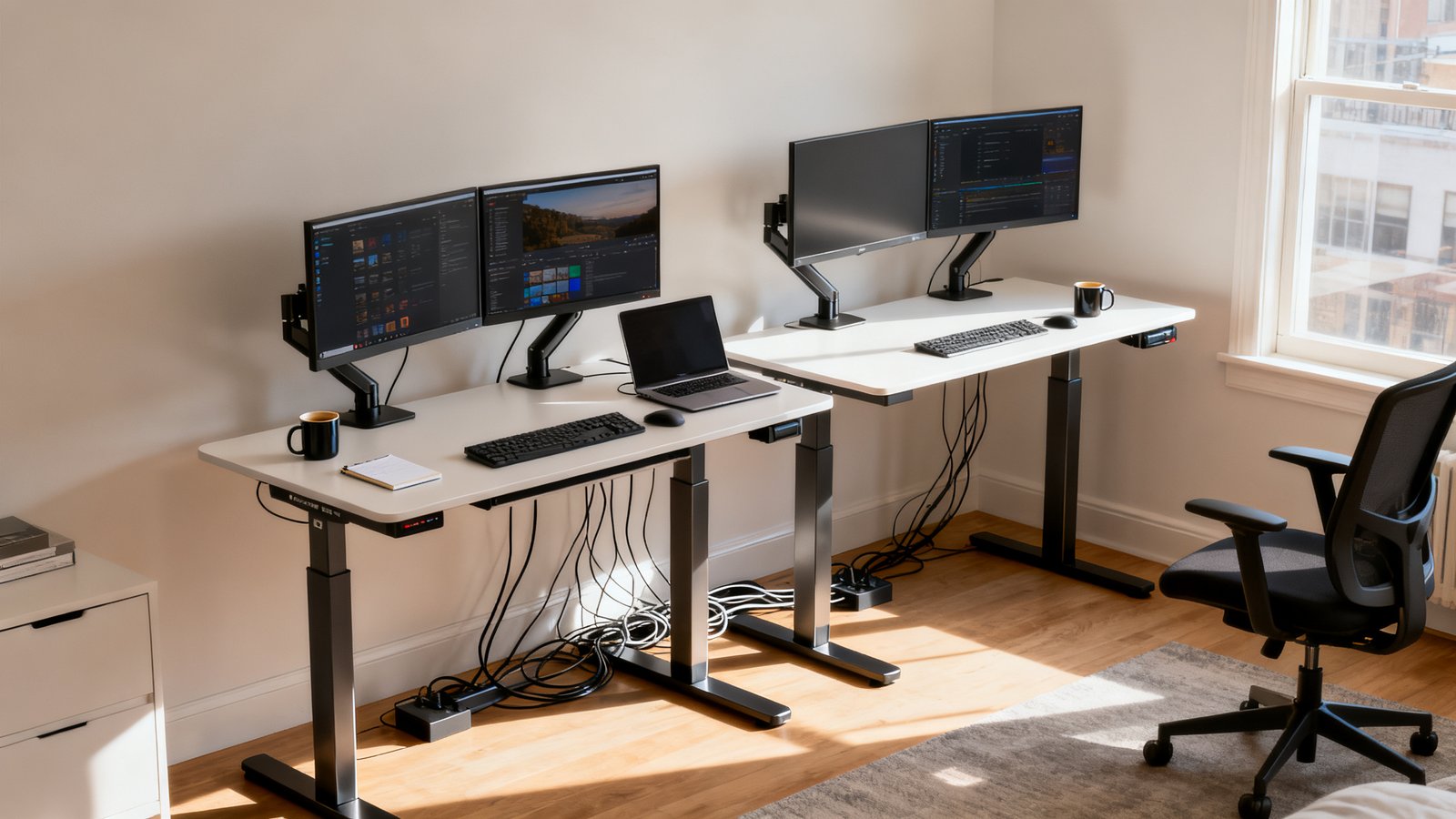
Here’s the hard truth: most “cheap” standing desks wobble when you add dual monitors, make noise in shared spaces, and skip real cable management. Our top three picks avoid these common dealbreakers (using verified stability, noise, and capacity numbers):
-
Branch Standing Desk (≈$400):
Best overall for stability and quiet motors. 275-lb lift capacity, 10-year warranty, and among the quietest in lab tests.
Reference: CNET -
Flexispot E7 Pro (≈$400):
Best for cable management and smooth lift. 220-lb capacity, praised quiet three-stage lift (TechRadar loves the under-desk cable tray).
Source: TechRadar -
Vivo 1B Series (≈$199):
Best ultra-budget pick. 220-lb capacity, tested at only ~61 decibels while lifting, solid steel frame.
Business Insider
All three beat typical “Amazon knockoff” models due to stronger frames, more stable lift columns, and robust returns/support policies. If you’re shopping for the home office setup under 1000, they’re the most solid value buys under $500 this year.
How we measured value: stability, capacity, and noise (method summary)
Forget marketing jargon—lab data matters. Decision criteria for an affordable standing desk electric break into:
- Stability: Industry tests like BTOD’s WobbleMeter give actual numeric scores (lower = wobblier, higher = rock solid). Budget frames rarely score as high as $1000+ desks, but anything above 100 is decent for dual monitors. Example range: NewHeights XT (82, wobbly) to VARIDESK ProDesk 48 (130, near-bombproof).
- Capacity: Look for at least 220-lb lift (monitors, arms, plus workspace gear). More isn’t just about weight—stronger frames mean longer-term stability.
- Noise: Measured in decibels (dB). Typical “quiet” operation is at or below ~61 dB. Anything higher can be jarring in an apartment or on video calls. Branch and Flexispot E7 Pro impressed in subjective and measured noise metrics (TechRadar).
You shouldn’t have to “guess” based on Amazon ratings alone. If you want a complete workstation, start with our clutter free desk setup guide for cable and device management before you buy.
Stability deep-dive — what the numbers mean for daily use
Here’s where specs turn into reality: BTOD’s tests show even popular affordable desks can wobble when raised above sitting height—especially with heavy monitors or arms attached. But not all wobble is the same:
| Desk Model | WobbleMeter Score | Lift Capacity | Lifting Noise | User Notes |
|---|---|---|---|---|
| NewHeights XT | 82 | 250-lb | Low | Noticeable wobble at tall settings |
| IKEA Idasen | 114 | 154-lb | Moderate | Some flex under typing |
| VertDesk v3 | 116 | 275-lb | Moderate | Stable for most users |
| VARIDESK ProDesk 48 | 130 | 250-lb | Very Quiet | Barely moves even at full height |
| Flexispot E7 Pro | ~115* | 220-lb | Quiet | Strong at tall settings, excellent cable tray |
| Branch Standing Desk | n/a* | 275-lb | Very Quiet | Lab-tested as “very stable,” top user feedback |
*Approximate scores and qualitative notes used where lab data is limited. See BTOD for methodology.
Realistically, for a “cheap standing desk that doesn’t wobble,” your odds improve dramatically if you:
- Choose a desk with a stability rating over 100, and a lift capacity at least 220-lb
- Use a tabletop less than 60″ wide (longer desks flex more)
- Avoid overloading with more than two monitors and heavy arms
- Check for leveling feet and properly torque all bolts during assembly
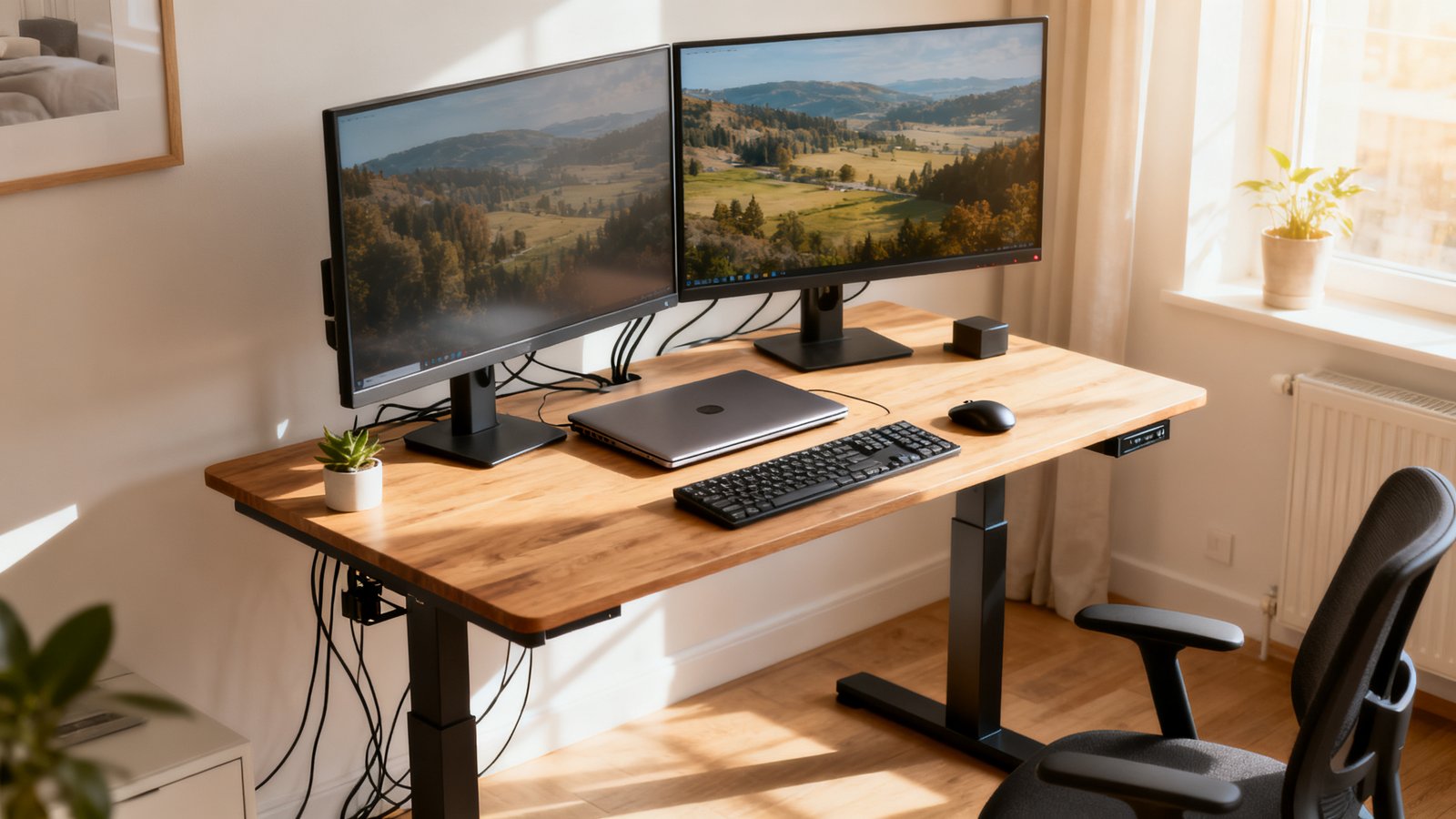
Dual-monitor setups (like Emma’s) need more than “good enough”—otherwise, every keystroke at standing height could shake your screens. For more on correct weight distribution and layout, dig into our ergonomic workstation setup guide.
Payload & build — choosing the right weight capacity and frame
First: add up the weight of your gear. Two 27-inch monitors (≈17-lb each), a laptop (5-lb), arms, docking, accessories = at least 50-lb. Add another 50-100 lb for peace of mind and build rigidity over time.
- Branch Standing Desk: 275-lb capacity—handles dual monitors, heavy risers, and more easily.
- Flexispot E7 Pro: 220-lb capacity—the benchmark for best value standing desk for home office use.
- Vivo 1B: 220-lb capacity—excellent for single or dual screens, not huge loads.
Higher capacity = thicker steel, less flex, and smoother lift. Do not trust cheap desks that only list “static” capacity or have vague weight limits—if there’s no lift rating, walk away. For a full guide on pairing chair and desk ergonomics, check our office chair buying guide.
Noise & motor behavior — measured dB and subjective quietness
In a one-bedroom apartment, a noisy motor is a dealbreaker. Measured results from lab and user reviews:
- Vivo 1B Series: ~61 dB during lift (moderately quiet — similar to casual conversation)
- Branch: “Very quiet,” often cited as among the lowest in formal tests
- Flexispot E7 Pro: Known for silent, smooth three-stage action, Subjectively below 60 dB
Cheaper frames can hit 65–68 dB, which will annoy you and everyone around you. For absolute quiet, go for desks tested at 61 dB or below. For more on motor types and noise ratings, visit our standing desk buying guide.
Cable management — built-in trays, aftermarket fixes, and real user reports
If you want a standing desk under 500 with cable tray, know that:
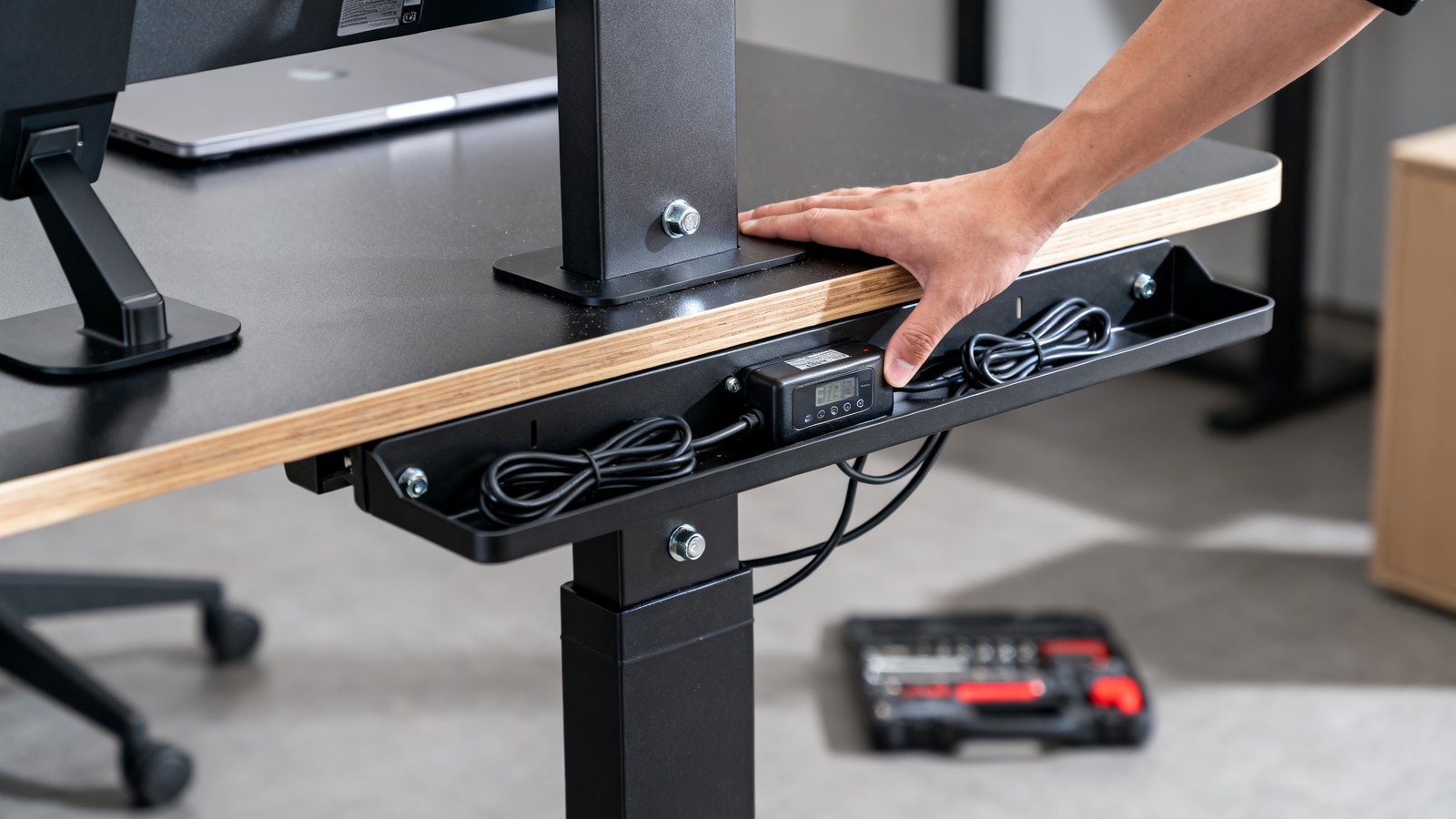
- Branch: Provides usable under-desk cable tray (tames monitor and power cords well)
- Flexispot E7 Pro: Praised in TechRadar and user reviews for actual cable management features—not flimsy plastic strips.
- Vivo 1B Series: Lacks robust cable management—plan for a $20–$40 aftermarket tray.
Verified reviews dock budget models most often for messy cable arrangements and missing trays—especially on sub-$300 models. For pro-level minimalism, see minimal desk setup 2026.
Common problems buyers report (and how to avoid them)
- Wobble creeps in at mid-to-tall settings if you skip careful bolt tightening and leveling
- Poor or absent cable trays force you to buy third-party solutions
- Unclear assembly instructions (Vivo, Flexispot EC1) slow build time and cause misaligned legs
- Cheap collision-detection sensors often fail—or don’t exist in this price bracket
- Noisy motors and weak electronics equate to increased failure risk
Mitigation tips: always re-torque bolts after the first week, use a level for the feet, and double-check assembly steps. Read warranty fine print—some brands exclude electronics after just one year.
Warranty, returns, and long‑term reliability signals to check
Long warranties are the best risk shield for best budget electric standing desk 2026 picks. Examples:
- Branch: 10-year warranty, hassle-free returns
- Vivo: 3-year warranty on desk, 30-day returns (but buyer pays shipping)
- Flexispot EC1: 5-year frame warranty, free shipping (BTOD)
Few public stats exist on long-term warranty claims for these brands—transparent return policies and fast email support are the next best filter.
What top-ranking articles leave out (the unique coverage you’ll get here)
Most “best of” lists skip:
- Standardized, side-by-side noise measurements
- Detailed cable management and collision-avoidance analysis
- Durability and warranty-claim rates
- Power-draw and ergonomic reach for tall/short users
Our coverage brings lab numbers, user feedback, and usage tips into one place—so you aren’t left crossing your fingers post-purchase. See how we handle those gaps in our future budget desk guides.
Buying checklist & decision matrix (final buyer flow)
- Calculate total payload (weight of all gear)
- Require min. 220-lb capacity for dual monitors setups
- Look for desks with WobbleMeter rating >100 if stability is vital
- Check for actual dB ratings—prefer quiet motors (≤61 dB)
- Pursue built-in cable trays or budget for a $20–$40 aftermarket tray
- Insist on at least a 3-year frame warranty; 5 or 10 is even better
Our practical thresholds: Branch, Flexispot E7 Pro, Vivo 1B Series all hit 220–275 lb capacities; Vivo tested at ~61 dB during lift. For more workspace planning, see our affordable home office setup walkthrough.
Short profiles — buy/lift/avoid at-a-glance (3–5 products)
-
Vivo 1B Series (≈$199.99):
220-lb capacity, ~61 dB, steel frame, 3-year warranty. Weak cable management, unclear assembly, but unbeatable price for basic home office. Free shipping on many listings. Buy if: You want ultra-budget, single or dual monitor stability, and can DIY your cable tray. -
Branch Standing Desk (≈$400):
275-lb capacity, very quiet motor, comes with good cable tray, 10-year warranty. Buy if: You need solid stability, dual monitors, longer-term protection, and straightforward assembly. -
Flexispot E7 Pro (≈$400):
220-lb, praised for smooth, quiet three-stage lift, robust under-desk management. Buy if: You care about best-in-class cable control and frequent height changes. -
Flexispot EC1 (≈$199.99 + free shipping):
Budget frame, 220-lb capacity, 5-year warranty, but more stability concerns above mid-height. Avoid if you need rock solid standing support with heavy gear.
If you want a setup that hides every cable, see our cable free desk setup guide.
Assembly, setup tips, and maintenance for long-term stability
How your standing desk is built determines if it stays rattle-free for years:
- Follow a “star pattern” (alternate sides) when tightening bolts to prevent twisting the frame
- Level feet after initial assembly—check again after one week (desks can settle on carpet or hardwood)
- Keep all fasteners; re-torque lightly every few months
- Test collision sensors with an empty box after setup—if the desk doesn’t stop and reverse, call support immediately
- If the motor whines or stutters, unplug and let rest—repeated errors mean you file a warranty claim while under return guarantee
Many users report unclear build instructions and misaligned parts in cheaper models—take your time and watch an assembly video if possible. For advanced hacks, check our clean desk setup inspiration.
Final recommendation & CTA
Cutting through all the marketing, the best standing desk under 500 is either the Branch (≈$400, 275-lb, truly quiet, reliable), or if you want max value, the Vivo 1B (≈$200, 220-lb, tested quiet motor, but requires a cable tray upgrade). For small apartments and real world remote work, those two consistently deliver stability where it counts and avoid major compromises.
Before buying, double-check warranty coverage, shipping/returns, and capacity for your specific setup. Ready to upgrade? Choose a model above to make your standing desk headache-free, not just budget-friendly.
FAQ
Do cheap standing desks really wobble more?
Usually, yes. Lab data and reviews show most sub-$300 models flex more at tall heights—especially under dual monitors. Look for frame strength, user reviews, and real test scores before buying.
How much lifting noise is too much in a home office?
Noise above 61 dB (about normal conversation) can be annoying in small spaces. The best budget desks run quiet (quiet motors <61 dB), while cheap motors can be noticeably loud during height changes.
Can I add better cable management to a budget desk?
Absolutely. Aftermarket trays ($20–$40) and Velcro straps often outperform what comes stock, especially on cheaper frames like Vivo or Flexispot EC1. Installation takes 10–15 minutes.
What if my desk arrives with missing parts or electronics fail?
Contact the brand immediately—warranty and return policies vary. Branch and Flexispot are known for good support, while ultra-budget brands can be slower. Always keep your receipts and unboxing photos.
Is a longer warranty worth paying extra for?
Yes. Warranties over 3 years, especially covering electronics and lifts, protect you from the most expensive failures. The best value comes from desks like Branch (10 years) and Flexispot E7/EC1 (5 years).
---