

If you are reading this office chair buying guide, you have probably already discovered that most top ten lists are useless. They rank chairs by brand recognition or aesthetics while ignoring the measurements that determine whether you will be in pain by month three. I have sifted through hundreds of negative reviews, teardown analyses, and ergonomic standards so you can shop with a checklist instead of a prayer.
Key Takeaways
- A chair that fits your body measurements beats an expensive chair that does not. Seat height range, seat depth, and lumbar height above the seat are non-negotiable data points to verify before buying.
- Budget chairs often omit the numeric specs that matter most. If a listing only says “adjustable height” or “has lumbar support” without giving actual ranges, assume it will not fit you.
- The annualized cost difference between a $300 chair replaced every three years and a $900 chair lasting ten years is roughly $5 to $15 per year. The upfront price hides how close these paths actually are.
Table of Contents
- Quick TL;DR — How to choose an office chair right now
- What buyers keep complaining about — real negative review themes
- Core specs you must verify before buying (the “fit first” checklist)
- Three overlooked adjustability features that actually affect comfort
- Materials and thermal comfort — best office chair material for hot weather
- Office chair weight capacity guide — what the numbers actually mean
- Real-world durability and failure modes — what reviews reveal
- Cost of ownership: $300/3-year vs $900/10-year (real example)
- Common buying mistakes and how to avoid them (practical actions)
- How to vet chair specs and questions to ask sellers
- Quick printable buying checklist and decision matrix
- FAQs to preempt buyer doubts
- Conclusion: your pre-purchase action plan
Quick TL;DR — How to choose an office chair right now
Here is the one paragraph decision rule: prioritize fit over features. Fit means the seat height range lets your feet rest flat, the seat depth leaves two to three fingers of space behind your knees, and the lumbar support lands in the curve of your lower back, not your sacrum or mid back. Then insist on durable structural components: a metal or reinforced nylon base, a tilt mechanism that does not wobble, and a warranty that covers at least five years on those parts. Flashy upholstery and a “racing style” design mean nothing if the foam is two inches thick and foam compresses flat in six months.
The math backs this up. An annualized cost comparison shows a $300 chair replaced roughly every three years totals approximately $972 over ten years, or about $97 per year. A $900 chair with realistic additions like shipping and accessories totals roughly $1,022 to $1,122 over the same decade, or about $102 to $112 per year. The gap is a few dollars a month. When you factor in the avoided frustration of cushion flattening, armrest cracking, and back pain, the premium chair often costs less in the ways that actually matter. Before you even look at a listing, measure your workspace with our clutter free desk setup guidelines so you know how much room you have for a chair with proper recline clearance.

What buyers keep complaining about — real negative review themes from top Amazon bestsellers
If you read only the four and five star reviews, you miss the patterns that predict failure. Independent teardown reviewers like BTOD have analyzed hundreds of one to three star reviews across bestselling sub-$300 Amazon chairs, and the same themes appear again and again. Knowing what drives dissatisfaction is half the battle in office chair buying mistakes to avoid.
The dominant negative themes are comfort and pain, specifically back pain, tailbone soreness, and numb legs after just one to three hours of sitting. Many reviewers report the chair “felt fine the first week” but became painful as the foam compressed. BTOD teardowns measured seat foam thickness at roughly two inches or less in several top rated models, which directly correlates with comfort complaints once that thin layer gives way.
Durability and build quality issues follow closely behind. Premature cushion flattening within three to twelve months, armrests wobbling or cracking, tilt mechanisms squeaking and failing, and broken plastic components in the base appear across brands. Quality control on arrival is another headache: misaligned screw holes, missing bolts, and gas lifts that sink from day one. Size and fit problems disproportionately affect users under five foot four and over six foot two, who report feet not reaching the floor or poor lumbar alignment. Limited adjustability in armrests, seat depth, and lumbar position amplifies every other complaint. When the office chair features explained on a product page are vague, the negative reviews are the only honest spec sheet.
Features most frequently blamed
Seat cushioning and foam density top the list. Users say “thin cushion,” “hard seat,” and “felt the plywood under me.” Lumbar support design comes second: fixed plastic bumps that hit the wrong spot, or lumbar bands that are too aggressive. Many reviewers remove included lumbar pillows entirely because they hurt more than they help. Armrests with short height ranges or no inward pivot force shoulder shrugging. Simple rocking tilt mechanisms that tip the seat up when you recline make users abandon reclining altogether. Finally, PU leather peeling within one to two years and plastic five star bases cracking under heavier users appear in review after review.
Core specs you must verify before buying (the “fit first” checklist)
This is the section that separates chairs that fit from chairs that hurt. Every body is different, which means what to look for in ergonomic chair is not a brand name but a set of measurements that match your anthropometry. Budget listings consistently omit seat height range, usable seat width, seat depth and depth adjustability, lumbar location and adjustment range, and detailed armrest ranges. These omissions correlate directly with higher fit related dissatisfaction in review analyses.
Seat height range (floor to top of seat)
You need the minimum and maximum seat height measured from the floor to the top of the seat cushion. If you are under five foot five, look for a minimum of fifteen to sixteen inches so your feet stay flat. If you are over six feet, you need a maximum of at least twenty to twenty one inches to avoid deep knee bend. Chairs that list only “adjustable height” without numbers force you to gamble.
Seat depth and depth adjustability
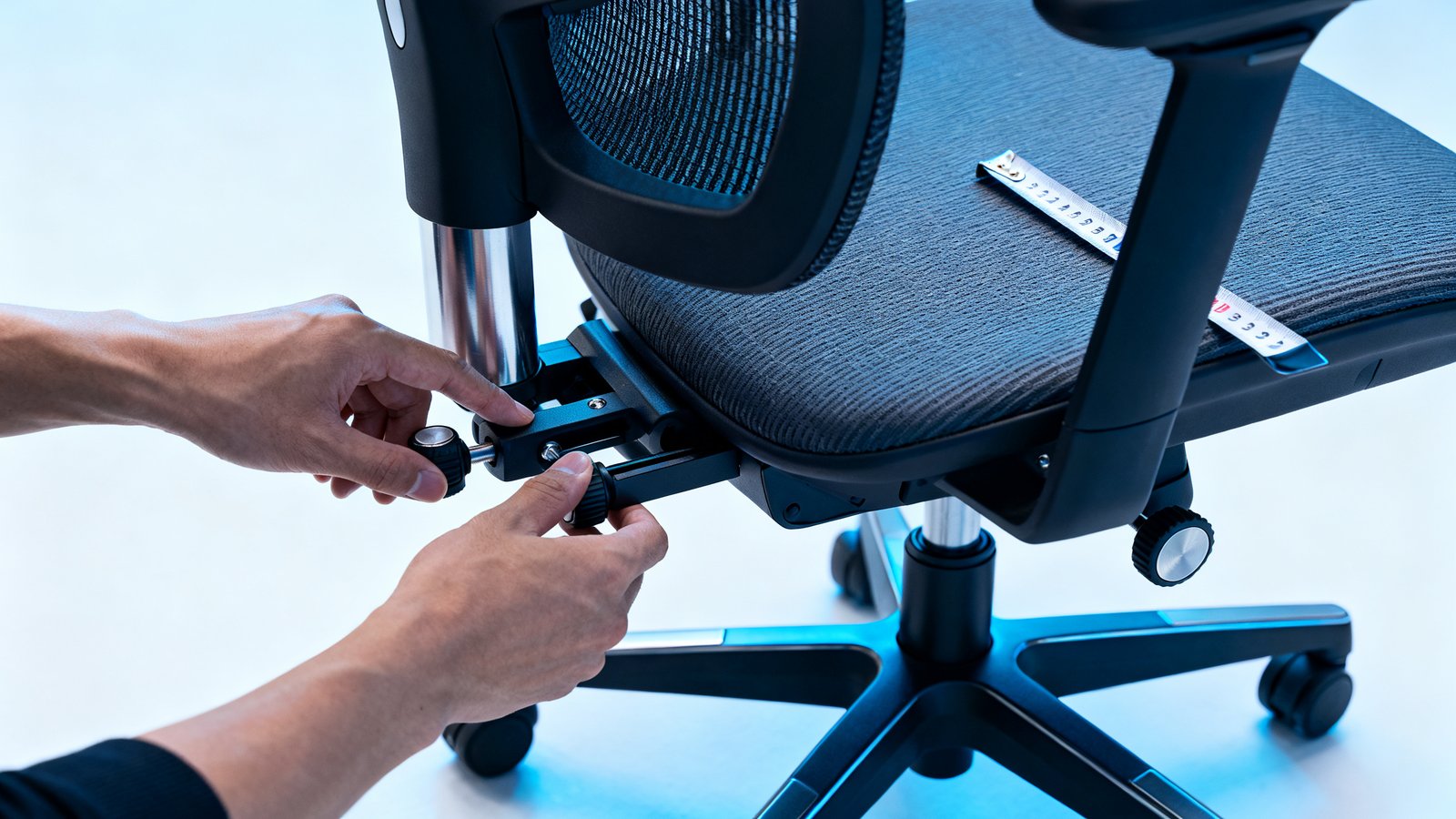
Seat depth is the distance from the backrest to the front edge of the seat. Your buttock to popliteal length, the measurement from your buttocks to the back of your knee, determines what depth you need. Too deep and the front edge presses into your calves, cutting circulation and making you slide forward. Too shallow and your thighs lose support, concentrating pressure on your sit bones. A seat depth slider adds roughly one and a half to three inches of adjustment and is one of the most valuable features a chair can have.
Usable seat width
Do not confuse the chair’s overall width with the usable width between the armrests. If the armrests are fixed or mounted inside the seat frame, they eat into sitting space. For larger users, usable width is the number that determines whether you fit. Look for at least nineteen to twenty inches between armrests for most body types.
Lumbar height range
Lumbar support only works if it contacts the curve of your lower back. The height of that curve above the seat varies significantly between individuals. A chair that specifies a lumbar height range, for example “adjustable from six to ten inches above the seat,” lets you verify compatibility. A chair that says “built in lumbar support” with no range is a guess. You will find the same principle applies to armrest height, width, and pivot ranges: if the numbers are not published, the adjustability is probably minimal.
Recline angle and mechanism type
A synchronous tilt moves the seat and backrest at different rates, letting you recline without the seat tipping up aggressively. A simple rocking tilt pivots the entire seat and back as one unit. Most budget chairs use the latter. Look for a recline range of at least 110 to 135 degrees and a tension adjustment that lets you control how easily the chair reclines. Static sitting all day increases discomfort; recline capability is not a luxury, it is a biomechanical requirement for varying spinal load. Setting up your chair correctly is part of a broader ergonomic workstation setup that includes desk height and monitor position.
Three overlooked adjustability features that actually affect comfort
Research synthesis by ergonomic reviewers identifies three features that buying guides consistently skip, yet they are among the strongest predictors of long term comfort. When you are reading an office chair buying guide, these are the features that separate chairs you tolerate from chairs you forget you are sitting in.
Seat depth adjustability
We covered the measurement, but the mechanism matters too. A sliding seat pan lets you fine tune the gap behind your knees. The variance in buttock to popliteal length across adults is large enough that a fixed depth chair will fit only a fraction of users well. If a chair lacks depth adjustment, check whether the fixed depth lands within one inch of your measured ideal. If not, move on.
Armrest pivot range and width adjustment
“3D armrests” sounds impressive until you realize most listings never disclose the actual pivot degrees, forward slide range, or minimum width between pads. Without inward pivot, your forearms angle out to reach the armrests, loading your shoulders. Without forward slide, you cannot support your arms near the keyboard and mouse. These adjustments directly affect shoulder load and neck fatigue. If the armrests cannot move inward enough for your frame, you will end up not using them at all.
Lumbar support height and depth range
Lumbar lordosis, the natural inward curve of the lower spine, sits at different heights on different bodies. A lumbar support that hits your sacrum feels like a rock digging into your tailbone. One that hits your mid back pushes your shoulders forward. The combination of height adjustment, typically three to four inches of vertical travel, and depth adjustment, controlling how far the support protrudes, is what lets you dial in the fit. Fixed lumbar designs work only by luck.
Materials and thermal comfort — best office chair material for hot weather
The best office chair material for hot weather is mesh, and the data supports it. Mesh offers the highest air permeability among common chair surfaces. It allows convective heat loss at the back and thighs and reduces contact area compared to padded fabric. In thermal comfort studies, participants start reporting significant discomfort from heat and sweat buildup when ambient temperatures exceed roughly 26 to 28 degrees Celsius, or 79 to 82 degrees Fahrenheit, with humidity above 50 to 60 percent relative humidity. Under those conditions, mesh chairs are consistently rated as more comfortable and less clammy than solid padded seats.
The sweat retention ranking is clear: mesh retains the least, breathable woven fabric over foam is moderate, and leather or PU leather retains the most. PU leather has the lowest moisture permeability and traps sweat at the skin interface, leading to that sticky feeling after an hour of sitting. In typical air conditioned offices at 21 to 24 degrees Celsius, the differences are less pronounced. But if you work in a warm room, a non-air-conditioned space, or a humid climate, mesh is not just a preference, it is a functional requirement. This is one of the office chair features explained most poorly by product pages, which often call everything “breathable” regardless of material.
Office chair weight capacity guide — what the numbers actually mean
An office chair weight capacity guide should start with a clarification: the stated capacity is determined by the frame, base, and gas cylinder, not by whether the chair uses mesh, fabric, or leather. Upholstery material has minimal influence on the structural rating. Typical mid range commercial chairs are rated for 250 to 300 pounds, or 113 to 136 kilograms. Big and tall models stretch from 350 to 500 pounds or more, built on heavy gauge steel frames with reinforced cylinders.
Budget chairs present a risk. They frequently advertise 250 to 300 pound capacities while using plastic bases and untested components. The failure modes follow a pattern: five star plastic bases crack, gas lifts sink or bend, seat plates and tilt mechanisms fracture at welds, and armrest brackets snap before the seat itself fails. Mesh can stretch or sag over time, and PU leather tears, but catastrophic structural failure almost always traces back to the base, cylinder, or tilt plate. If a chair does not reference BIFMA X5.1 testing or similar standards, treat the weight rating as aspirational rather than verified. For heavier users choosing a chair, pairing it with a minimal desk setup that avoids unnecessary reaching and leaning reduces the dynamic loads that accelerate wear.
Real-world durability and failure modes — what reviews reveal
Review clusters tell a consistent story about office chair buying mistakes to avoid. Premature cushion flattening within three to twelve months is the most repeated durability complaint in budget chairs. Armrest cracking, tilt mechanisms failing, and PU leather peeling follow close behind. These failures are not random. They correlate with specific spec sheet red flags: plastic bases instead of nylon or aluminum, seat foam listed without density or thickness, generic “lumbar pillow” descriptions, and stamped steel plates instead of cast aluminum in the tilt mechanism.
How to spot likely trouble on a product page: look at the base material first. If it says “durable plastic” without specifying glass reinforced nylon or similar engineering plastic, expect cracking under daily use. Check whether the armrests attach to the seat plate or the back frame. Seat plate mounted arms on budget chairs often loosen and wobble within months because the mounting points are undersized. Read the one and two star reviews sorted by most recent. The initial reviews on a newly launched chair are often incentivized; the durability complaints take six to twelve months to surface.
Teardown evidence from BTOD’s analysis of Amazon bestsellers shows that chairs often feel fine at first but degrade as foam compresses and mechanisms loosen. The materials inside are what determine whether “fine at first” becomes “still fine at year four.” This is also why reading guides from sources like RealHomes’ office chair roundups with a skeptical eye helps: most roundups test chairs for days or weeks, not years.
Cost of ownership: $300/3-year vs $900/10-year (real example)
This office chair buying guide would be incomplete without showing you the actual math behind the “buy once, cry once” advice. A chair is a tool you use for thousands of hours. Amortizing cost over its realistic lifespan reveals how close the budget and premium paths actually are.
Take a $300 budget chair. Add eight percent sales tax, roughly $24, and assume free shipping. Total is $324 per chair. Under daily eight hour use, cushion foam compresses, armrests loosen, and the gas lift often starts sinking within two to five years. Using a three year replacement cycle, you buy three chairs over a decade. Three times $324 equals $972 total. This assumes you tolerate declining comfort in year two and three each cycle.
Now take a $900 commercial grade chair from a brand like Steelcase or Herman Miller. Add eight percent tax at $72, dealer shipping of roughly $50, and perhaps $100 in optional accessories like an upgraded headrest or different casters. Total lands around $1,022 to $1,122. These chairs carry ten to twelve year warranties on structural components and routinely last ten to fifteen plus years. Annualized, the budget path costs roughly $97 per year. The premium path costs roughly $102 to $112 per year. The difference is five to fifteen dollars annually, or less than a streaming subscription.
This calculation excludes the intangible costs: the discomfort of a flattened seat, the time spent researching replacements, and the waste of three chairs in a landfill versus one. For more on building a complete workspace without overspending on components that do not last, see our budget home office setup guide that applies the same cost per year logic to desks and accessories. And if the $900 price still stings, consider refurbished. Channels like BTOD’s refurbished chair comparisons show commercial grade chairs at significant discounts with most of their lifespan remaining.
| Cost Factor | Budget Path ($300 chair) | Premium Path ($900 chair) |
|---|---|---|
| Base price | $300 x 3 = $900 | $900 x 1 = $900 |
| Tax (8%) | $72 total | $72 |
| Shipping | $0 (free) | ~$50 |
| Accessories | $0 | ~$0–$100 |
| 10-year total | ~$972 | ~$1,022–$1,122 |
| Annualized | ~$97/year | ~$102–$112/year |
Common buying mistakes and how to avoid them (practical actions)
The most expensive office chair buying mistakes to avoid are not about picking the wrong brand. They are about skipping the measurements that determine fit and trusting labels over specifications.
Do not rely on the word “ergonomic” or the phrase “has lumbar support” as a buying signal. These terms have no regulated definition in retail and appear on chairs with fixed lumbar bumps that hurt a significant portion of users. Do not ignore seat depth and armrest dimensions. A chair can have glowing reviews but still be wrong for your body. Do not trust optimistic weight claims on chairs that do not reference BIFMA testing. Do not skip the warranty and return policy. A thirty day return window is not enough to detect foam degradation; a one year warranty on moving parts signals that the manufacturer does not expect them to last much longer.
Before you click buy, take five minutes to measure your popliteal length, your seated hip width, and the height of your lumbar curve above your seat. Then read the one to three star reviews sorted by most recent and look specifically for durability complaints from users who have owned the chair for six months or longer. The pattern of failures is more instructive than the average star rating. This process pairs naturally with an ergonomic home office guide that helps you position the chair within a correctly configured workspace.
How to vet chair specs and questions to ask sellers (email/phone checklist)
When a product page omits the numbers you need, ask directly. Many budget chairs list only generic adjustability labels like “adjustable height” and “3D armrests” without numeric ranges. Missing numbers correlate with higher post purchase fit complaints. Here is the template you can paste into a seller message:
Subject: Spec verification before purchase
Hi, I am considering this chair and need the following measurements before I can buy. Could you please provide:
1. Seat height range from floor to top of seat cushion (min and max in inches or cm)
2. Seat depth measurement and whether it is adjustable (if yes, what is the adjustment range)
3. Lumbar support height above the seat (min and max range)
4. Armrest height range, width between arm pads (min and max), and whether they pivot inward
5. Recline angle range and mechanism type (synchronous tilt or simple rocking)
6. Base material (plastic, nylon, aluminum) and whether the chair is BIFMA certified
Thank you.
Acceptable answers depend on your body. For seat height, confirm the minimum is at or below your required height for flat feet and the maximum reaches at least your knee height. For lumbar support, the range should span the distance from your seat to your lumbar curve. If the seller cannot or will not provide these numbers, treat the chair as a gamble. Reputable manufacturers publish full spec sheets. The ones who hide dimensions are hiding the chair’s limitations.
Quick printable buying checklist and decision matrix
Use this checklist organized by body type to shortlist chairs before comparing aesthetics or price. Score each candidate on the three critical overlooked features: seat depth adjustability, armrest pivot range, and lumbar height range. These are the features research identifies as commonly omitted yet critical to comfort.
| Body Type | Must Have Specs | Dealbreakers |
|---|---|---|
| Short (under 5’4″) | Seat height min ≤16″, seat depth ≤17″ or adjustable, lumbar height range starts low (≤6″ above seat) | Fixed deep seat, high minimum seat height, non-adjustable lumbar that hits mid back |
| Average (5’4″–6’0″) | Seat height range covers 16″–20″, seat depth 17″–19″ or adjustable, lumbar height adjustment ≥3″ | Fixed armrests, plastic base, no recline tension control |
| Tall (over 6’0″) | Seat height max ≥21″, seat depth ≥19″ or adjustable, lumbar height range extends high (≥9″ above seat) | Short backrest, fixed shallow seat, headrest too low to support neck |
| Big & Tall (250+ lb) | Weight capacity ≥350 lb, metal or reinforced nylon base, usable seat width ≥20″, BIFMA certified | Plastic base, optimistic weight rating without testing standard, narrow seat between arms |
Quick decision matrix
| Prioritize Budget | Prioritize Longevity | |
|---|---|---|
| Prioritize Temperature Comfort | Mesh back budget chair ($200–$350), verify seat foam ≥3″, accept shorter lifespan | Full mesh commercial chair ($700–$1,200), 10+ year warranty, depth adjustable seat |
| Prioritize Posture Support | Fabric chair with adjustable lumbar and seat depth ($300–$500), check warranty length carefully | Commercial ergonomic chair with synchronous tilt, fully adjustable arms and lumbar ($800–$1,200) |

Conclusion: your pre-purchase action plan
Your next chair should fit your body measurements, not your aesthetic preferences. Start with the fit first checklist: seat height range, seat depth, usable width, lumbar height range, and armrest dimensions. Verify that the base is reinforced nylon or metal, the tilt mechanism is synchronous or at least tension adjustable, and the warranty covers structural components for five years or longer. Ignore the word “ergonomic” unless it is accompanied by numbers. Read the recent one to three star reviews for durability signals. Do the cost per year math before dismissing a higher upfront price.
Here is your five item before you buy action list:
- Measure your popliteal length, seated hip width, and lumbar curve height above your seat.
- Eliminate any chair that does not publish seat height range, seat depth, and lumbar height range.
- Verify the base material and weight capacity against BIFMA or equivalent testing standards.
- Read the most recent one to three star reviews and look for cushion flattening, armrest cracking, and gas lift sinking complaints from owners at the six month mark or beyond.
- Calculate ten year cost including tax and shipping. If the annualized difference is under twenty dollars, choose the chair with the better warranty and adjustability.
Use the seller message template above to request missing specs. If they cannot provide numbers, walk away. A truly well built chair has nothing to hide. This office chair buying guide exists to turn an overwhelming purchase into a series of measurable, verifiable decisions. Your back will notice the difference within the first week. For help setting up the rest of your workspace once the chair arrives, check our complete home office setup budget friendly guide to build a cohesive, comfortable workspace without overspending.
FAQs to preempt buyer doubts
Will a $150 chair cause back pain after 8 hours?
There is no peer reviewed study that isolates chair price as a variable and measures back pain after eight hours. The research shows that ergonomic features like adjustable lumbar support, proper seat depth, and armrest height matter far more than the price tag. A $150 chair with no adjustability and thin foam is far more likely to cause discomfort than a well designed chair at any price. Focus on fit and adjustability, not on the dollar amount as a proxy for quality.
Is mesh always better in hot weather?
Mesh consistently outperforms fabric and leather in breathability and sweat evaporation, especially when ambient temperatures exceed roughly 26 to 28 degrees Celsius and humidity is above 50 to 60 percent. In climate controlled offices at lower temperatures, the difference is less dramatic. If you run warm or work in a non air conditioned space, mesh is the safest choice. Avoid PU leather entirely if heat and humidity are concerns.
Do I need a big and tall chair if I am over 250 pounds?
Not necessarily. Standard commercial chairs rated at 275 to 300 pounds with metal or reinforced nylon bases and BIFMA certification can serve many users in this range safely. The key is verifying the rating is backed by a testing standard, not just a marketing claim. Big and tall chairs rated for 350 to 500 plus pounds are designed for users who exceed standard chair capacities or who need wider seat dimensions and heavier duty components. Check the usable seat width and base material before deciding.
How important is a headrest on an office chair?
For upright task work, a headrest is optional. Your neck muscles support your head naturally when you are sitting upright. A headrest becomes valuable if you recline frequently for reading, calls, or micro breaks. For users over six feet, an adjustable headrest that extends high enough to support the neck rather than push the shoulders forward is worth seeking out. Fixed or non adjustable headrests often hurt more than they help.
What is the number one spec people ignore when buying an office chair?
Seat depth. Most buyers check seat height and overall width but skip depth entirely. A seat that is too deep for your leg length causes you to slide forward, lose lumbar contact, and compress the backs of your knees. A seat that is too shallow concentrates pressure on your sit bones. Seat depth adjustability is the single most underrated feature in an office chair, and it is the spec most frequently omitted from budget listings.