

Finding the best armless office chair is not really about the chair itself. It is about the gap between your desk and the floor, and whether you can slide your entire workspace out of sight at 6 p.m. sharp. If you work in a studio apartment, a nook under the stairs, or simply need a chair that vanishes under a 30 inch desk when guests arrive, you have probably discovered that most chair roundups ignore your reality entirely. This guide fixes that. We are going to measure first, talk about what you sacrifice, and then identify exactly what holds up to daily sliding without breaking your back or your budget.
Key Takeaways
- Armless chairs save 15 to 20 percent in width over armed models, but no published source provides a reliable “depth saved” figure when tucked under a desk. Measure your own setup first.
- Overall chair height matters more than armless design for clearance. Some armless chairs like the BERYTH stand 35.8 inches tall and will not fully tuck under a 30 inch desk despite having no arms.
- Lumbar support is the most common failure point in budget armless chairs. If the chair lacks adjustable lumbar or a contoured back, you will feel it in your shoulders within a few hours.
Table of Contents
- Why choose an armless office chair (and when not to)
- Clearance under a 30″ desk — the myth and the reality
- The three measurements that determine whether a chair truly tucks under your desk
- Ergonomics — what you’re sacrificing vs what to prioritize
- Common complaints on Amazon (armless chairs under $200) — what to avoid
- Durability & materials for daily sliding (what holds up)
- Realistic space savings — width vs depth vs what buyers actually get
- Weight capacity — what the research shows (and the gaps)
- Which major “best office chair” roundups ignore armless compact models (and why that matters)
- Quick top picks to test (models surfaced in research) and why they matter
- Practical buying checklist and product page copy points
- Conclusion & editorial direction
- Frequently Asked Questions
Why choose an armless office chair (and when not to)
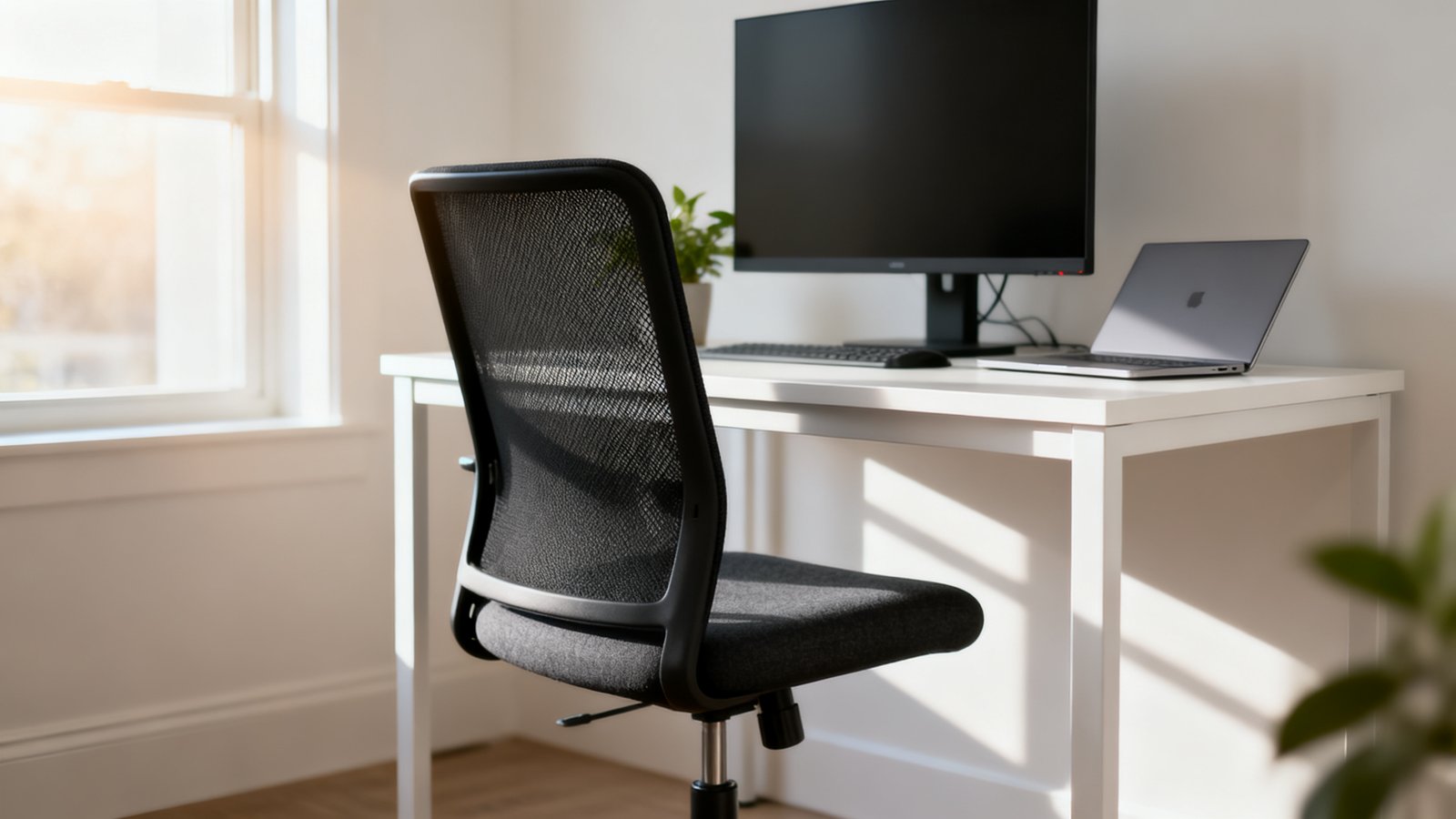
The primary reason to choose an armless chair is dead simple: it slides under a desk without armrests catching on the edge. When your workspace doubles as your dining table or sits in the corner of your bedroom, that unobstructed tuck under capability means the difference between a room that looks intentional and one that looks like an office supply store exploded.
Armless chairs average 22 to 24 inches in width compared with 28 or more inches for armed versions. That translates to roughly 15 to 20 percent more desk and floor space saved, according to Gates Furniture. For a clutter free desk setup, that width reduction matters every single day.
But this choice comes with real trade offs. Without armrests, your shoulders and upper back lose lateral support. You have nowhere to rest your elbows during calls or deep focus reading. If you spend eight or more hours at your desk and already struggle with shoulder tension or neck pain, an armless chair can amplify those issues. The decision trigger is straightforward: if you prioritize a clean visual footprint and need to stow your chair frequently, armless makes sense. If all day comfort and upper body support are non negotiable, think twice.
Clearance under a 30″ desk — the myth and the reality
Here is what nobody tells you: there is no definitive published clearance number for armless chairs fitting under a 30 inch desk. We searched. The data simply does not exist in any consolidated form. What we do know, however, is that overall chair height and backrest shape determine real world fit far more than the presence or absence of armrests.
The armless BERYTH chair, for example, has an overall height of 35.8 inches according to MakerStations. That means even though it lacks arms, the backrest will exceed a 30 inch desk opening. The seat itself may slide under, but the upper backrest will hit the desk edge. Partial tuck. That might be fine for you, or it might drive you crazy. You need to know before you buy.
An office chair buying guide will tell you to check seat height range. That still matters here. But for clearance specifically, you must look at the total height from floor to the highest point of the backrest, then compare that to your measured under desk vertical space. Do not assume “armless” means “fits.” It does not.
The three measurements that determine whether a chair truly tucks under your desk
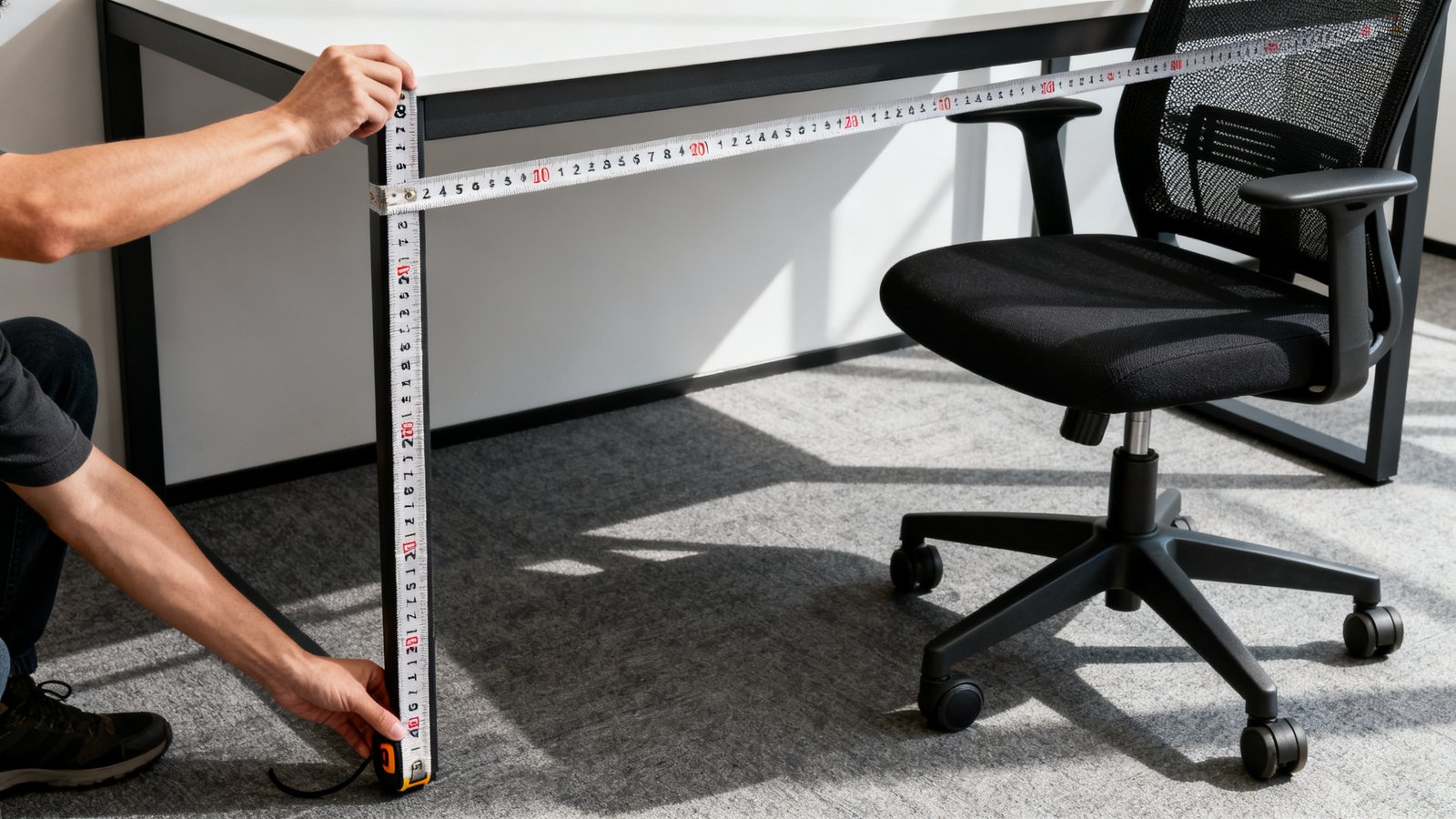
Stop scrolling Amazon reviews and grab a tape measure. You need three numbers from any chair you are considering, and you need to compare them to the actual space under your desk. Here is exactly what to check.
First, overall chair height. This is the total vertical distance from the floor to the tallest point of the backrest. Your desk’s under surface to floor measurement must exceed this number for a full tuck. Measure the inside vertical clearance of your desk. If your desk has a modesty panel or crossbar, measure to that obstruction, not the desk surface.
Second, minimum seat to floor height. This tells you how low the chair can go. Even if the backrest clears, the seat itself needs to slide under. Most office chairs range from about 16 to 20 inches at minimum seat height. Measure your desk opening and confirm the chair at its lowest setting fits comfortably underneath with some wiggle room.
Third, overall chair depth. This is the front to back measurement. The BERYTH armless chair has an overall depth of 20.5 inches while the Amazon Basics low back armless comes in at 21.25 inches, according to MakerStations. Check how deep your under desk space extends before hitting a wall, radiator, or cable tray. A chair that clears the height but sticks out six inches past the desk edge defeats the purpose.
For an office chair that fits a small space and a modest budget, these three measurements will eliminate ninety percent of options before you ever read a review. That is actually good news. It means the remaining ten percent are genuinely viable.
Ergonomics — what you’re sacrificing vs what to prioritize
Let us be blunt about what disappears when the armrests go. Gates Furniture puts it perfectly: “a chair without arms asks more from your posture. If the rest of the chair isn’t doing its job, your back and shoulders will notice first.” Without armrests, you lose the ability to offload upper body weight during meetings, reading, or moments of deep thought. Your shoulders stay slightly engaged all day.
The compensation strategy is non negotiable. You must demand solid lumbar support, adjustable seat height, and a contoured seat pan from any armless chair you consider. A flat seat and a straight back will cause you to lean forward, shrug your shoulders, or perch at the edge of the seat within a few hours. The CNET review of the Amazon Basics armless chair specifically calls out that “the lack of lumbar support can make sitting uncomfortable for long periods.”
Add a separate lumbar pillow if the chair’s built in support is weak. Prioritize chairs with adjustable lumbar or at minimum a sculpted backrest that follows the natural curve of your spine. A waterfall seat edge that reduces pressure behind the knees also helps when you cannot shift weight through armrests. The best office chair for back pain will always have these features, armed or not. In the armless category, they become survival requirements rather than nice to haves.
Common complaints on Amazon (armless chairs under $200) — what to avoid
Budget armless chairs attract three categories of complaint that repeat across brands and models. Knowing them ahead of time keeps you from becoming another frustrated return statistic.
First, weak or nonexistent lumbar support. This is the number one complaint, confirmed by the CNET review of the Amazon Basics armless chair. A chair that looks supportive in product photos may have a backrest that is essentially a flat panel with fabric stretched over it. No curve. No adjustment. After two hours, your lower back starts complaining and you start slouching.
Second, flat seats and weak backs that encourage forward leaning. Gates Furniture warns that when the seat is too flat and the back too weak, “people often start leaning forward, shrugging their shoulders, or perching at the edge of the seat.” This creates a cascade of poor posture that no amount of standing breaks can fix.
Third, hidden or misleading product specs. Seat shape, back height, and adjustment range are frequently buried or omitted entirely from product pages. You might buy a chair listed as “compact” only to discover the backrest towers over your desk. Or the seat depth forces you to sit three inches from the backrest. Gates Furniture notes that “a lot of frustration comes from not knowing the seat shape, back height, or adjustment range before purchase.”
When shopping for an office chair under 150, these gaps become even more common. Cheaper chairs invest less in detailed product photography and spec transparency. You have to dig harder.
Durability & materials for daily sliding (what holds up)
Sliding a chair under a desk twice a day, every day, adds up. Over a year, that is roughly 700 cycles of contact with the floor, potential bumping against the desk edge, and stress on the seat back joint. Materials matter more than brand name here.
PU leather, when it is durable rather than the cheap peeling variety, handles daily wiping and incidental contact well. MakerStations specifically calls out “durable PU leather” in the BERYTH armless chair as a factor in lasting usability and easy repositioning. For a chair that tucks and untucks constantly, wipeability means it still looks presentable after months of handling.
Mesh back with a foam seat hits what The Lazy Setup calls the “sweet spot.” Mesh backs allow airflow and do not compress the way foam does over months of use. The foam seat provides the cushioning that mesh alone cannot deliver for long sitting sessions. If you run warm or live in a hot climate, the breathable nature of mesh also means less sweat soaking into the backrest over time.
Caster wheels are the silent durability factor. MakerStations highlights caster wheels as part of lasting usability. Cheap plastic casters grind down on hardwood and catch on carpet fibers. Look for chairs with polyurethane or rubber coated casters rated for your floor type. Larger wheels roll more smoothly and resist wear better than the tiny hard plastic casters found on the cheapest models.
Realistic space savings — width vs depth vs what buyers actually get
Most of the marketing around armless chairs focuses on width savings, and the numbers are real. Gates Furniture confirms armless chairs average 22 to 24 inches wide versus 28 plus inches for armed versions. That 4 to 6 inch difference means an armless chair occupies roughly 15 to 20 percent less lateral space when parked beside a desk or in a row of seating.
But here is what the sources do not tell you: no published study or article provides a direct measurement of depth saved when an armless chair is tucked under a desk. The assumption that armless equals shallower is not backed by data. The BERYTH armless chair measures 20.5 inches deep. The Amazon Basics low back armless measures 21.25 inches. Both are fairly standard chair depths. Removing arms does not shrink the seat base or the backrest depth.
When you tuck a chair under a desk, the depth that matters is how far the chair protrudes past the desk front. That depends on your desk depth, the chair’s overall depth, and how far under the backrest can slide. Width savings are real and documented. Depth savings are unproven. Set your expectations accordingly and measure your desk depth before assuming any armless chair will disappear completely underneath.
Weight capacity — what the research shows (and the gaps)
There is no evidence that armless chairs systematically have lower weight capacities than armed chairs. The data simply does not exist as a direct comparison. Individual model specs fill the gap instead.
The Amazon Basics armless chair lists a 275 pound capacity, according to CNET. Armed chairs from Branch and Steelcase range from 275 to 350 pounds. Some overlap exists. Some armed chairs rate higher. But without a comprehensive study comparing categories, we cannot say armless chairs are inherently lighter duty.
The practical takeaway is straightforward: check the weight capacity on the specific model you are considering. Do not assume an armless chair at $120 will hold the same weight as an armed chair at $400. Look for chairs tested to BIFMA standards or at minimum those that clearly state their capacity in the product specifications. If a listing hides the weight limit, that silence is its own answer.
Which major “best office chair” roundups ignore armless compact models (and why that matters)
CNET’s “13 Best Office Chairs for 2026” roundup focuses entirely on chairs with arms. Branch Ergonomic Pro, Hon Ignition 2.0, Steelcase Karman. All armed. All excellent chairs. None of them fit the buyer who needs to tuck a chair completely under a low clearance desk. The Lazy Setup’s mesh chairs under $200 list features chairs with flip up or adjustable arms but no purely armless models.
This is not a criticism of those roundups. They serve a different buyer. But when space conscious shoppers search for guidance and only find armed recommendations, they either compromise on fit or give up entirely. The content gap is real. Gates Furniture and Good Housekeeping do feature armless chairs, but they are outliers in a sea of armed chair recommendations.
For anyone building a complete home office setup under $1000, this gap means wasted money on returns. People buy chairs that look great in roundup photos, discover the armrests hit their desk, and start the return process. Knowing which sources actually address armless compact models saves you that cycle.
Quick top picks to test (models surfaced in research) and why they matter
These models appeared repeatedly in research. Each has a specific reason for being here and a specific caveat you need to know before clicking buy.
BERYTH Armless Chair: Overall height 35.8 inches, depth 20.5 inches. Suitable for desks with higher clearance or for buyers who accept a partial tuck where the backrest remains visible above the desk. The PU leather build and caster wheels suggest durability for daily sliding. But if your desk opening is exactly 30 inches, the backrest will not clear. Measure before choosing this one.
Amazon Basics Low Back Armless: Depth 21.25 inches, weight capacity 275 pounds. The low back design addresses the overall height problem that taller armless chairs face. It is more likely to slide fully under a standard desk. The trade off is the documented lack of lumbar support. Plan to add a separate cushion if you sit for more than a few hours.
Mid back mesh armless models: Several brands offer mesh back armless chairs with mid height backrests that split the difference between full tuck capability and upper back support. Look for models with adjustable lumbar or a pronounced S curve in the backrest frame. These tend to appear in the $150 to $200 range and offer the best balance of clearance and ergonomics for most buyers.
Practical buying checklist and product page copy points
Before you purchase any armless chair, run through this checklist. It is built from the exact pain points that drive returns and negative reviews in this category.
Buyer’s checklist:
- Measure under desk vertical clearance from floor to lowest obstruction
- Compare to chair’s overall height (not just seat height)
- Confirm minimum seat height clears the desk opening
- Check overall chair depth against your under desk depth
- Verify weight capacity meets your needs
- Look for stated lumbar support feature, not just a curved looking photo
- Check caster type for your floor surface
- Read the one and two star reviews specifically for durability complaints
What product pages should show but often do not: minimum and maximum seat height, overall height, backrest height from seat, overall depth, materials used on seat and back, caster type and floor compatibility, weight capacity, and clear side profile photos showing the chair at its lowest and highest settings. A “will it tuck under an X inch desk” measurement guide on the product page would drastically reduce returns. Gates Furniture notes that missing product details are a common source of buyer frustration and returns. Any brand that provides these specs clearly deserves extra consideration.
For an ergonomic workstation setup to work, every component has to fit the physical space. The chair is the trickiest piece. Get the measurements right and the rest follows.
Conclusion & editorial direction
The best armless office chair for your setup is the one that clears your desk opening with room to spare, supports your lower back through a full workday, and holds up to the daily slide without the casters grinding to dust or the upholstery peeling within six months. No single model works for everyone because no two desks have identical under clearances and no two bodies need identical support.
Start with a tape measure. Get the three numbers: overall chair height, minimum seat height, and overall depth. Compare them mercilessly to your actual desk. Eliminate anything that does not fit before you read a single review. Then filter the survivors by lumbar support quality, material durability, and honest weight capacity. The shortlist will be small, but every chair on it will actually work in your space.
If you are ready to build a workspace that stays clean and functional without furniture fighting for floor space, start with our clutter free desk setup guide and measure your desk before you shop. An armless chair that fits perfectly changes how your entire room feels at the end of the workday.
Frequently Asked Questions
Can an armless office chair fit completely under a 30 inch desk?
It depends entirely on the chair’s overall height and your desk’s actual under clearance. Some armless chairs like the BERYTH stand 35.8 inches tall overall, which exceeds a 30 inch desk opening even without arms. The seat itself may slide under, but the backrest will not fully clear. Low back or mid back armless chairs have a better chance of fitting completely. Always measure your desk’s vertical clearance and compare it to the chair’s overall height before buying.
What is the biggest ergonomic disadvantage of an armless office chair?
The loss of lateral arm and shoulder support is the most significant ergonomic trade off. Without armrests, you have no place to rest your elbows during calls or focused reading, and your shoulders remain slightly engaged throughout the day. This can lead to upper back fatigue and shoulder tension during long work sessions. Compensating with strong lumbar support, a contoured seat pan, and an adjustable seat height becomes essential.
Do armless chairs have lower weight capacities than chairs with arms?
There is no published evidence showing that armless chairs systematically have lower weight capacities than armed chairs. Individual models vary. The Amazon Basics armless chair holds 275 pounds, while some armed chairs range from 275 to 350 pounds. Check each model’s specifications individually rather than assuming the category determines capacity.
What materials hold up best for a chair that slides under a desk daily?
Durable PU leather offers easy wipeability and resists scuffing from repeated contact with desk edges. Mesh back with a foam seat provides breathability and does not compress permanently the way all foam can over months of use. Polyurethane or rubber coated casters roll smoothly and resist wear better than hard plastic wheels, especially on hardwood or tile floors.
Why do most office chair roundups ignore armless models?
Major roundups like CNET’s “13 Best Office Chairs” and The Lazy Setup’s budget mesh chair list focus on full featured task chairs with adjustable arms because they serve the broadest audience of buyers seeking all day ergonomic support. Armless compact chairs address a specific need (space saving, under desk tucking) that is underrepresented in general chair recommendations. Gates Furniture and Good Housekeeping are notable exceptions that do feature armless options.