

Best desk shelf riser is the must-have ergonomic upgrade if you’re working remotely with a dual monitor setup or a laptop and external display. If you want stability, extra storage, and zero wobble for your day-to-day workflow, the right monitor stand with storage can transform your desk into a pain-free, clutter-free command center in less than five minutes. In this 2024 guide, you’ll get straightforward advice on how to choose a shelf that can handle two heavy screens, keep cables tamed, and fit keyboards and accessories neatly out of sight.
Key Takeaways
- Most of the best desk shelf riser models in 2024 cost between $30 and $80; premium options reach $120+ for wood, steel, or designer builds.
- Durability and under-shelf storage matter more than looks for dual monitor and heavy-use setups—avoid plastic, light MDF, or weak joints.
- Measure your desk depth and monitor width before buying. Not all “dual monitor” risers actually fit two screens or have the strength for heavy monitors.
- Quick buying summary—what to expect in 2024
- Why choose a desk shelf riser (vs. monitor arm or riser-only)
- Dual-monitor considerations—size, weight capacity, and platform depth
- Materials, construction and durability red flags
- Storage types explained—drawers, trays, tiered shelves, hidden keyboard trays
- Top user complaints and how to avoid them
- Ergonomics checklist—height, monitor center, laptop ventilation, keyboard placement
- Cable management, surface footprint, and desk depth—often-overlooked needs
- Warranty, longevity signals, and brand reliability
- Quick shopping checklist and buying flow
- Product comparison template for reviewers
- Closing—which users should pick which type
- FAQ
Quick buying summary—what to expect in 2024
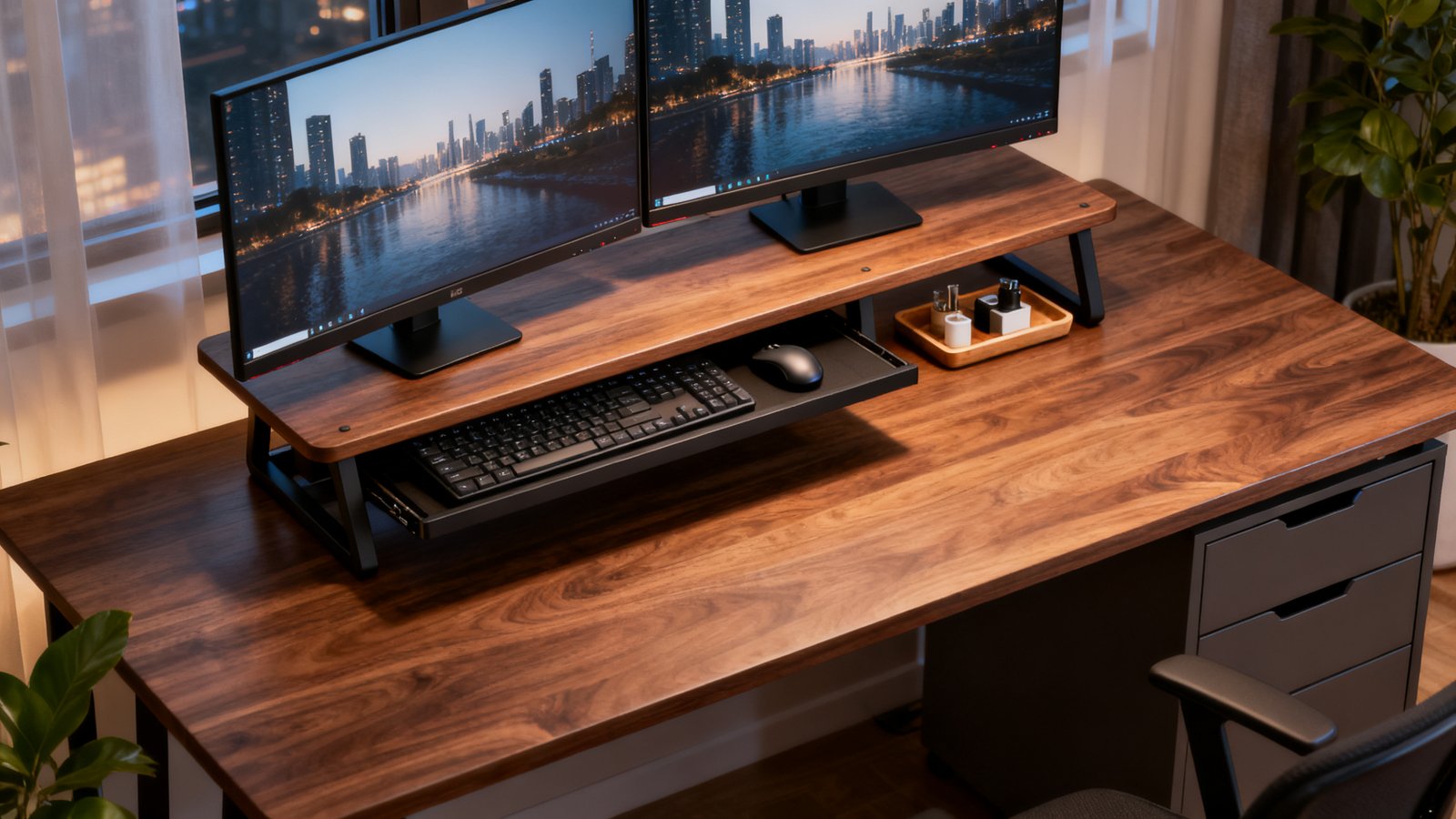
Monitor stands with storage are no longer just decorative accessories; in 2024, the market for desk shelf risers is packed with options that prioritize real-world durability, platform depth, and ample weight support. Expect to find the best desk shelf riser in the $30–$80 bracket, with premium wood and steel builds like the Grovemade Desk Shelf or FlexiSpot MonitorStand running $100 to $150.
When budgeting, invest as much as you need for dual monitor stability, especially if your setup includes screens over 27 inches or you want roomy, smooth-sliding storage. Avoid anything purely plastic for daily use. Read real reviews and focus on measurements—the dimensions and weight rating are the best predictors of “does it work” versus “looks great, but fails in weeks.”
Why choose a desk shelf riser (vs. monitor arm or riser-only)
Choosing between a desk shelf riser and a monitor arm (or a basic riser block) often comes down to stability, storage, and desk space management. Monitor arms are loved for their adjustability, but most desk-bound professionals with multiple monitors just want a solid, unmoving shelf for both screens—and a place to hide the keyboard, mouse, or charging cables between meetings.
Monitor stands with storage allow you to slot keyboards, planners, cables, and other supplies underneath the shelf, reclaiming crucial desk real estate. Elevated desk shelf solutions also tend to be more stable for heavier, dual-screen use—important if you hate the wobble or bounce of monitor arms. According to Wirecutter reviews, risers remain popular because they add storage alongside eye-level elevation, while arms often sacrifice surface organization.
If ergonomics are a big deal for your team, consider pairing your riser with a guide like our ergonomic workstation setup checklist to dial in monitor height and posture.
Dual-monitor considerations—size, weight capacity, and platform depth
Not every desk shelf for dual monitors fits two screens safely. If you use two 24–32 inch monitors, look for risers at least 88cm wide (about 35 inches), preferably with a platform depth of 22–24 inches—anything less and your monitors might hang over the edges, risking falls or unbalanced setups.
Pay particular attention to weight capacity. Cheap models often sag or develop a permanent bow if loaded with more than 25–30 lbs. The best desk shelf riser for heavy dual screens is typically rated at 50–66 lbs, like the popular BONTEC 2-tier wooden riser. Always check manufacturer specs plus buyer photos for real-world tolerance.
| Model/Example | Width / Depth | Max Weight (lbs) | Material | Best For |
|---|---|---|---|---|
| Twelve South Curve Dual Riser | 88cm x 59cm | 50 | Powder-coated aluminum | Wide dual screens |
| BONTEC 2-Tier Wooden Riser | 42cm x 23cm | 66 | Solid wood/steel | Heavy monitors + storage |
| FlexiSpot Premium Stand | 65cm x 22cm | 55 | Steel/wood composite | Heavy-duty, premium build |
Materials, construction and durability red flags
Material choice is critical for both appearance and lifespan. The current market sweet spot is mid-range desktop organizer riser wood or bamboo monitor stand shelf models—these offer a balance of aesthetics and genuine stability. Stay away from risers made entirely of plastic; users and brand write-ups consistently flag plastic or MDF risers with thin, glued joints as wobbly and failure-prone.
Check photos for thick platform supports and metal brackets, not just glued corners. For the best desk shelf riser, prioritize visible fasteners, weight ratings, thick wood, or steel construction. MDF with a heavy-duty laminate is acceptable, but avoid hollow or “honeycomb” cores. Bamboo is a sustainable option but must be at least 15mm thick to prevent cracking under load.
Storage types explained—drawers, trays, tiered shelves, hidden keyboard trays
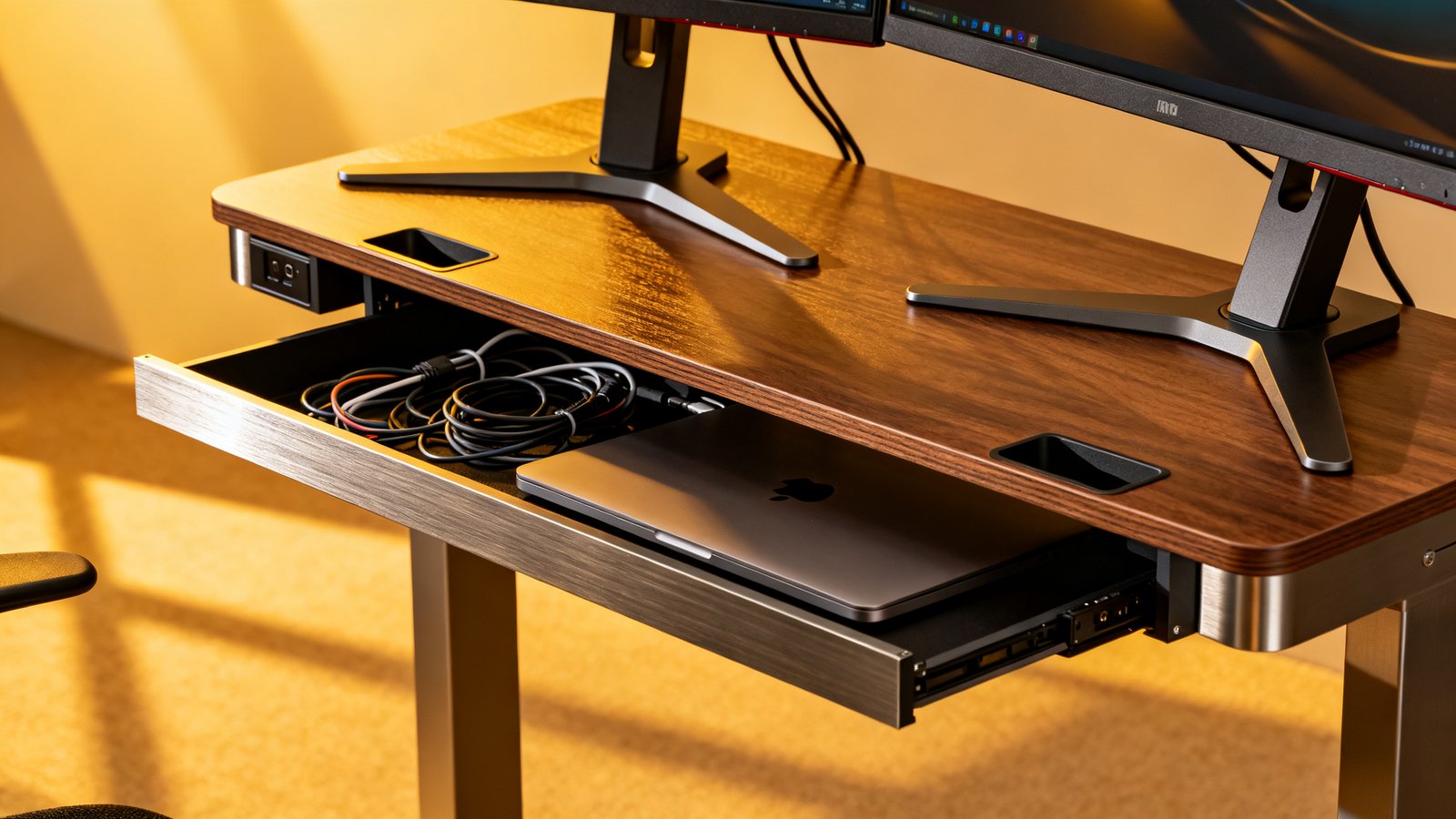
You’ll see desk riser with drawers, open cubby slots, or simple dual-tier constructions. Each serves different workflows. Drawers keep cables and dongles out of sight but sometimes jam for heavy users. Open shelves or trays offer faster access, especially if you need to pull out a keyboard frequently.
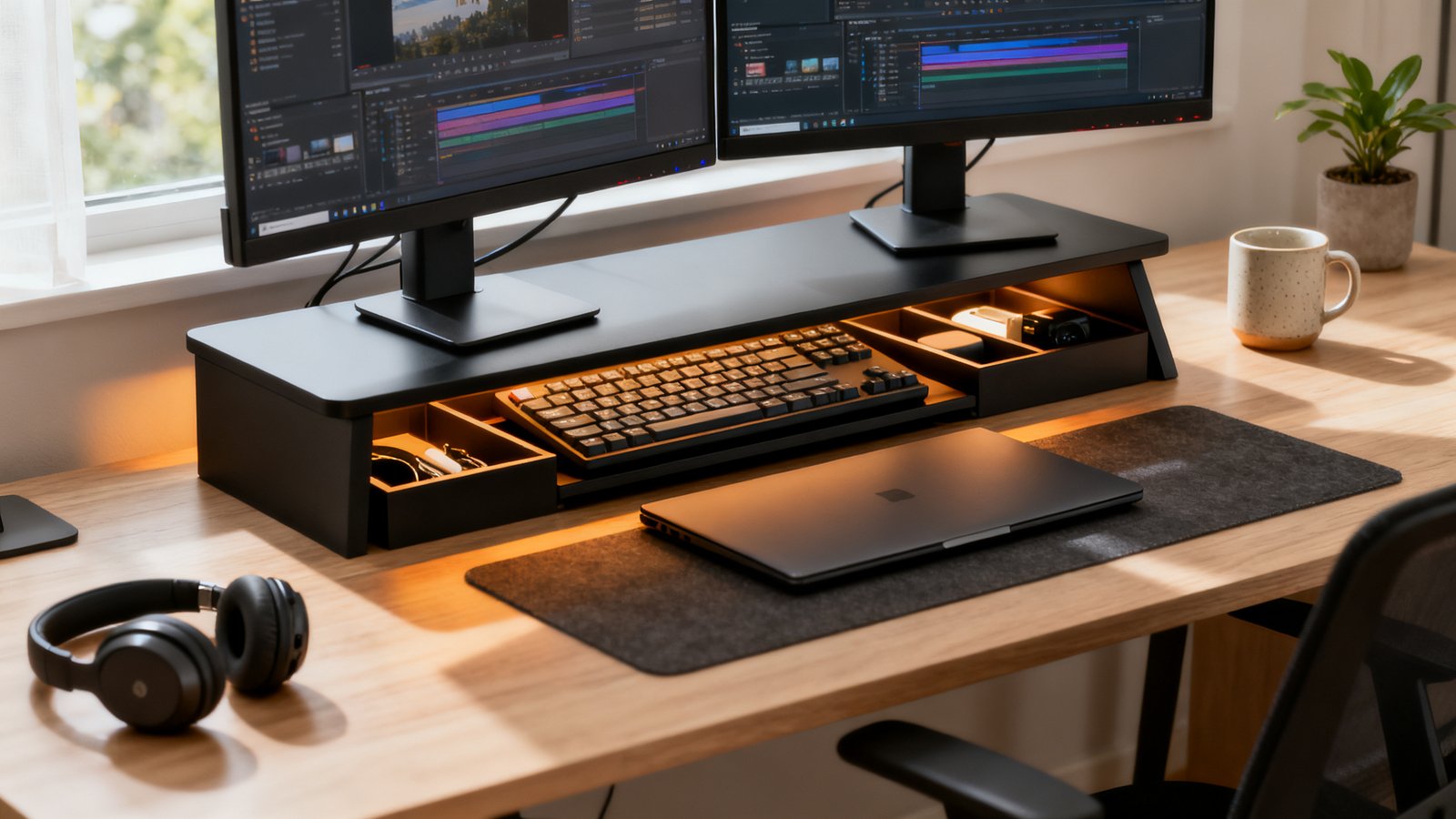
Tiered shelves give room for stacking notebooks and tablets on a separate level, while hidden keyboard tray users are perfect if you use your desk for note-taking or sketching when not typing. Cable management is better with open designs, but privacy and a minimal look favor drawers. Multiple top sellers on Amazon now include both drawers and shelves for flexibility.
Top user complaints and how to avoid them
The most common issues with monitor stand with storage are instability, sagging under dual monitors, insufficient platform depth, or drawers that stick. Cheap plastic designs rarely support two screens without bouncing or warping. Thin MDF models can peel, delaminate, or develop sunken spots where monitors sit.
- Check verified weight rating photos in product listings (not just specs).
- Look at customer images for signs of sag or bowing.
- Ensure storage space fits your full-size keyboard; many shelves don’t leave enough clearance.
- Test drawers for smooth action and robust runners.
- Prefer wood/steel builds in the $30–$80 range for a good balance of cost and performance.
For more ways to avoid common product-buying mistakes in your home office journey, visit our clutter free desk setup guide.
Ergonomics checklist—height, monitor center, laptop ventilation, keyboard placement
Ergonomics are the reason to use an elevated desk shelf for laptop and monitor positioning. Your monitor center should sit roughly at or just below eye level when seated upright. Most risers add three to six inches of height. Use a tape measure and sit at your desk; stack books if necessary to test the ideal uplift.
For laptops, make sure your riser allows for airflow or has a cut-out for ventilation. Some models include cable pass-throughs or gaps for heat dissipation. For keyboard tray users, check for at least 2 inches of vertical clearance and enough depth to tuck away a full-size mechanical keyboard or wrist-rest. Many users report wrist angle and reach is optimal when the space from riser bottom to shelf leaves elbows at a roughly 90-degree bend while typing. Find more ergonomic setup help in our ergonomic guide. For dedicated cooling and positioning, consider an laptop ventilation accessory as part of your setup.
Cable management, surface footprint, and desk depth—often-overlooked needs
Cable management mess is one of the most persistent home office headaches. Monitor stands with storage often feature built-in cable channels, rear notches, or pass-throughs along the back edge—if your monitors or laptop have rear-facing connectors, these are non-negotiable features. Check side and rear product images for evidence of cable slots.
Also, calculate desk depth. A dual monitor desk shelf can be 22 inches or deeper—models like the Twelve South Curve cover up to 59cm (over 23 in), eating significant workspace. Always compare your desk’s actual front-to-back space so your riser doesn’t dominate your entire surface. If maximizing useable area is a top priority, combine a shelf with a budget home office setup guide for more compact solutions.
Warranty, longevity signals, and brand reliability
Brand and warranty matter—especially for a $100 product meant for daily use. Top models from Grovemade or higher-end FlexiSpot include extended or even lifetime warranty coverage. Mid-range wood or steel models sometimes offer 2–5 years, while budget risers may only have 30–90 days.
- Prefer sellers that display third-party verified weight limits.
- Look for replacement policies or responsive customer service in reviews.
- Avoid generics with unclear branding or no direct support.
Long warranties are a signal of durability and can add peace of mind, especially for hybrid and remote pros outfitting their workspace for years instead of months. For those who want to protect their entire office investment, see our standing desk stability guide for more on long-term value.
Quick shopping checklist and buying flow
To make your decision quick and regret-free, follow this checklist every time you shop for the best desk shelf riser or a desk riser with drawers:
- Measure your monitors (width/stand legs), and your desk’s actual usable depth and width.
- Check riser dimensions—each should exceed your monitor width and support keyboard storage if needed.
- Confirm weight capacity—aim for 50+ lbs for two monitors; check real user photos for proof.
- Pick material for your needs: wood/metal for stability, bamboo for eco and looks, avoid pure plastic for dual displays.
- Choose storage type: drawers (private), shelves (easy access), or keyboard tray depending on your workflow.
- Verify warranty and read recent reviews (especially any photos showing sag or finish problems).
- Set your budget: start in the $30–$80 mid-range unless you want premium aesthetics like Grovemade or heavy-duty like FlexiSpot.
With these steps, you’ll dodge nearly all common product regrets and pick a riser that lasts years, not months.
Product comparison template for reviewers
To help you compare your options (or write your own review), use this template for every monitor stand with storage or desktop organizer riser wood model you assess:
| Product Name | Price | Dimensions (W x D x H) | Max Weight | Material | Storage Type | Warranty | Best For | Red Flags |
|---|---|---|---|---|---|---|---|---|
| FlexiSpot MonitorStand | $60 | 65x22x12cm | 55 lbs | Steel/Wood | Multi-drawer | 5 Years | Dual monitors + cable management | No pass-through for thick cables |
| Grovemade Desk Shelf | $140 | 90x25x11cm | 55 lbs | Solid Walnut + Aluminum | Open shelf | Lifetime | Design-focused setups | Price; fits only up to 2×27″ monitors |
| BONTEC Wood Riser | $40 | 42x23x14cm | 66 lbs | Composite Wood/Steel | 2-Tier shelf | 2 Years | Budget, heavy screens | Narrow for ultra-wides |
Structure every review around these fields to directly compare fit, durability, storage, and buyer frustration points. For market context, highlight if the product is in the key $30–$80 segment or a premium outlier. This helps readers find true value for their setup.
Closing—which users should pick which type
If you’re after reliability for a dual monitor setup, prioritize a sturdy wood or steel riser in the $30–$80 mid-range. Single monitor users on a budget can opt for smaller stands with basic open shelf storage, but watch out for shallow depths. Aesthetically focused buyers or those demanding absolute durability (or a match for walnut/black ash office decor) should consider premium choices like the Grovemade Desk Shelf or FlexiSpot.
Laptop-plus-monitor users will get the most practical value from a riser with open slots, allowing easy cooling and cable routing underneath. If you need a solution that looks minimal and keeps all your gear out of sight, opt for models with drawers and a hidden keyboard shelf.
In 2024, the best desk shelf riser for most professionals is a mid-range, solid wood or steel model with proven under-monitor storage and a track record for desk stability.
Ready to upgrade? Measure your gear, set your budget, and pick a riser built for the way you actually work. You’ll feel the difference—and avoid daily desk headaches.
Frequently Asked Questions
Are desk shelf risers really strong enough for dual monitors?
The best desk shelf riser models rated for 50–66 lbs are absolutely strong enough for two monitors. Always check weight ratings and buyer reviews with real user photos to confirm.
What’s better for a laptop and monitor combo—a riser or an arm?
A quality elevated desk shelf for laptop and monitor setups offers more stable storage and better cable management. Arms provide more adjustability, but are less helpful for keyboard stowage and desk organization.
How deep should my desk be for a riser and two monitors?
You’ll want a desk depth of at least 24 inches (61cm) to fit most dual monitor risers with enough free space in front for keyboard and mouse use.
Do I need a riser with drawers or just an open shelf?
If you value hidden storage for wallets, dongles, and cables, drawers make sense. Open shelves offer quicker access and more room for large accessories or full-size keyboards.
What should I check before buying any monitor stand with storage?
Measure your desk and monitors, confirm platform width and depth, verify weight capacity, check storage type, look for visible durability signs, and make sure warranty/support are clear and trustworthy.