

### Blog Post:
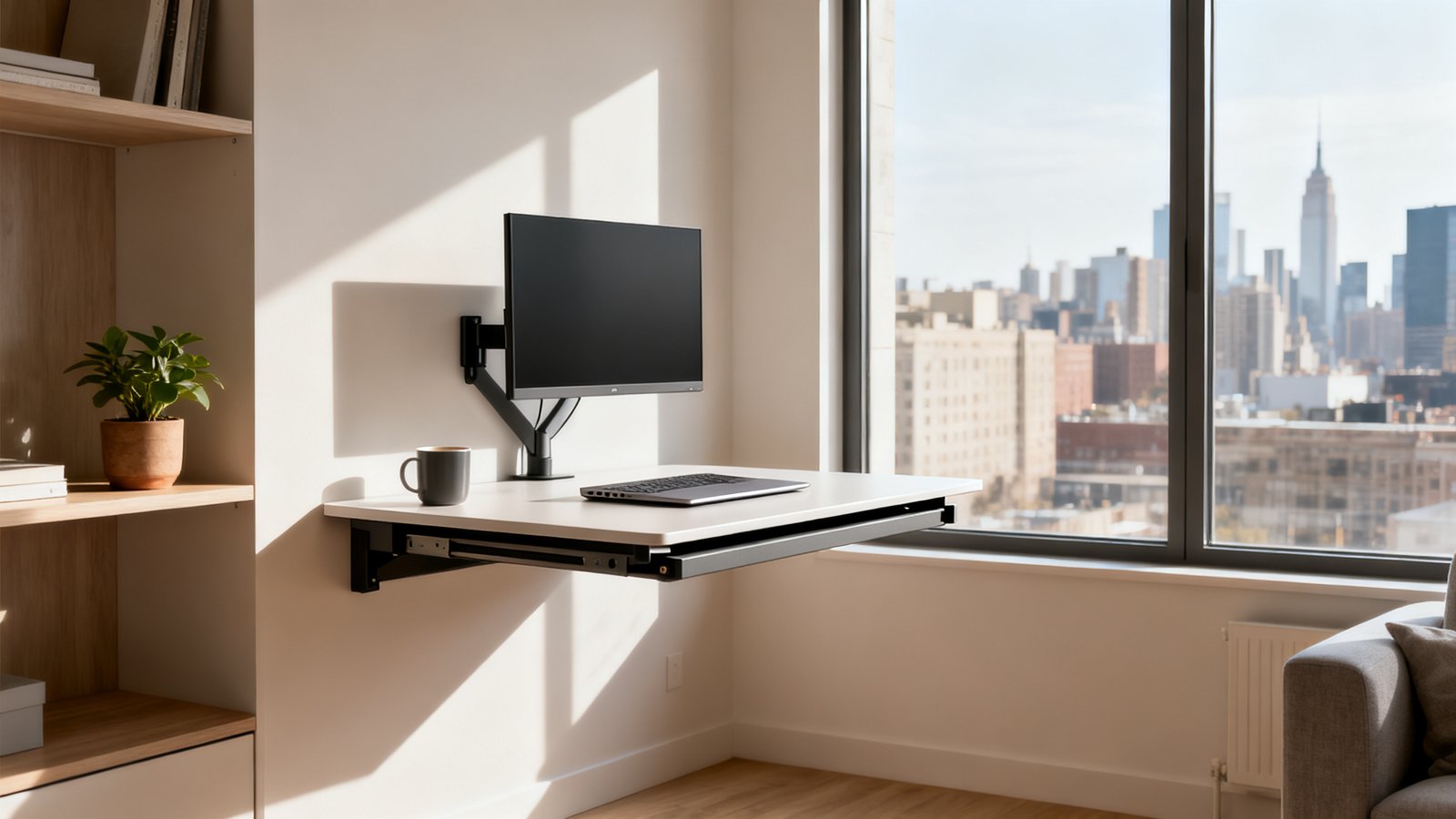
Best folding desk options empower remote workers who crave a dedicated workspace, without sacrificing their limited floor space—especially if you live in a studio or small apartment and need your desk to literally disappear at a moment’s notice.
Key Takeaways
- Benchmarked durability and installation make or break folding desk utility—ignore these at your own risk if you plan to use a monitor.
- Real-world weight limits and reinforcement, not just “maximum capacity” claims, are essential for stability with external screens or monitor arms.
- Material and finish choices finally allow disappearing foldable desks to match your space and values, including eco-friendly options—if you know what to ask for.
- Why folding desks are the smart solution right now
- Who should get a folding desk — real usage patterns
- What top websites miss — three decision-critical gaps
- Durability and monitor support — what real users report
- Benchmarked weight specs — how to choose for single and external monitors
- Installation & anchoring — a step-by-step difficulty guide by wall type
- Materials, finishes and customization — what to ask sellers
- Design types and when to pick each
- Quick buyer checklist — specifications to demand before you buy
- Product testing template for writers/reviewers (how we test monitor support)
- Conclusion — final recommendations by living situation
- FAQs
Why folding desks are the smart solution right now
The demand for a foldable desk for home office use has exploded, fuelled by compact urban living and the normalization of remote work. In 2024, the global home-office furniture market hit $25.3 billion, with desks representing over 30% of that spend. Folding desks now make up a third of all desk sales—about $2.5 billion globally, with $1.2 billion sold in the United States alone (source).
Why? Small-space dwellers need flexibility, offices now double as bedrooms, and nobody wants a permanent desk eating up precious living real estate. A folding desk is a practical investment for anyone who wants serious function when working—but true “invisibility” at the end of the day, making it perfect for multipurpose spaces and micro apartments.
Who should get a folding desk — real usage patterns
If you live in a small apartment or studio, or your living room also serves as your workspace, the folding desk for small apartment setups isn’t just a convenience—it’s a necessity. Consumer usage data shows around 45% of remote workers in small homes rely on a folding desk several days a week. They often start with a laptop-only setup, but the rise of hybrid work means more now add a single external monitor.
These desks aren’t just for renters, though. Families with kids leverage folding desks for occasional homework stations, and some professionals pick portable folding desks to use at a client site or even while traveling. A wall mounted folding desk can instantly reclaim floor space in a multipurpose guest room or a tight hallway “office nook.”
For related guidance on preventing clutter in small workspaces, see this clutter free desk setup guide.
What top websites miss — three decision-critical gaps (the unique insight)
Most best folding desk articles just show pretty photos, general specs, and maybe a price range. But what are they NOT telling you? Three key things:
- Real, benchmarked monitor/weight support: The top picks rarely test whether a folding desk safely supports even modest external monitor setups, let alone arms or dual displays. Actual failure often starts around 20–30 pounds, much lower than claimed ratings.
- Wall anchoring and installation ratings by wall type: No universal install—they skip the headache of drilling into drywall versus solid wood, and the extra tools or anchors needed for each.
- Aesthetic/material customization: Knowing if you can get a walnut finish, white lacquered option, or genuinely eco-certified materials is key for modern buyers—but this info is almost always missing, despite repeated consumer requests (source).
Any article that skips these three is leaving you blind on the real user experience. Keep reading for exactly how to close those gaps.
Durability and monitor support — what real users report
Durability of the best folding desk sturdy enough for monitor use depends on honest support not marketing language. Real buyers consistently encounter three pain points:
- Wobble and sag: Most folding desks show visible flex when loaded between 20–30 lb (that’s often less than a monitor, a few books, and drink combined).
- Hinge loosening/cracks: Cheap or plastic hinges lose tightness or even crack after months of folding cycles, causing uneven or unsteady work surfaces.
- Poor bracket reinforcements: Metal legs/brackets that lack internal reinforcement may flex or twist, especially if a monitor arm is attached, making the platform unreliable for heavier peripherals.
External monitor users: ignore these signals and your desk could be literally tilting—or collapsing—under pressure. For more home office durability advice covering other furniture, see our home office setup under 1000 guide.
Benchmarked weight specs — how to choose for single and external monitors
The average portable folding desk for wfh may be “rated” at 44 lbs, but in the real world, visible wobble or permanent sagging appears beyond 30 lbs. The safe bet: choose a folding desk rated at least 20% higher than your planned total load (laptop, monitor, monitor arm, peripherals, beverages—add it all up). For a monitor larger than 24″, don’t settle for less than a 60 lb rating—and consider mounting the monitor arm directly into a stud instead of the desk.
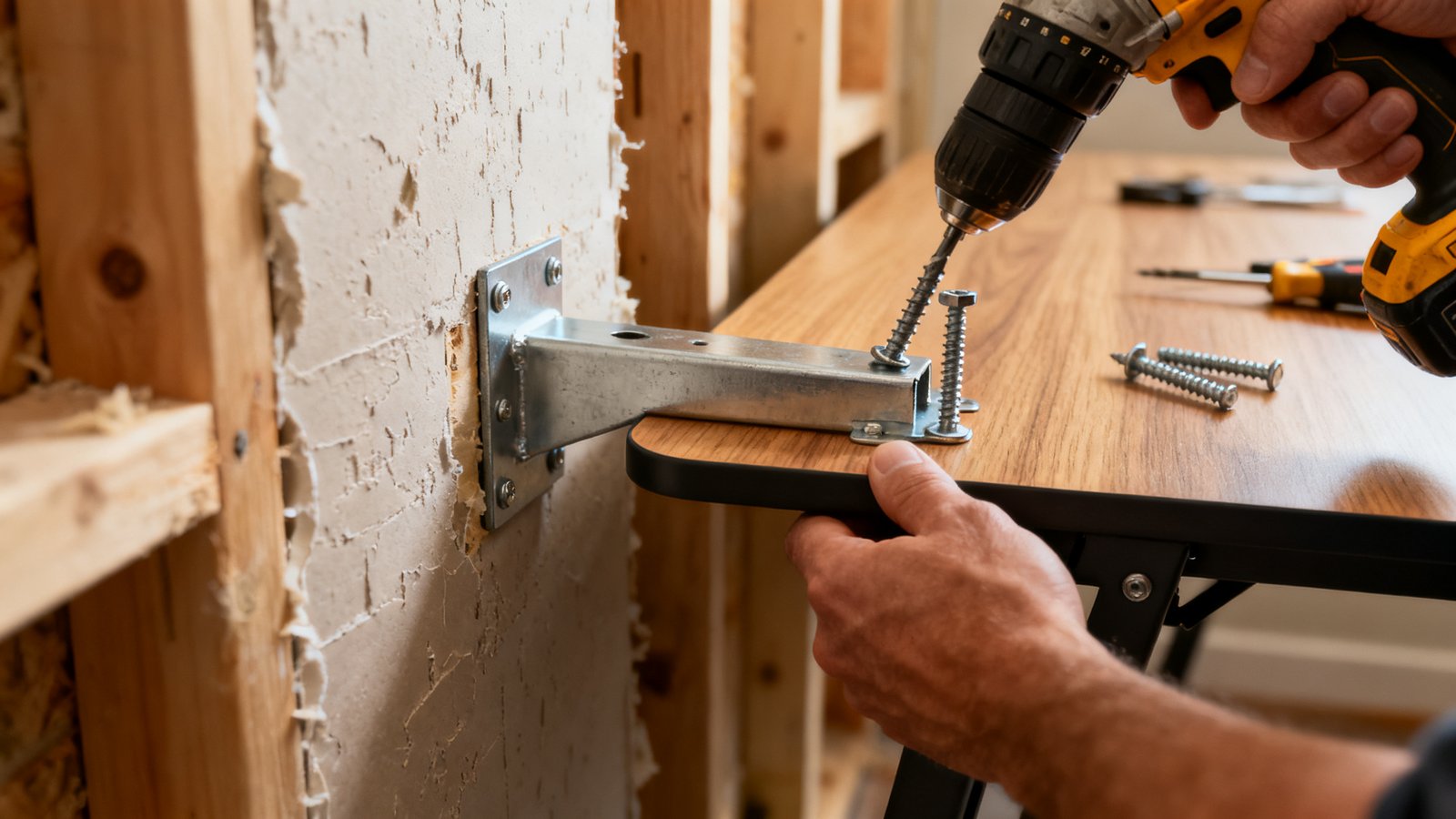
Remember: dual monitor rigs often exceed safe capacity, especially on wall-mounted models. Always check for leg or bracket reinforcements, not just surface area. If you plan on using a monitor arm, make sure it’s either anchored into studs (not drywall) or the desk is explicitly rated for arm use. For more on weight capacity and workspace safety, see our standing desk buying guide.
Installation & anchoring — a step-by-step difficulty guide by wall type
Many wall mounted folding desk products breeze over what it really takes to mount safely to different wall types. Here’s a granular, honest rating you won’t find in most buying guides (the same omission Google’s top results make):
| Wall Type | Difficulty | Required Tools | Recommended Anchors | Time estimate | Key Gotchas |
|---|---|---|---|---|---|
| Wood Stud (standard framing) | Easy | Drill, screwdriver, level | #10 x 2.5″ wood screws, metal brackets | 20–30 min | Must hit both studs—use stud finder |
| Drywall only | Hard | Drill, level, hammer | toggle bolts, not plastic anchors | 30–45 min | Weight limit cut in half, increased risk of pullout |
| Masonry/Brick | Medium | Hammer drill, masonry bits | Expansion anchors, lag bolts | 30–50 min | Wear dust mask; pre-mark holes precisely |
Safety check: After install, apply moderate pressure or a test load before putting your tech on the desk. If it moves more than 2–3 mm, reinforce the anchors.
For a less “industrial” alternative or if you’re a renter, consider a free-standing or clamp-on folding desk. To keep your setup both clean and clutter free, see our minimal desk setup inspiration guide.
Materials, finishes and customization — what to ask sellers
If you’re serious about a fold down desk that disappears into your decor, press sellers for these details before you buy:
- Surface: Solid wood (oak, maple, walnut) offers durability and longevity—beware low-end MDF or cardboard-core options, which dent and delaminate quickly (source).
- Brackets/hardware: Steel and aluminum are best—avoid plastic where possible. Ask about hinge type, weight rating, and any cycle testing.
- Eco-friendly finishes: Look for FSC-certified woods, water-based lacquers, or upcycled/recycled materials if you’re eco-conscious. Many brands can do a custom stain or color (if you ask).
- Low-VOC or anti-microbial coatings can be relevant for home health, especially in small or poorly ventilated rooms.
Request real samples or high-res photos of color swatches if you’re matching to existing furniture. For more about combining aesthetics with ergonomic comfort, check out our ergonomic workstation setup guide.
Design types and when to pick each (wall-folding, drop-leaf, portable)
The folding desk segment’s $2.5 billion sales prove there are now viable options for almost any space and workflow. Consider these types:
- Wall-mounted fold-down desks: Best for true “disappearing desk” function. Can include storage. Must be anchored into a solid wall.
- Drop-leaf desks: Look like a normal table when open, with hinged surfaces that stow. Best for multipurpose family rooms or shared guest spaces.
- Freestanding folding desks: No wall mounting required. Good for renters, travelers, or anyone who rearranges often.
- Portable lap desks or compact tables: For those who only need a workspace a few hours at a time or for flexible use in different rooms.
- Desks with integrated storage: Include cubbies or shelving—useful for those who want “grab and go” organization when the desk is folded up.
If your apartment is extremely tight, a folding desk that disappears is often the only way to have a “real” workspace without compromising your living area. For a deeper dive into optimizing small spaces, you might find our clutter free workspace strategies valuable.
Quick buyer checklist — specifications to demand before you buy
Don’t get stuck with a desk that won’t support your real-world setup. Before checking out, demand these specs:
- Rated weight capacity (with at least 20% safety margin over your combined equipment weight)
- Reinforced hinges and brackets (prefer metal—plastic will not last for daily folding)
- Clear monitor support rating (especially if mounting an arm—ask if tested or warrantied for arm use)
- Surface dimensions (ensure room for your largest device)
- Compatible anchor types (does it come with the right hardware for your wall?)
- Return policy/warranty (at least 1 year; longer if you’re investing at the high end)
- Finish/material options (don’t settle for generic if you want it to blend in or stand out)
Reinforced hardware and a real warranty are especially important—most real-user complaints relate to failed hinges or poor bracket performance. If minimizing cable clutter is also a must, see our clean desk setup guide.
Product testing template for writers/reviewers (how we test monitor support)
To address the glaring info gap on actual folding desk weight support—especially for monitor users—follow this test script:
- Static weight test: Load desk to 125% of its claimed capacity for 1 hour. Pass only if there’s no sag (over 3 mm) or visible flex.
- Lateral wobble test: Apply moderate side pressure; pass if movement < 3 mm in any direction.
- Fold/unfold test: Fold/unfold the desk 1,000+ times; look for any hinge looseness or bracket failure.
- Monitor-arm test: Mount a standard monitor arm with a 24–27” monitor; pass if no droop or bracket pullout observed over 72 hours.
- Wall-anchored pull test: Simulate a child/adult leaning or light pull; anchors should not shift or start to tear out.
If any major failure occurs, recommend as laptop-only or for occasional use—not for daily monitor support. This protocol provides the benchmarked data missing in most “best folding desk” reviews. If you’re testing other home office furniture, see our office chair buying guide for parallel protocols.
Conclusion — final recommendations by living situation
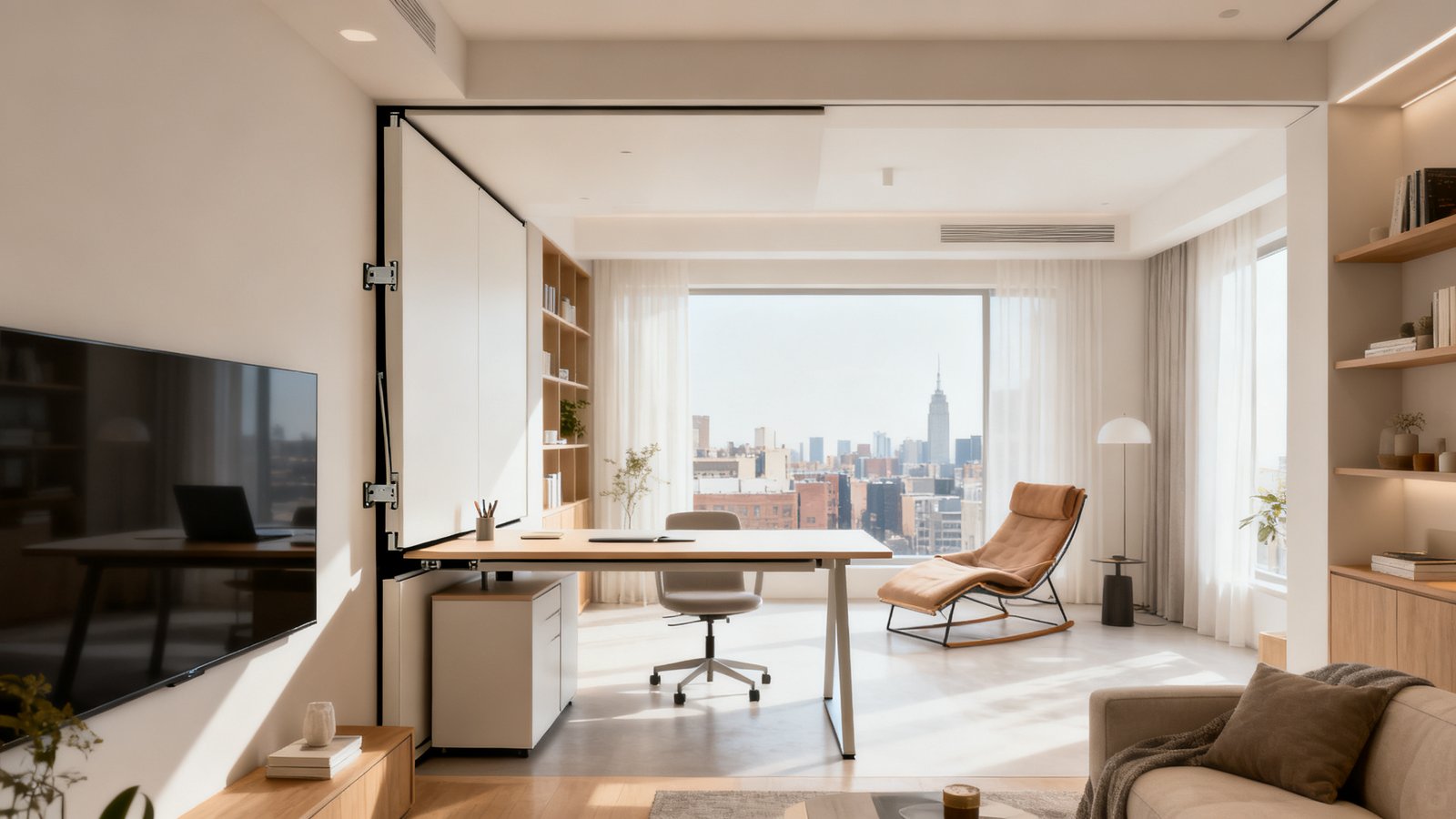
The takeaways for the folding desk for small apartment or studio dweller: prioritize a wall mounted folding desk with reinforced hardware, real-world tested weight support, and a finish that matches your decor. For the family room or flex-guest room, a stowable drop-leaf design with integrated storage is usually best. If you’re a nomadic or hybrid remote worker, choose a portable folding desk for wfh use—just don’t forget to check the rated cycle life of the hinges, and look for a sturdy carrying handle.
Bottom line: The best folding desk is the one that supports your real load, fits your space, and actually disappears when you need it. Invest wisely—reliability is more important than sheer aesthetics. Ready to upgrade your workspace? Start comparing models against the above checklist and demand transparent data. Your back, tech, and sanity will thank you.
FAQs
How much weight can the average folding desk really support?
While many models claim 44 lbs or more, real-world stability for daily use rarely exceeds 20–30 lbs. For a single large monitor plus laptop, demand a safety margin of 20% above your estimated load (and test the setup before trusting expensive gear on it).
Can folding desks be installed on drywall alone?
It’s possible, but not ideal. Use heavy-duty toggle bolts, expect weight limits to drop by 50%, and know that pullout risk increases. Whenever possible, anchor into wood studs or masonry for full capacity and safer use.
What is the most durable folding desk material?
Solid hardwood (oak, maple, walnut) is most durable for tabletop surfaces; metal (steel or aluminum) is best for brackets, legs, and hinges. MDF or particleboard surfaces are much less resilient and prone to warping or breakage, especially with repeated folding cycles.
Is it worth paying more for a customizable finish or eco certification?
If the desk doubles as decor in your main living space, definitely—it impacts both aesthetics and indoor air quality. Eco certifications (like FSC or Greenguard) also signal better production standards, which may mean fewer chemical smells or finishes that last longer without fading or chipping.
Do folding desks come with warranties?
Most mid-range and premium models do, but terms vary. Look for at least a 12-month warranty, and prioritize sellers who offer easy returns—especially if you’re installing in a tricky wall type or plan to use a monitor arm.
—