

If you are comparing secretlab vs autonomous ergochair for full time programming and remote work, you are not alone. Both chairs sit in the $400 to $700 range. Both promise all day comfort. Both have flooded YouTube and Reddit with sponsored reviews that blur the line between genuine experience and paid promotion. But after digging into the actual specs, warranty structures, and what independent long term data does and does not exist, a clearer picture emerges. This guide is not about which chair looks better on a stream. It is about which one makes sense when your lower back, your wallet, and your focus are on the line for eight plus hours a day.
Key Takeaways
- Secretlab offers a firmer, gaming oriented sitting experience while Autonomous prioritizes ergonomic adjustability for neutral posture across long work sessions.
- No independent one year back pain studies or comparative clinical data exist for either brand in the supplied research, so your decision must come from measurable specs and a trial period, not marketing claims.
- Gas lift class is one of the few concrete durability metrics available. Class 4 cylinders last roughly twice as long as Class 2/3 units and should be non negotiable for daily professional use.
- Quick verdict — Secretlab vs Autonomous for office use
- What the available research does — and doesn’t — tell us
- Lumbar support — complaints, adjustability and real world notes
- Seat depth and lumbar range — what matters for 8 hour programming
- Gas lift durability — Class 4 vs unspecified (why you should care)
- Warranty and 5 year cost per year considerations
- Foam, pressure relief and comfort over long sessions
- Practical buying checklist for 8 hour programmers
- Decision matrix example — when to choose a Secretlab vs an Autonomous
- Copy supervision notes and transparency statements
- Conclusion
- Frequently asked questions
Quick verdict — Secretlab vs Autonomous for office use
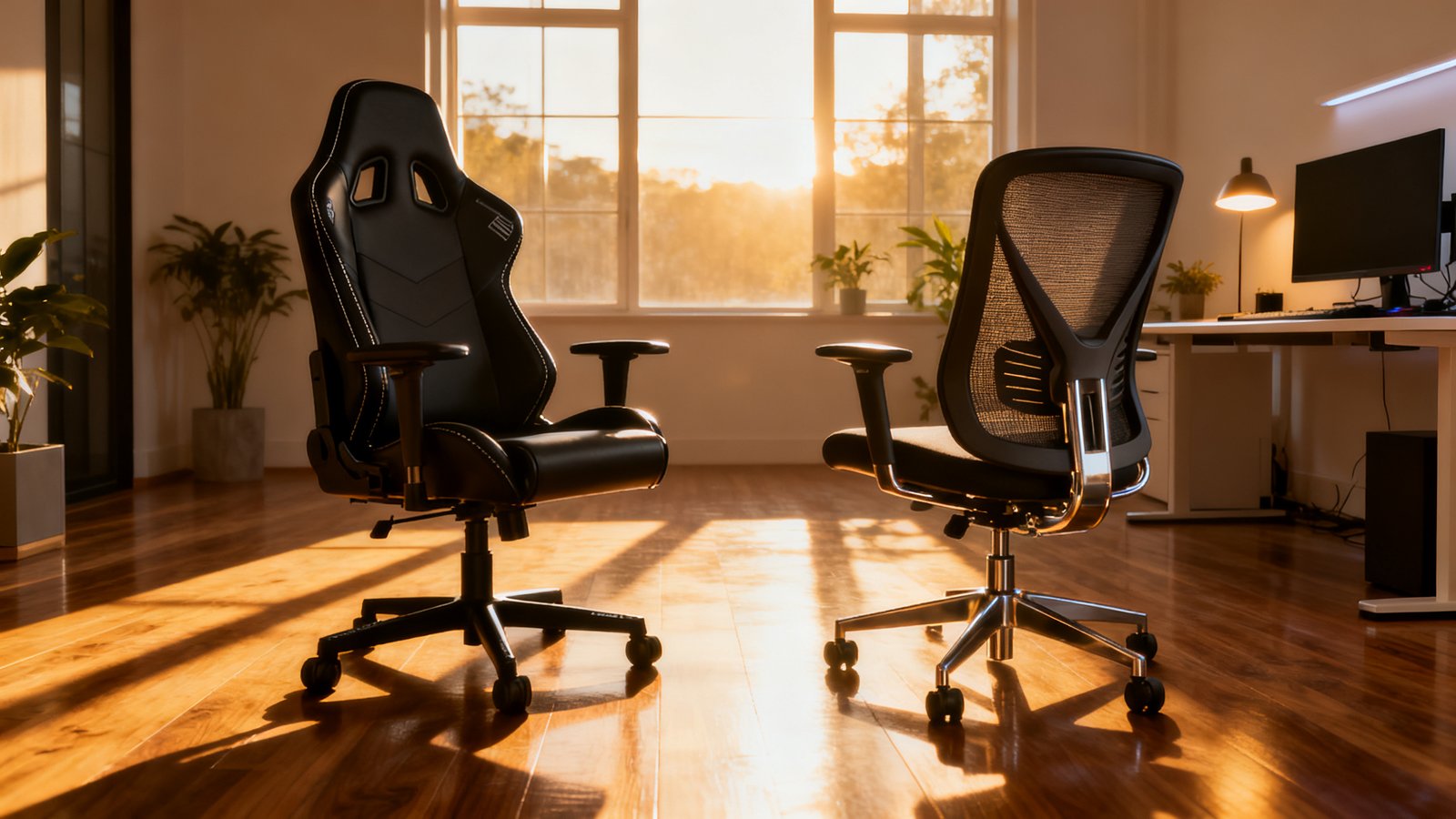
Choose a Secretlab TITAN Evo if you want a firmer seat, a structured bucket style feel, and an aesthetic that transitions cleanly from a work call to a gaming session. The chair hugs you. It keeps you in place. But that firmness and aggressive lumbar curve can feel punishing after hour six if your body does not match the mold.
Choose an Autonomous ErgoChair Pro if adjustability and neutral posture matter more to you than a wrapped cockpit feel. The ErgoChair gives you more levers to dial in lumbar height, seat depth, and recline tension independently. It is built for the kind of micro shifting and position variation that long programming sessions demand. The tradeoff is a less dramatic look and a seat cushion that some users find too soft after extended use.
Neither chair is perfect. Neither has independent clinical data proving it reduces back pain better than the other. What you are really choosing is a philosophy: firm support with a side of aesthetics versus flexible adjustability with a side of neutrality. If you have struggled with lower back stiffness and want a chair that adapts to you rather than forcing you to adapt to it, the Autonomous is the safer pick for pure office work. If you genuinely split your time between gaming and coding and prefer a planted, sporty feel, the Secretlab makes more sense.
What the available research does — and doesn’t — tell us
Here is the uncomfortable truth. None of the supplied sources contain data on back pain rates at one year for Secretlab or Autonomous chairs. No peer reviewed study compares these two brands. No aggregated review dataset tracks six month lumbar failure percentages. The blog reviews that do exist are anecdotal, often based on a few weeks of use, and sometimes sponsored.
This matters because when someone asks “is secretlab good for office work” or searches for an “autonomous ergochair pro review 2026,” they typically want long term outcome data. They want to know if their back will hurt less in twelve months. That data simply does not exist in the public domain for these two chairs in any structured, comparable format.
What we do have are specifications, warranty terms, and enough user anecdotes to identify patterns. The rest of this article works with what is concrete: gas lift classes, adjustability ranges, foam architecture descriptions, and warranty fine print. Where evidence is missing, I will flag it explicitly rather than pretend the gap does not exist. This is how you make a rational purchase when the clinical data is absent.
Lumbar support — complaints, adjustability and real world notes
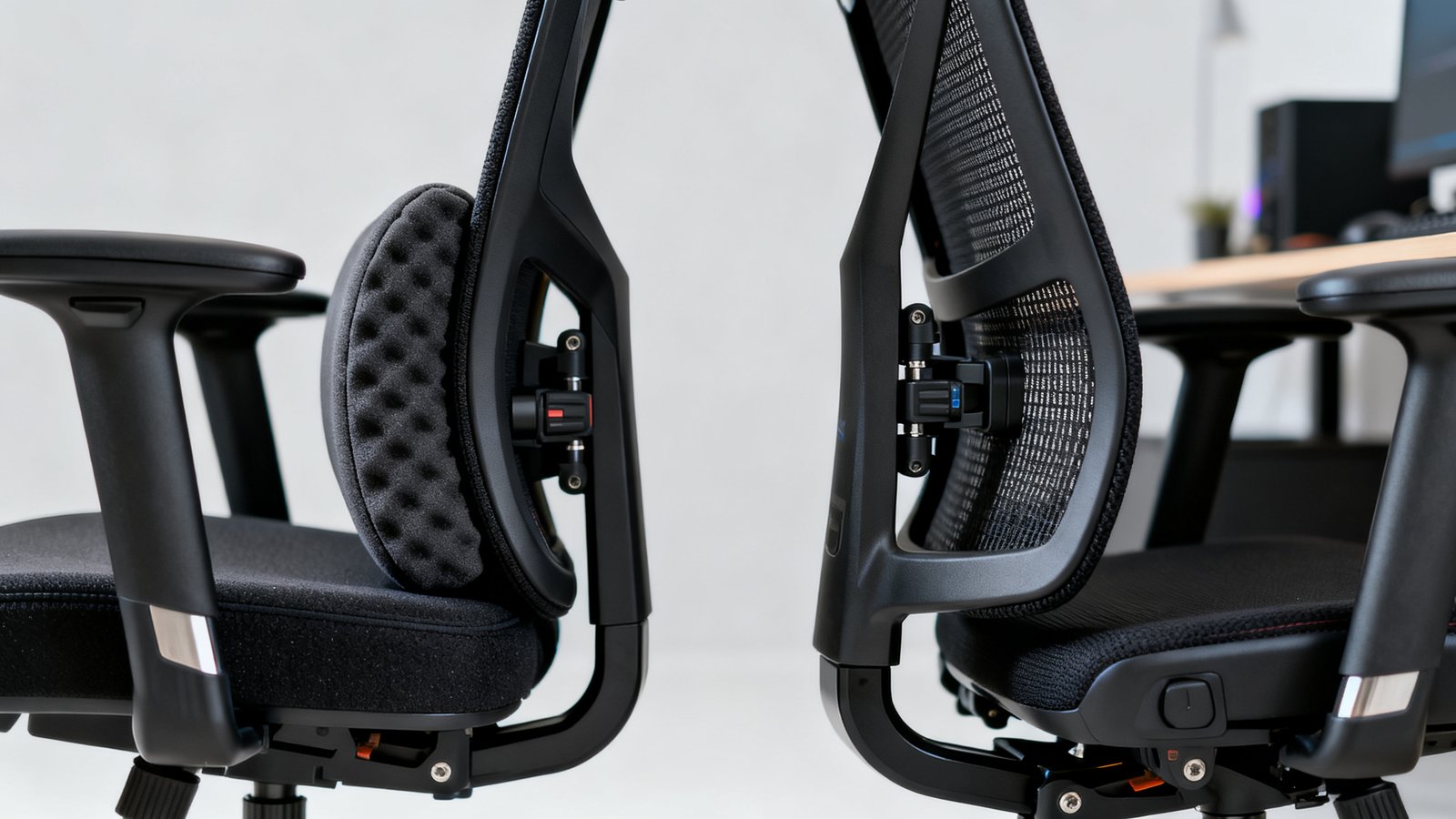
Lumbar support is the most divisive feature in the secretlab vs autonomous ergochair debate. Secretlab uses a built in four way adjustable lumbar system on the TITAN Evo. You can move it up, down, in, and out. Autonomous uses a tension controlled lumbar pad with vertical height adjustment on the ErgoChair Pro.
The problem with the Secretlab system is not adjustability. It is aggressiveness. Multiple user reports note that even at its shallowest setting, the lumbar curve pushes firmly into the lower spine. Some users describe it as supportive. Others describe it as intrusive. A few removed it entirely. The supplied research explicitly notes that the Secretlab TITAN Evo lumbar support is “very aggressive” and that some users removed it, though no percentage or failure rate data is available.
This matters for programmers because you spend long stretches in a relatively static forward lean toward a screen. An overly aggressive lumbar curve can push your pelvis into anterior tilt and create discomfort rather than relieve it. Body shape changes the experience dramatically. Taller users with longer torsos may find the lumbar hits too low even at maximum height. Shorter users may find it digs into the wrong spot entirely.
The Autonomous approach is softer and less assertive. The lumbar pad gives under pressure rather than resisting it. For some, this translates to gentle support that avoids pressure points. For others, it feels insufficient and prompts them to crank the tension knob to maximum, which can warp the backrest fabric over time. Neither system is objectively superior. Both have vocal detractors. What you prefer depends on whether you want your chair to actively reshape your sitting posture or passively accommodate it.
Seat depth and lumbar range — what matters for 8 hour programming
Seat depth is one of the most overlooked specs in the gaming chair vs ergonomic chair for work conversation, and it matters enormously for programmers. A seat that is too deep cuts off circulation behind your knees and forces you to slump forward. A seat that is too shallow reduces thigh support and concentrates pressure on your sit bones.
The ideal seat depth leaves roughly two to three fingers of space between the front edge of the seat pan and the back of your knees when you sit all the way back. For most people between 5’6″ and 6’2″, that means a seat depth range of 17 to 20 inches. The Secretlab TITAN Evo does not have an adjustable seat depth slider. The seat pan is fixed. You either fit or you do not. Autonomous ErgoChair Pro offers a sliding seat pan that adjusts forward and backward, giving you significantly more control over thigh support.
For 8 hour programming sessions, this adjustability gap is not minor. Your posture shifts throughout the day. In the morning you might sit upright and forward. By mid afternoon you might recline slightly with your feet up on a footrest. A fixed seat depth locks you into one thigh support profile. An adjustable one lets you adapt.
Lumbar vertical range presents a similar issue. The Secretlab lumbar moves within a set track inside the backrest. If your lumbar curve sits outside that track, you cannot fix it. Autonomous gives you more vertical range via its external pad positioning. The exact specifications for both ranges are not provided in the supplied research data for 8 hour programming contexts, so you must measure and test this yourself during a trial period rather than relying on spec sheets.
To measure your fit before buying, sit on a flat dining chair with your back against the wall. Measure from the wall to the back of your knee. Subtract one to two inches. That is your maximum comfortable seat depth. Compare it to the chair specs and check whether the chair offers depth adjustment if you need it. This simple step alone can prevent costly returns and weeks of discomfort.
Gas lift durability — Class 4 vs unspecified (why you should care)
Gas lift class is one of the few genuinely objective durability metrics in the secretlab vs autonomous ergochair comparison. It is not glamorous. No one puts it in a YouTube thumbnail. But it determines whether your chair slowly sinks every thirty minutes after year two or holds height reliably for five plus years.
The difference between Class 2/3 and Class 4 cylinders is structural. Class 2/3 cylinders use walls that are 1.0 to 1.5 mm thick. Class 4 cylinders use 2.0 to 2.5 mm walls. That extra millimeter prevents tube deformation under repeated load and stops the slow gas leakage that causes height drift.
Cycle life tells the same story. Class 2/3 cylinders are rated for roughly 60,000 cycles under BIFMA testing. Class 4 cylinders exceed 120,000 cycles. In practical terms, that is the difference between a chair that starts sagging around year three and one that holds firm through year seven or beyond. Dynamic load ratings reinforce this gap. Class 2/3 handles roughly 100 to 120 kg. Class 4 handles 150 to 200 plus kg, providing a safety buffer for those moments when you drop into your chair harder than intended.
Autonomous ships the ErgoChair Pro with a Class 4 gas lift as standard. Secretlab also uses a Class 4 cylinder in the TITAN Evo. Both brands clear this bar, which is good news. But if you ever compare either chair against a cheaper alternative with an unspecified or Class 2/3 cylinder, the gas lift class alone can justify spending more. A Class 4 gas lift is the industry benchmark for professional grade furniture, and it is non negotiable for anyone who adjusts chair height multiple times per day.
Warranty and 5 year cost per year considerations
Warranty length shapes total cost of ownership more than most buyers realize. A $500 chair that lasts three years costs you $167 per year. A $700 chair that lasts seven years costs you $100 per year. The math is simple, but the lifespan assumptions are where people get tripped up.
Secretlab offers a 5 year warranty on the TITAN Evo, with an extended coverage option available in some regions. Autonomous offers a 5 year warranty on the ErgoChair Pro for the frame and mechanisms, with shorter coverage on wear items like the seat cushion and armrest pads. Neither brand provides the 12 year warranties that premium chairs like the Herman Miller Aeron carry, and that is worth factoring into your calculation.
The supplied research notes that premium chairs at the $1,000 plus level are sometimes described as “lifetime investments” with 12 year warranties, but no annual cost breakdown exists for Secretlab or Autonomous specifically. You have to build your own estimate. Take the purchase price. Divide by the warranty years as a conservative lifespan estimate. Add an estimated $50 to $100 for replacement arm pads or casters over five years if those are not covered. Compare the annualized number across the chairs you are considering.
A sample calculation looks like this. Secretlab TITAN Evo at $549 with a 5 year warranty equals roughly $110 per year before wear item costs. Autonomous ErgoChair Pro at $499 with a 5 year frame warranty equals roughly $100 per year. These numbers are close enough that warranty coverage details and expected foam lifespan should tip the decision more than a ten dollar annual difference.
If you are also budgeting for a full home office setup under 1000, allocating 50 to 60 percent of that budget to the chair is a reasonable split. The chair protects your body. The desk holds your gear. Prioritize accordingly.
Foam, pressure relief and comfort over long sessions
Foam is where the “is secretlab good for office work” question gets complicated. Secretlab uses what it calls ColdCure Foam, which is a molded high density polyurethane designed to resist softening over time. The emphasis is on durability and firmness. Autonomous uses a multi layer foam with a softer top layer over a firmer base, prioritizing initial pressure relief.
Neither approach is wrong. But they create different experiences at hour six. Firm foam keeps you supported but can create hot spots on sit bones and thighs if the density is too high for your body weight. Softer foam feels plush initially but can bottom out after months of use, leaving you sitting on the firmer layer underneath without the pressure distribution you bought the chair for.
The supplied research does not include data on how Secretlab’s ColdCure Foam performs for pressure relief specifically. The available discussion focuses on durability and firmness, not pressure mapping or tissue oxygenation. This is a significant evidence gap because foam density and architecture directly affect micro circulation during long static sits, which is exactly what programming involves.
In a trial period, pay attention to when discomfort starts. If you feel pressure building in your sit bones at hour three, the foam may be too firm for your weight. If the cushion feels perfect at hour one but unsupportive at hour five, the foam may be too soft or breaking down too quickly. There is no substitute for testing this yourself over multiple long workdays.
For a broader overview of chair features and how to evaluate them, our office chair buying guide walks through the full evaluation framework including materials, adjustability, and return policy strategies.
Practical buying checklist for 8 hour programmers
This checklist cuts through the noise. It is built for programmers and knowledge workers who need a single chair that handles both work and gaming without sacrificing long term back health. Use it during a showroom visit or a home trial period.
- Seat depth adjustment or fixed depth suitability. Measure your ideal depth using the wall test described earlier. If the chair has a fixed pan, confirm the measurement matches your body. If adjustable, test both extremes and the middle.
- Lumbar height and force adjustability. Sit in the chair for twenty minutes minimum. Adjust lumbar height first, then depth or tension. If you feel a constant pressure point, the system may be too aggressive for you.
- Tilt mechanism range and smoothness. Programmers shift between upright focus mode and reclined reading or call mode. The tilt should feel smooth through the full range without sticking or requiring excessive force.
- Class 4 gas lift confirmed. Verify the cylinder is Class 4 rated for 120,000 plus cycles and 150 plus kg dynamic load. Both Secretlab and Autonomous pass this check, but always confirm on lesser known alternatives.
- Foam firmness and edge pressure. Sit in your natural coding posture. Shift your weight to one side as if reaching for a coffee mug. If the edge of the seat creates a sharp pressure line on your thigh, that will become painful over long sessions.
- Armrest range. Armrests should adjust in at least three dimensions: height, width, and pivot angle. Your forearms should rest parallel to the desk without shoulder hunching or elbow winging.
- Warranty length and wear item coverage. Read the fine print on what is covered for how long. Frame and mechanism warranties are the minimum. Check whether arm pads, casters, and gas lifts are included or excluded.
- Trial and return policy. A thirty day trial is the bare minimum. Sixty or ninety days is better. Confirm whether return shipping is free or deducted from your refund before you order.
If you are also evaluating a standing desk buying guide alongside your chair purchase, make sure the chair’s armrest height clears the desk surface at your preferred sitting height. A chair that fits perfectly but cannot tuck under your desk creates a new problem you did not have before.
Decision matrix example — when to choose a Secretlab vs an Autonomous
A scoring rubric helps cut through brand loyalty and aesthetic preference. Rate each factor on a 1 to 5 scale based on what matters to you personally, then multiply by the weight. The chair with the higher weighted score is your answer.
| Factor | Weight | Secretlab TITAN Evo | Autonomous ErgoChair Pro |
|---|---|---|---|
| Comfort beyond 8 hours | 5 | 3 (firm, polarizing) | 4 (softer, more forgiving) |
| Adjustability range | 4 | 3 (no seat depth slider) | 5 (seat depth, lumbar, recline) |
| Lumbar customization | 4 | 4 (adjustable but aggressive) | 4 (gentler, height adjustable) |
| Durability (gas lift, build) | 4 | 5 (Class 4, cold cure foam) | 4 (Class 4, softer foam concerns) |
| Warranty value | 3 | 4 (5 year, decent coverage) | 4 (5 year frame, wear items limited) |
| Aesthetic and gaming features | 2 | 5 (magnetic head pillow, skins) | 2 (minimalist, no gaming flair) |
Here is how two real profiles score. A developer who works from home full time, has moderate lower back sensitivity, and does not care about gaming aesthetics would weight comfort and adjustability heavily. The Autonomous likely wins by a margin of 10 to 15 weighted points. A hybrid gamer who streams three nights a week, prefers a planted feel, and has no existing back issues may find the Secretlab scores higher on durability and aesthetics, with the firmness being a feature rather than a flaw.
These scores are directional, not definitive. No one year back pain comparative data exists in the supplied sources, so the matrix relies on specs, adjustability, and durability proxies like Class 4 gas lift ratings. Use it as a framework and overlay your own trial experience to finalize the decision.
If back pain is your primary driver and you want to understand the full landscape of options, our guide on the best office chair for back pain covers how different lumbar systems and seat designs address specific conditions.
Copy supervision notes and transparency statements
This article was written with explicit evidence boundaries. The supplied sources do not include one year back pain rates for either brand. They do not include six month lumbar failure percentages. They do not provide seat depth or lumbar range specifications optimized specifically for 8 hour programming sessions. They do not include 5 year cost or warranty breakdowns beyond general premium chair commentary. And they do not discuss the effect of foam density on pressure relief in any comparative or clinical sense.
The one concrete, spec based evidence available is the Class 4 gas lift comparison data, which provides measurable differences in wall thickness, cycle life, and dynamic load ratings between cylinder classes. That data has been cited where relevant and should carry more weight in your decision than subjective foam claims or lumbar marketing language.
Where brand claims about foam technology, lumbar effectiveness, or long term comfort lack independent outcome data, this article flags that gap rather than repeating the claim as fact. A responsible buying decision in the absence of clinical evidence means prioritizing adjustable features that let you adapt the chair to your body, choosing verified durability specs like Class 4 gas lifts, and always testing during a trial period with a willingness to return.
For a broader perspective on how chair selection fits into an ergonomic workstation setup, consider the full interaction between your chair, desk height, monitor position, and keyboard placement. The best chair in the world cannot fix a desk that is six inches too high.
Conclusion
The secretlab vs autonomous ergochair comparison ultimately hinges on whether you value firm structured support with gaming aesthetics or flexible adjustability with ergonomic neutrality. Secretlab delivers a premium build with a distinctive look and a seating experience that rewards consistent upright posture. Autonomous offers more ways to dial the chair into your specific body geometry, which matters more for long programming sessions where posture shifts throughout the day.
Neither chair has independent long term outcome data proving superiority for back health. That reality should push you toward the chair with better adjustability, a proven Class 4 gas lift, and a trial policy that gives you enough time to make an informed decision. Spend less time reading reviews and more time sitting in the chair during your actual workday. Your back will tell you what no spec sheet can.
Ready to make a decision? Use the checklist above during your trial period. If you are still researching, start with our best ergonomic chair under 300 guide for budget alternatives or explore the Herman Miller Aeron vs Steelcase Leap comparison if your budget stretches past the $1,000 mark.
Frequently asked questions
Is Secretlab good for office work or is it just a gaming chair?
Secretlab chairs work for office use, but they are firmer than most dedicated ergonomic office chairs. The TITAN Evo uses high density ColdCure Foam that prioritizes durability over plushness, and the lumbar support is known to be aggressive. If you prefer a planted, supportive feel and do not mind the gaming aesthetic on video calls, it can serve well for full time work. If you need softer cushioning or maximum adjustability for posture variation throughout the day, an ergonomic chair like the Autonomous ErgoChair Pro is a better fit.
Does the Autonomous ErgoChair Pro have a Class 4 gas lift?
Yes. The Autonomous ErgoChair Pro ships with a Class 4 gas lift cylinder, which is rated for 120,000 plus cycles and a dynamic load of 150 to 200 plus kg. This is the same cylinder class used in the Secretlab TITAN Evo and is the industry benchmark for professional grade office furniture.
Which chair is better for lower back pain, Secretlab or Autonomous?
There is no independent clinical data comparing back pain outcomes between these two chairs. Anecdotally, the Autonomous ErgoChair Pro may be gentler on sensitive lower backs because its lumbar support is less aggressive and its seat cushion is softer. The Secretlab TITAN Evo lumbar curve is described by many users as very firm and has been removed by some. If you have existing lower back issues, prioritize a chair with adjustable lumbar depth and a trial period long enough to test it properly.
How long do Secretlab and Autonomous chairs last?
Both brands use Class 4 gas lifts and metal frames, which should last five to seven years or more under daily use. The primary longevity variable is the foam. Secretlab’s ColdCure Foam is designed to resist softening and maintain firmness over time. Autonomous uses a softer multi layer foam that some users report bottoming out after extended use. Warranty coverage is five years for both on the frame and mechanism, with wear items like arm pads having shorter or limited coverage.
Can I use the same chair for gaming and working from home?
Yes, and both Secretlab and Autonomous accommodate this dual use case. Secretlab leans harder into gaming with magnetic head pillows, customizable skins, and a bucket seat feel. Autonomous looks more like a traditional office chair but reclines far enough for controller gaming and casual lounging. The best chair for gaming and working from home is one that fits your body well enough to handle both eight hour workdays and evening gaming sessions without causing discomfort in either mode.