

### Blog Post:
Best l shaped desk dual monitor setups have become the gold standard for programmers and hybrid-pros who demand reliable workflow, rock-solid stability, and neat cable management. The market is booming, but too many guides ignore the hard truths on frame durability, asymmetric loads, and what really matters when supporting heavy dual-monitor workstations.
Key Takeaways
- L shaped desks excel for dual monitor programmer setups by optimizing space, separating zones, and managing complex device workflows.
- Modern buyers invest in modular metal frames, heavy-duty corner supports, and built-in cable routing—features that directly prevent wobble and clutter.
- Testing for weight capacity, cable slack, and layout fit before buying is crucial—most complaints come from ignored specs or underestimated usage.
- Why L‑Shaped Desks Are the Default for Multi‑Monitor Workstations
- Step-by-Step Guide: Building Your Dual Monitor L Desk
- Advanced Analysis & Common Pitfalls
- Conclusion
- FAQ
Why L‑Shaped Desks Are the Default for Multi‑Monitor Workstations
L shaped desks for two monitors have exploded in popularity as remote work and multi-screen workflows become the new normal. In 2024, the L shaped desk market reached about $8.1 billion with over 5 percent annual growth, projected to surpass $12 billion by the early 2030s (Dataintelo Market Research). What makes the L-shaped design superior for dual monitor setups, especially for programmers and serious hybrid workers?
- Primary/Secondary Zones: The main run holds your primary monitor(s), keyboard, and mouse, while the side wing supports a laptop, reference material, or tablet—ideal for code, chat, or documentation.
- Expanded Surface: More real estate for desktop towers, audio gear, gaming devices, and notebooks without crowding your working zone.
- Multi-Device Workflow: Clean separation enables smooth context switching between intense focus and meetings or personal tasks, which is key for software engineering and creative roles.
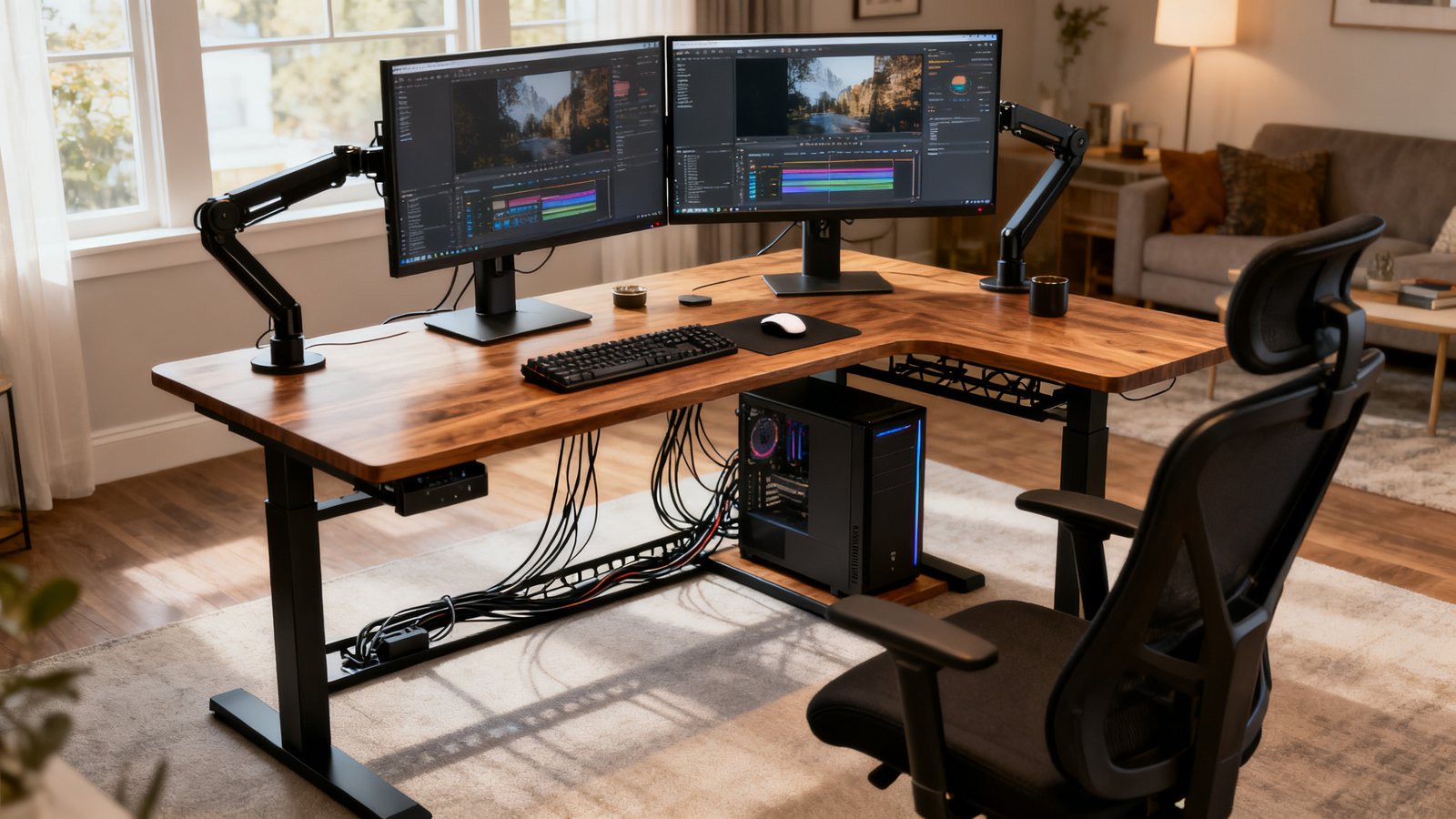
Unlike standard straight desks, a L shaped desk for two monitors minimizes overlap and wire clutter. With demand rising for heavy dual-monitor arms and ergonomic standing desk options, today’s best l shaped desk dual monitor choices feature strong modular metal frames, customizable dimensions, and robust cable management (see Eureka Ergonomic’s L Desk Guide).
Step-by-Step Guide: Building Your Dual Monitor L Desk
- Measure Your Space
- For most, a main run of 60 inches (152 cm) fits two 27-34 inch monitors with space for peripherals (Eureka Monitor FAQ).
- Avoid depths over 31 inches (80 cm) to prevent monitors sitting too far—ideal viewing distance is under 90 cm, per OSHA and ergonomic studies.
- Prioritize Frame and Corner Strength
- Choose heavy-duty steel or reinforced aluminum frames with at least three legs, not budget two-leg models.
- Look for visible bracing or under-desk crossbars at the L corner to resist flex from asymmetric loads like a PC tower or monitor arm on one side.
- Select Strong Cable Management
- Pick desks with grommets, under-desk trays, and vertical channels—this prevents the cable “rat’s nest” that plagues most multi-monitor setups.
- For standing desks, allow at least 20 percent cable slack and prefer standard 10-foot power/data cables under the desktop, especially for under-desk PCs (iMovR Standing Desk Mistakes Guide).
- Decide: Fixed Frame or Standing L Desk
- Fixed frames provide maximum stability and are “set-and-forget.” standing L desk models with synchronized multi-motor systems are essential for even lifting, especially across both legs of the L.
- Motor desynchronization causes long-term wobble or tilt—frequent buyer complaint, so verify true multi-motor coordination.
- Test Layout Before You Buy
- Mock up your planned gear using tape on the floor. Visualize monitor arms, towers, and accessory zones to spot possible legroom or corner “dead zone” issues before you commit.
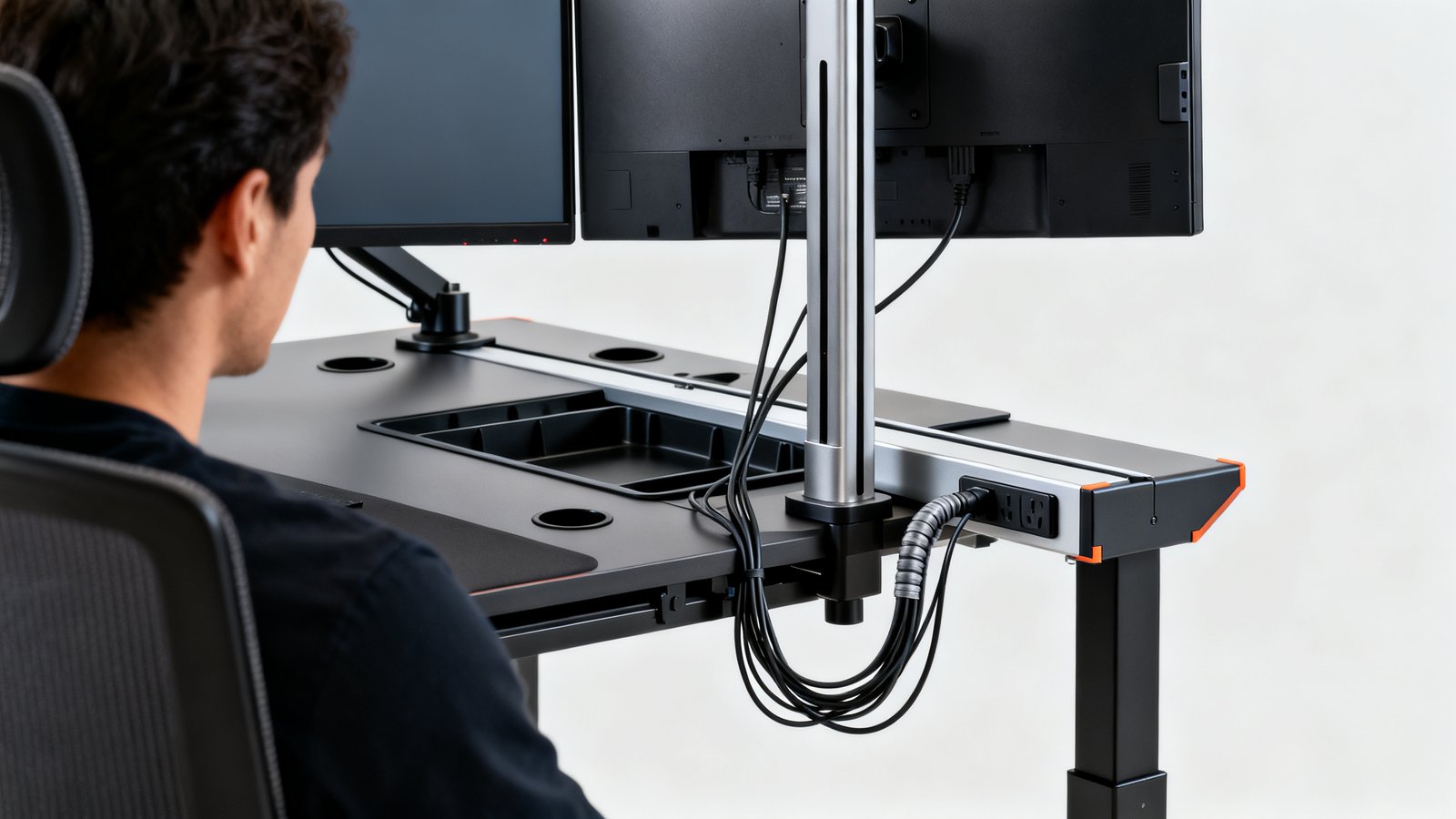
Want visual desk and cable management inspiration? Check out our Clutter Free Desk Setup guide for actionable layouts and clutter-busting workflows.
Advanced Analysis & Common Pitfalls
Even the best l shaped desk dual monitor setup can fail if you underestimate cable tension, asymmetric weight, or overlook ergonomics. Here’s an advanced breakdown:
- Cable Management Shortcuts
- Many standing L desks lack built-in trays or grommets, causing cables to snag or pull taut. You must allow 20 percent cable slack (Eureka Ergonomic Research), and check for dedicated power strip mounts.
- Asymmetric Load Flex
- Buyer complaints often cite wobble/flex when heavy monitors or a tower stack one side of the desk. Always demand a reviewed weight rating (preferably 150+ pounds per side for programmer/gamer use).
- “Dead Zone” Corners
- L corners can become unusable “dead zones” due to tight monitor arm reach or interference from wall placement. Plan in advance for monitor stand placement and zone-specific usage.
- Poor Height Sync in Standing Models
- Standing L desks with a single or weakly-synced motors risk one side lifting faster, creating gradual tilt and possible gear damage. Only consider synchronized multi-motor systems.
| Feature | Fixed L Desk | Standing L Desk |
|---|---|---|
| Stability | Max (no motors) | Good (only with 2-3 synchronized motors, reinforced corners) |
| Load Capacity | Very High (up to 300+ lbs total) | Variable; must check per-side/motor rating |
| Ergonomics | Custom, but static height | Full range; alternate between sitting and standing |
| Cable Management Needs | Standard (no moving parts) | Critical—must plan for cable slack & movable power/data |
| Cost | $300–$800 | $800–$2000+ (motors add cost) |
Best Real-World Programmer Layouts (Annotated Examples)
- A. Dual-Monitor Centered + Coding Wing
- Main run (60in) has two monitors (27in, on arms with 18in reach), keyboard zone, mouse, plus a notepad.
- Side wing holds reference laptop or book, with cable tray underneath and a 15in gap for legroom.
[MONITOR1][ ][MONITOR2] |-------60in main run------| |_keyboard _| [mouse] └──15in gap──┘ |----reference zone----| - B. Standing L Shape + Under-Desk PC Tray
- Desk with multi-motor sync, inner corner reinforced (frame visible underneath).
- PC mounted to under-desk tray; 10ft cables routed through cable sleeve, vertical channel out back, cable tray for power strip mounted centrally.
- Both sides lift evenly; desk never tilts. Legroom: 20in minimum under main run.
- C. Asymmetric Dev/Gaming Hybrid
- Main leg (left): ultrawide gaming monitor on long reach arm (up to 21in), RGB lighting, compact speakers.
- Side wing: Xbox + controller charger, laptop for coding, headphone hook underneath. Monitor arm clamps to steel frame, not just desktop.
- Cables bundled via industrial sleeve and routed into wall next to power strip space; right-side layout means mouse/joystick room never collides with tower zone.
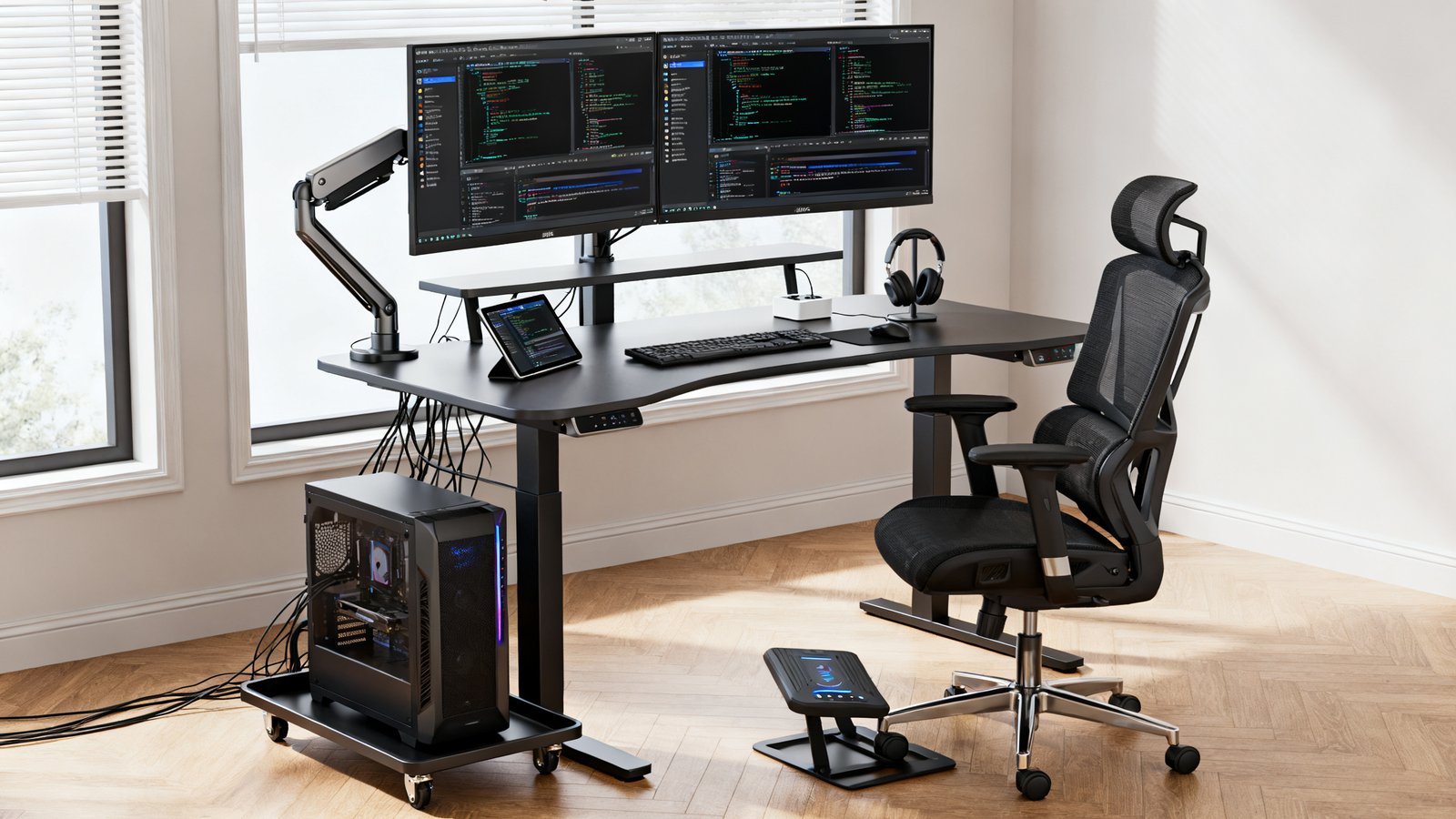
If you want even more workflow and ergonomic hacks, our Ergonomic Workstation Setup and Standing Desk Buying Guide have data-driven fixes for pain and posture. For layout and accessory inspiration, check the full Clutter Free Desk Setup guide.
Conclusion
If you want the best l shaped desk dual monitor setup for programming or hybrid work, stop fixating on surface area alone. Prioritize weight capacity, integrated cable management, and dedicated corner/frame reinforcements. Test for “dead zones” and don’t settle for anything without clear weight and motor specs. Take the time to mock up your layout—your future productivity and comfort depend on making the right choice upfront.
Ready to upgrade your workflow? See our Home Office Setup Under 1000 and Ergonomic Workstation Setup for proven picks and more actionable buying tips.
FAQ
What size L desk should I buy for dual 27–34 inch monitors?
A 60 inch main run usually accommodates two 27–34 inch monitors with enough space for a keyboard, mouse, and accessories. Avoid going deeper than 31 inches (80 cm) unless you have a very large room — monitors further than 90 cm can cause eye fatigue and poor neck posture.
How much weight can the best corner desk for dual monitor setup support?
Look for desks rated at least 150 pounds per side for heavy-duty programmer or gaming use. Read the technical specs, not just the marketing claims — weak frames flex most with asymmetric loads like a PC tower or monitor arm on one side.
How do I avoid cable tension on a standing L shaped desk?
Allow a 20 percent slack buffer per the industry standard. For under-desk PCs, use a 10 foot cable minimum so cables don’t unplug or strain when the desk rises. For more tips, see our complete Clutter Free Desk Setup and Standing Desk Buying Guide.
Are standing L shaped desks stable for heavy monitor arms?
Yes, but only if they use multi-motor synchronized systems with reinforced corners. Single-motor or undersized frames often tilt or wobble under asymmetric loads. Always verify how many motors lift the desk and whether corners are braced with steel or thick aluminum.
What’s the best way to plan cable management for a large L shaped desk home office?
Combine built-in grommets, under-desk trays, cable channels, and industrial-grade sleeves to keep power and data cables neat. Plan power strip locations so that all devices reach without stretching or piling up slack under your feet. For inspiration, see Clutter Free Desk Setup: 7 Proven Ways.
—