

Best desk with drawers is not just a search term; it’s the difference between a workspace that keeps you productive for years and one that turns into a clutter magnet in months. If you’re a remote product manager or home office worker like Emma, you already know that flimsy drawers, wobbly frames, and poor storage layouts can sabotage your workflow fast. Here’s the real story—what specs, construction, and hardware you need to look for so your investment delivers actual, lasting storage and security.
Key Takeaways
- fiberboard drawer bottoms with low weight ratings (<1 lb) are a top source of regret—demand proven materials and real load specs.
- Seek reinforced construction, robust slides (ball bearing or steel), and gang-lock systems for reliable, secure storage that lasts.
- Stable desk frames and practical storage volumes outperform raw drawer counts—fit, not just features, determines real usability.
- Why drawer quality is the single biggest long-term regret
- Materials & construction that actually last (what to demand)
- Drawer hardware & load ratings—knobs, slides, and soft-close matter
- Security & locking—real options beyond a tacked-on padlock
- Storage layout & usable volume—what you can actually fit
- Stability & ergonomics when drawers meet monitor arms and standing desks
- Cable management & tech integration—hidden storage that doesn’t hide cables
- Assembly, warranty & standards to vet before buying
- Use-case configurations and recommended specs (quick buying matrix)
- Red flags—what reviews say to avoid
- Quick buyer checklist (one-page printable)
- Conclusion
- FAQ
Why drawer quality is the single biggest long-term regret
Most people shop for the best desk with drawers by focusing on the style and price, but the biggest regret (and reason for returns or replacements) is poor drawer construction. Recent reviews from trusted sources like Wirecutter highlight fiberboard drawer bottoms “that can’t hold more than 1 pound” and are “laughably weak,” which means everyday items like chargers, notebooks, or small tech gear quickly cause sagging or breakage. Once the drawers become unusable or sticky, desk surfaces get crowded with clutter, and the clean, minimalist setup collapses. Don’t be fooled by how many drawers a desk has—what matters is whether they actually work for real storage and are built to last.
Materials & construction that actually last (what to demand)
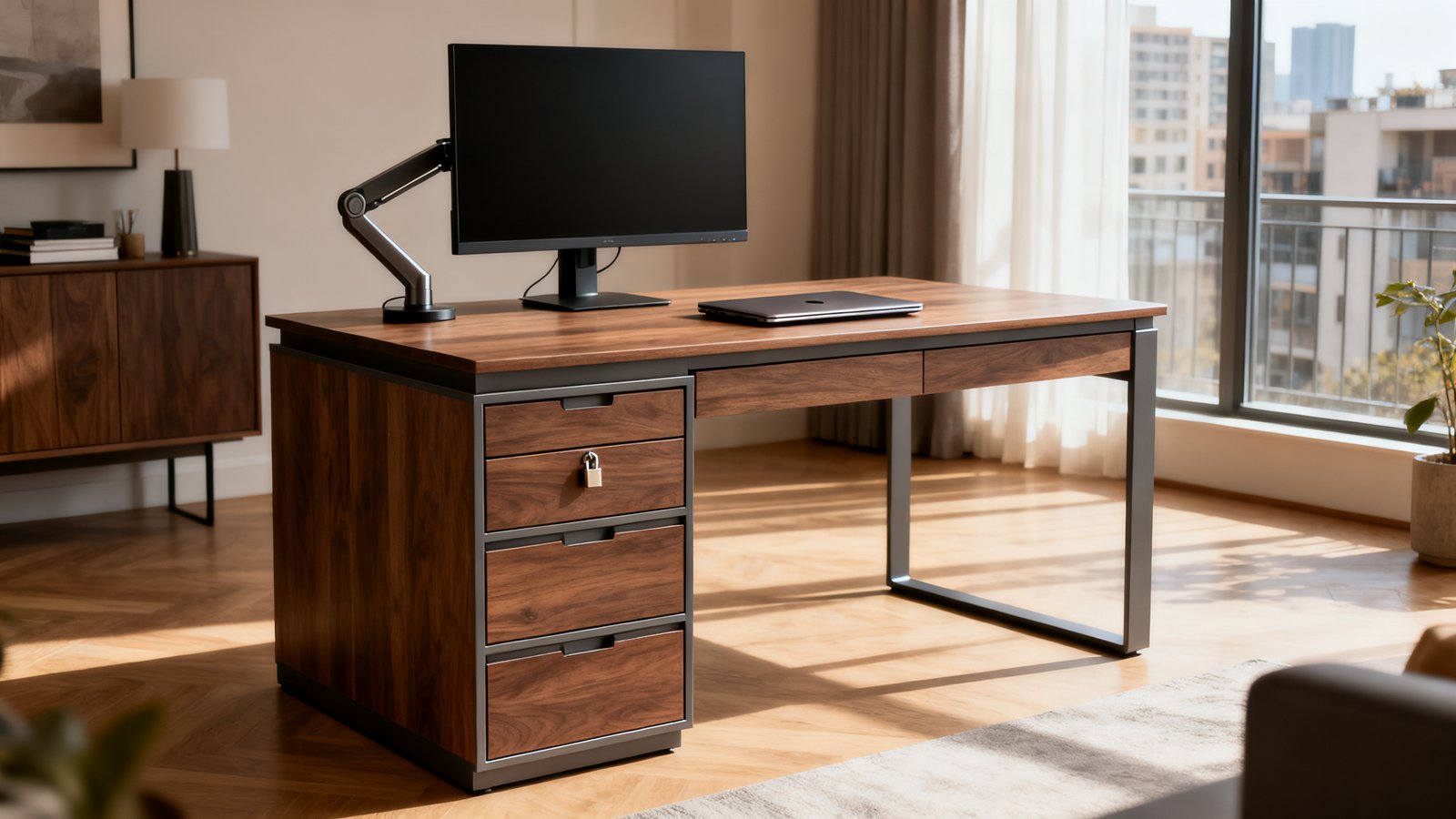
The foundation of any good office desk with storage drawers is the materials—both what you see and what you don’t. Particleboard and fiberboard, especially on drawer bottoms and sides, almost always lead to sagging, warping, or even collapse. Real durability comes from desks with:
- Solid wood or Baltic birch-ply tops (for moisture and impact resistance)
- Steel drawer boxes or reinforced plywood bottoms (no more droopy drawers)
- Thicker frames and double-rail crossbars (prevents wobble and movement, especially under monitor arms)
Premium desks, like those in the $1,800–$2,100+ tier, openly advertise professional use, integrated drawer systems, and extended warranties. For home offices, midrange models sometimes cut corners by hiding cheap drawer bottoms behind a nice facade—always check specs and user photos before buying.
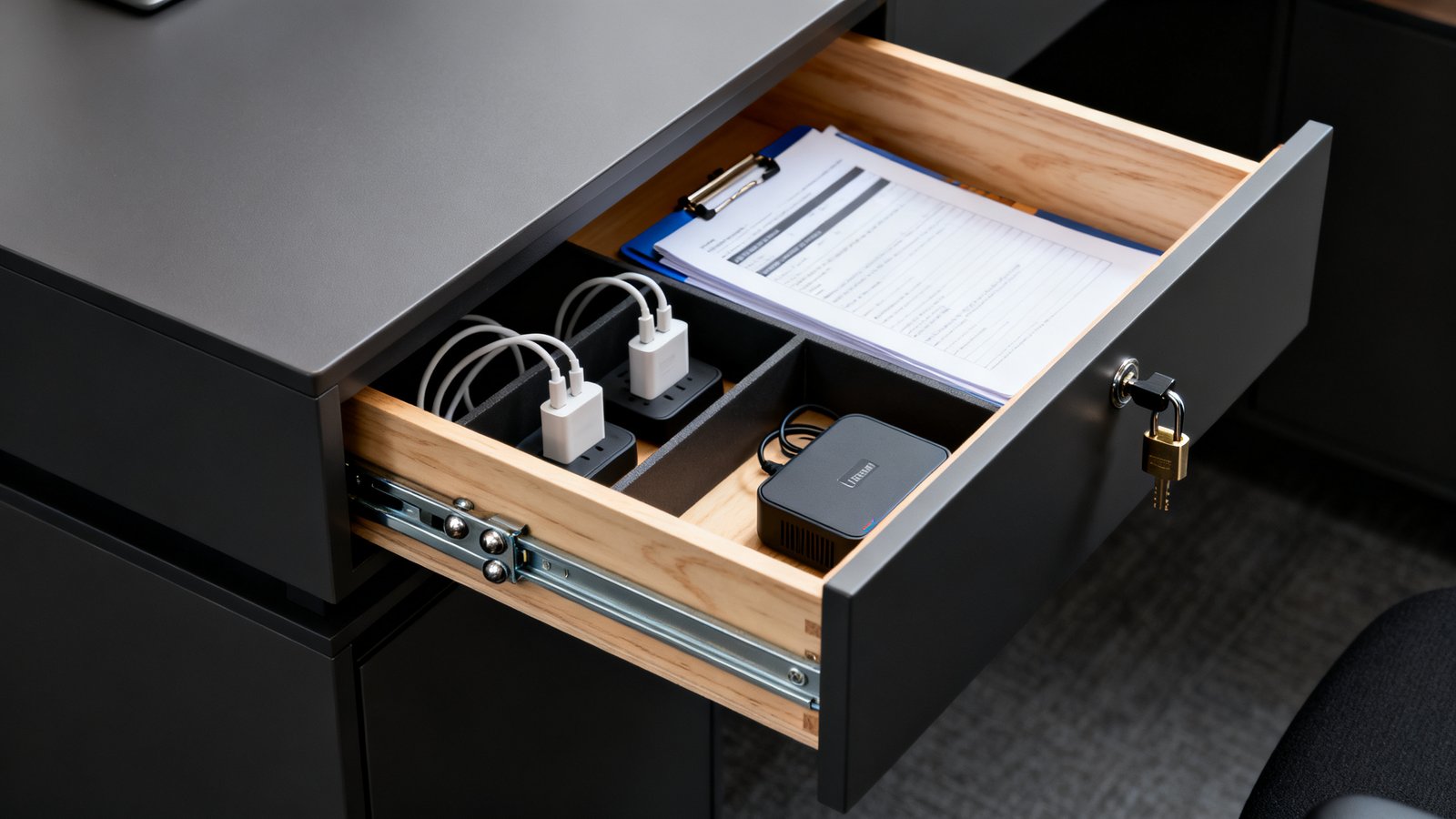
Also, investigate finishing details—rounded or chamfered edges, high-pressure laminate or sealed wood (resists coffee spills and disinfection wipes), and kickplates that shield drawer faces are all signs the desk was built for years, not months of daily use.
For an in-depth workspace strategy, see our Clutter Free Desk Setup Guide and the LOOMLAN desk-buying reference (investment-level examples and specs).
Drawer hardware & load ratings—knobs, slides, and soft-close matter
Even the sturdiest materials can fail if paired with weak hardware. Desk with drawers for home office setups should use full-extension, steel ball-bearing slides (typically rated for 45–100 lbs per drawer). Avoid nylon slides or short, partial-extension rails commonly found in budget desks; these frequently stick, slam, or bend under normal weight.
Soft-close hardware quiets drawer operation and prevents slamming, which prolongs both the drawer box and frame life. However, some “soft-close” features in mid-tier desks are just tensioned pads—not true dampers. Check actual product specs or real customer videos.
Below is a quick comparison of common drawer slide types and load capacities:
| Drawer Slide Type | Typical Load Rating | Real-World Issues |
|---|---|---|
| Ball Bearing (Steel, Full-Extension) | 45–100 lbs | Quiet, strong, lasts years |
| Nylon/Plastic Roller | 15–30 lbs | Sticks, easily bends, slams shut |
| Undermount Soft-Close | 50–75 lbs | Silent, but more costly to repair |
| Partial-Extension (Budget) | 10–20 lbs | Leaves items stuck at back |
Many 2023–2024 buyer reviews specifically cite “flimsy slides that slam or bind” as a recurring pain point, so don’t settle for vague hardware claims—always look for a published slide rating and clear close-up photos.
Security & locking—real options beyond a tacked-on padlock
If you store sensitive documents, a computer desk with locking drawers is a must. Key differences:
- Single padlock attachments: Common on cheap desks, often only fit one drawer and feel “tacked on.” They deter kids but not determined adults. Reviewers call these “inadequate lock security.”
- Gang-lock systems: A single key locks multiple drawers at once with metal rods or internal bars. These are required in small offices or any “professional use” home workspace.
- Keyed vs. Electronic locks: Keyed is reliable, while some newer models offer PIN or RFID protection for added convenience.
Look for visible metal lock bars or integrated mechanisms—avoid desks where the lock is just a twist tab screwed into thin fiberboard. Reviews reflect that weak locks make storage pointless for confidential files or valuables. See examples and lock comparisons on Fezibo’s advanced desk guides.
Storage layout & usable volume—what you can actually fit
Drawer count is meaningless if interior space is too small or shallow for practical use. Modern desk with file drawer layouts should include at least one full-depth file drawer (for A4/letter/legal folders) and one or two utility drawers (for chargers, notebooks, small UPS units, etc). Minimum recommended interior sizes:
- File drawer (Letter): 12.5″ W × 15.5″ D × 9.5″ H
- Utility drawer: 12″ W × 10″ D × 2.5″ H
Many reviewers complain of “limited drawer volume that forces users to stash items on the floor.” Always measure your gear (and potential upgrades like larger charging bricks) to confirm your desk can store them out of sight.
Need help optimizing storage? Check our minimal desk setup strategy for minimalist layouts and creative stowaway solutions.
Stability & ergonomics when drawers meet monitor arms and standing desks
A best desk with drawers succeeds or fails on stability, especially if you mount heavy monitor arms or rely on sit-stand adjustment. Look for:
- Thick steel crossbars and triangle bracing: Reduces lateral wobble.
- Dual-motor sit-stand bases rated 20%+ above your loaded setup: E.g., Uplift V3 desk’s 355 lb rating (see Forbes).
- Wide height range: Allows for comfortable standing/sitting, even for taller users.
User feedback calls out “wobble under heavy monitor arms” and “height range issues.” If you run a 27” monitor + arm setup, calculate the full dynamic weight and select a frame that supports it plus a safety margin.
For more on stability factors (including motor types and geometry), see our standing desk buying guide.
Cable management & tech integration—hidden storage that doesn’t hide cables
Modern home offices demand hidden—or at least organized—wiring. A desk with hidden storage compartments is only as good as its cable management. Look for:
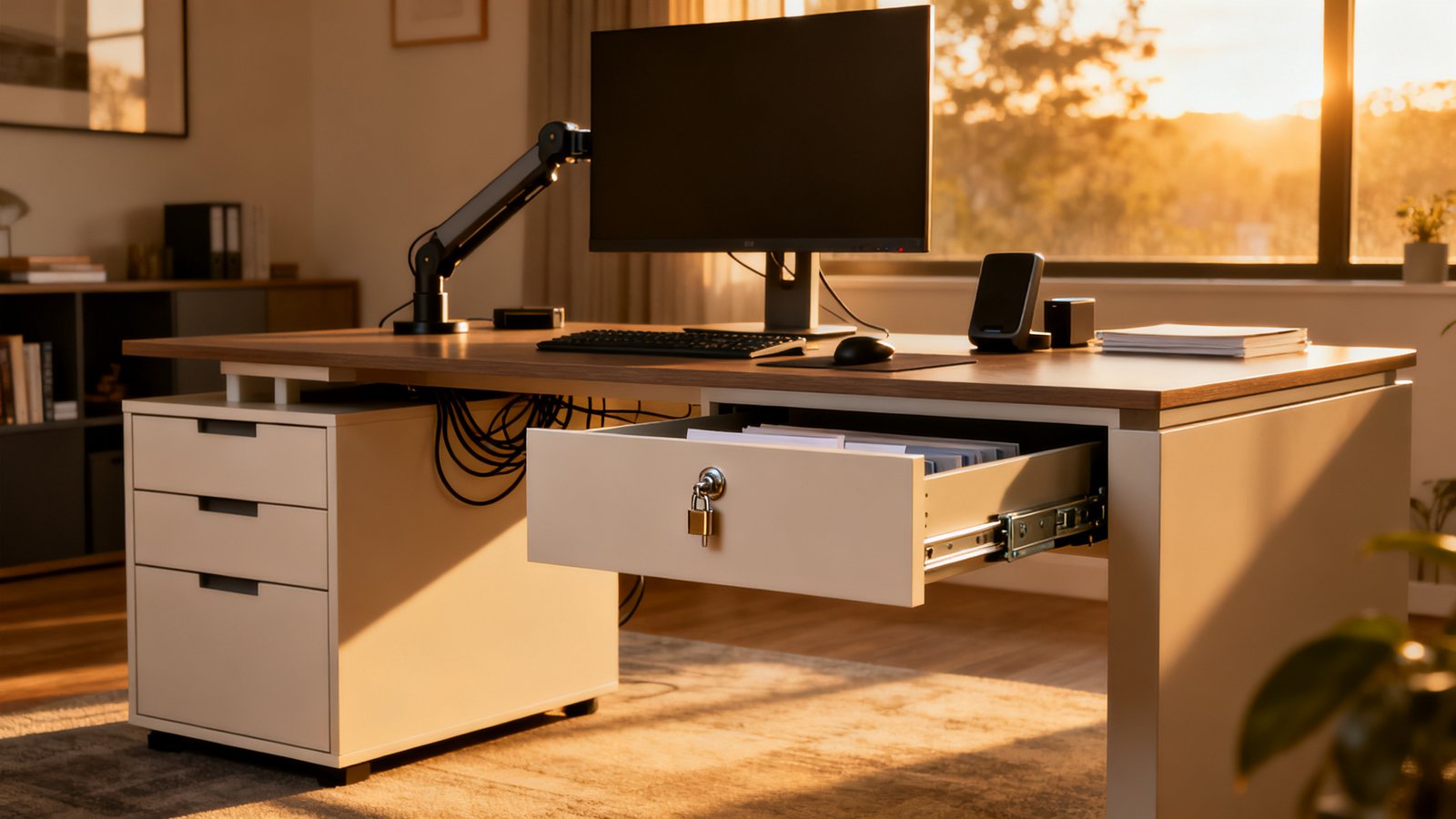
- Rear cable grommets that align with drawers and pass-throughs
- Dedicated cable trays or channels inside drawer banks (prevents pinched wires on movement)
- Integrated USB and power outlets inside drawers for charging devices out of sight
Recent reviews repeatedly list “poor cable-management integration” as a flaw—desks with sealed drawers but no grommets mean cords quickly creep onto the desktop.
For cable-free minimalist tips, pair this guide with our Clutter Free Desk Setup strategies.
Assembly, warranty & standards to vet before buying
The best office desk with storage drawers isn’t just about in-use performance—it’s about the buying and setup experience as well. Real-world feedback highlights:
- Tricky wiring and multi-box shipments for complex or sit-stand models (often needs two people)
- Desks that include clear assembly videos and labeled hardware save hours of frustration
- Premium desks announce warranty terms openly (frame: 5–10 years; electronics: 2–5 years; moving parts: 2+ years)
- Look for brands publishing BIFMA, UL, or equivalent standards; avoid generic specs with no official testing or rating
Pain points are most acute on heavier desks (over 100 lbs assembled), so plan for help and always verify warranty and spec sheets before clicking buy. For affordable and easy-to-assemble setups, check our Home Office Setup Under 1000 guide.
Use-case configurations and recommended specs (quick buying matrix)
Here’s a breakdown for different remote worker needs. Use this quick matrix when comparing models:
| User Type | Ideal Drawer Setup | Materials | Slide Type | Lock Type | Frame/Load |
|---|---|---|---|---|---|
| Minimalist writer | 1 shallow utility drawer (12″W x 10″D x 2.5″H) | Baltic birch top, steel base | Ball bearing | None/Keyed | 200 lbs static |
| Hybrid remote worker | 2 utility drawers, 1 file drawer (fits 17″ laptop) | Solid wood or laminate, steel drawer boxes | Ball bearing, soft-close | Gang-lock keyed | 275 lbs dynamic (sit-stand) |
| Power creative/engineer | 2 file drawers, 2+ utility drawers | Hardwood top, steel frame, full steel drawers | Undermount soft-close | Gang-lock electronic | >350 lbs dynamic |
Many current midrange standing desks offer a 19.3″ movement range (e.g., 27.8″ to 47″) and file drawers big enough for laptops and office essentials (see Business Insider).
For more minimalist writing desk with drawers inspiration, see our minimal desk setup guide.
Red flags—what reviews say to avoid
Learn from the most common real-world failures in the last year:
- fiberboard drawer bottoms: If specs say “supports up to 1 lb,” steer clear. As Wirecutter notes, even a handful of books can destroy these drawers.
- Single padlocks or twist locks on thin doors: Only effective as a child deterrent—offers minimal true security.
- Short, nylon slides or partial-extension rails: Repeatedly stick, slam, and make drawers noisy or stuck—hugely frustrating long term.
- No cable routing: Leads to instant clutter even on day one.
- Thin frames, cheap motor systems, or no load ratings: Wobble and vibration become permanent, especially once heavy monitors/arms are installed.
If shopping on a budget, reference our standing desk under 500 guide for value picks with reinforced drawers and stable frames.
Quick buyer checklist (one-page printable)
- Drawer bottom material: 0.5″ plywood/steel (never fiberboard)
- Slide type and load rating: Full-extension steel slides, 45+ lbs minimum
- Lock system: Gang-lock or integrated electronic/keyed (not twist tabs or padlocks)
- Drawer interior dimensions: Fits files, chargers, at least 17″ laptop if possible
- Frame weight capacity: 200 lbs (static) to 300+ lbs (sit-stand)
- Warranty: 5+ years frame, 2+ years hardware/electronics
- Cable management: Grommets, cable channels, or hidden trays included
- Assembly: Two-person recommended for setups 70 lbs or heavier, verify video/manual support
All the best office desk with storage drawers in 2024 respond directly to these pain points, combining stronger drawer construction, secure locks, ample volume, quiet slides, proper cable routing, and stable frames.
Need a complete workflow reset? Browse our tips for minimalist desk setups and cable management.
Conclusion
Choosing the best desk with drawers is about much more than surface style or drawer count. The most common regrets—weak bottoms, wobbly frames, poor security, and cramped storage—show up in thousands of real reviews for a reason. Use the material specs, hardware ratings, lock systems, and load numbers above to guide your next purchase, and insist on published interior dimensions and hardware details, not just marketing claims. A strong investment now means a clear, organized workspace for years. Ready to end desk clutter for good? Start your shortlist using these proven specs and get the clean office you deserve.
Still have questions or want a tailored buying strategy? Download our printable checklist or explore deep-dive guides like Clutter-Free Desk Setup for more.
FAQ
What materials should I absolutely avoid in drawers?
Fiberboard and thin MDF should be avoided—real-world reviews show fiberboard bottoms rated “~1 lb capacity” often fail under the weight of basic office items. Go for plywood or steel for reliable, long-term support.
How can I tell if a desk drawer will actually fit my files or laptop?
Check the desk’s published interior drawer dimensions. For file storage, look for minimum 12.5″ W x 15.5″ D x 9.5″ H. A 17″ wide utility drawer can house most laptops and charging accessories.
Do I really need a lock on my desk drawers at home?
If you’re storing confidential work documents, yes—choose gang-lock or integrated keyed/electronic locks. For everyday utility drawers, security is less crucial, but avoid single padlocks that barely hold shut.
Will heavy monitor arms make my desk unstable?
They can, especially on light frames. Choose a desk with well-rated steel crossbars, dual-motor sit-stand bases, and an overall load rating at least 20% higher than your total gear weight.
Are warranties important? What should I look for?
Absolutely. Reliable brands openly state frame (5-10 years), hardware (2-5 years), and electronics warranty terms. If not published, ask the brand or avoid the desk.