

Quick verdict — which to pick by archetype
The herman miller aeron vs steelcase leap debate isn’t about which chair is universally better. It’s about which one fits your specific body type, sitting style, and pain profile. After analyzing spec sheets, warranty data, refurbisher reports, and long-term user feedback, the answer depends entirely on your archetype.
If you need locked-in, upright posture and don’t fidget much, get the Aeron Remastered with PostureFit SL. If you’re an active sitter who shifts positions constantly, the Leap V2’s LiveBack system will adapt to you rather than enforcing a single posture. If you’re tall (over 6’3″) , the Aeron Size C provides better upper-back coverage than the Leap’s shorter backrest. If you’re heavy (over 275 lb) , the Leap’s 400 lb weight rating and replaceable foam make it the safer long-term bet. If you’re budget-sensitive , the Leap V2 costs roughly $450–$550 less fully loaded and delivers comparable back support for most users.
Key Takeaways
- Aeron’s fixed PostureFit SL pads create a “posture enforcer” feel that ideal-fit users love but others find pressuring — Leap’s height-adjustable lumbar band fits more spinal geometries reliably.
- Seat depth is the single most overlooked dealbreaker: Aeron has none, Leap offers ~3″ of adjustment, making Leap safer for tall or short-legged programmers.
- Both chairs carry 12-year warranties, but refurbisher data shows Leap’s seat foam is replaced more often in the 3–5 year window than Aeron’s Pellicle mesh.
- Quick verdict — which to pick by archetype
- Head‑to‑head: backrest design and why Reddit/Amazon ratings diverge
- Seat geometry and the unique role of seat depth (the overlooked dealbreaker)
- Exact fit limits — precise height and weight specs and real‑world implications
- Long‑term durability: mesh vs foam — what warranty signals and refurbishers reveal
- Top 3 negative complaints from programmers/desk workers — and how each manufacturer handles them
- Objective posture correction — what testing and expert reviews actually show
- Price‑to‑value: exact late‑2025 dealer price gap for fully loaded configs
- What top comparison articles miss — critical specs buyers overlook
- Practical buying & setup checklist (sizing, initial settings, freelist of dealer questions)
- Final recommendation scenarios and ROI justification
- Frequently Asked Questions
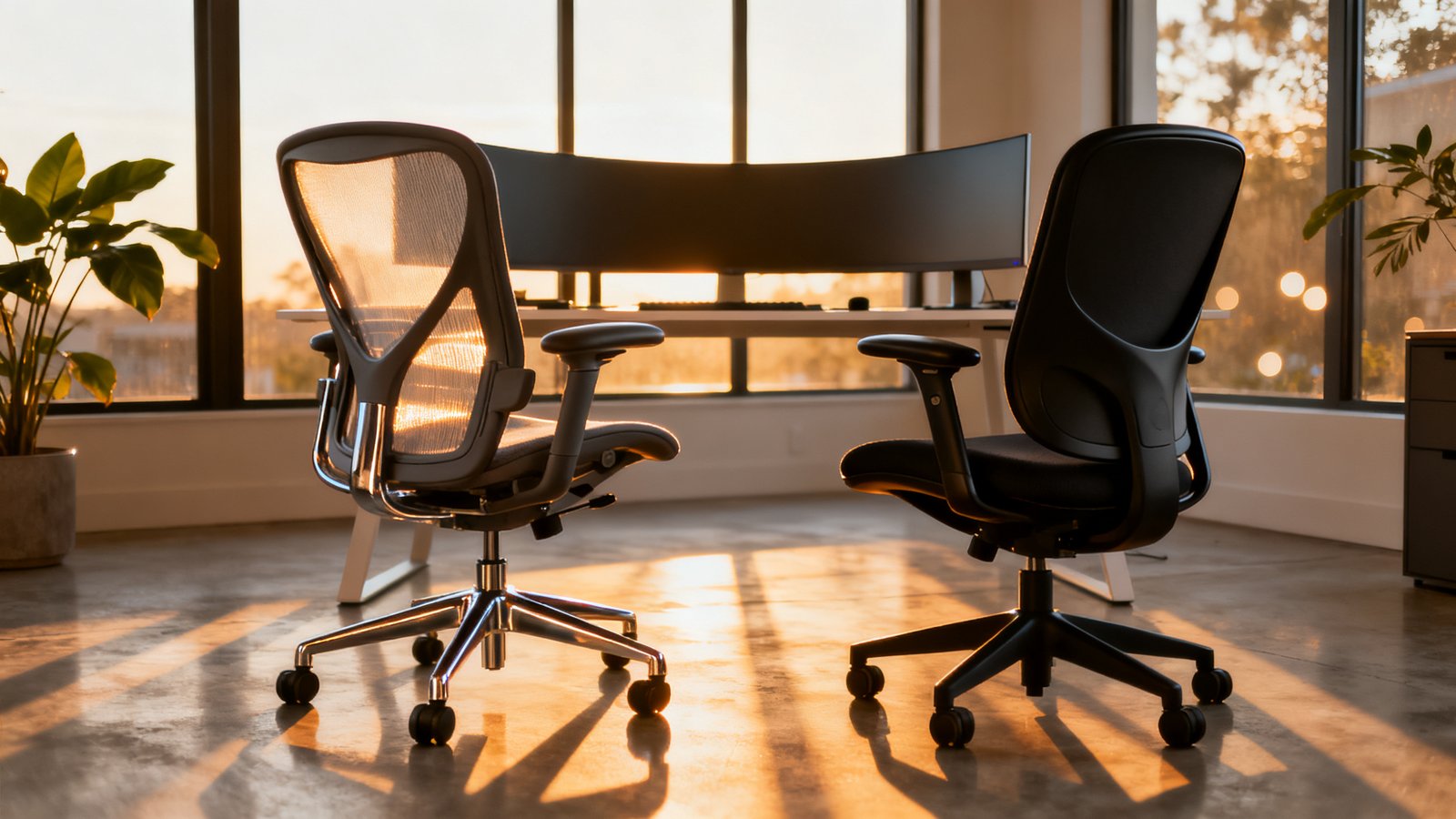
Head‑to‑head: backrest design and why Reddit/Amazon ratings diverge
You’ve probably noticed how polarized the aeron vs leap comparison reviews are on Reddit and Amazon. One programmer calls the Aeron life-changing; another says it felt like medieval torture. The Leap gets fewer ecstatic reviews but also fewer one-star rants. This isn’t random — it’s a direct result of fundamentally different backrest engineering.
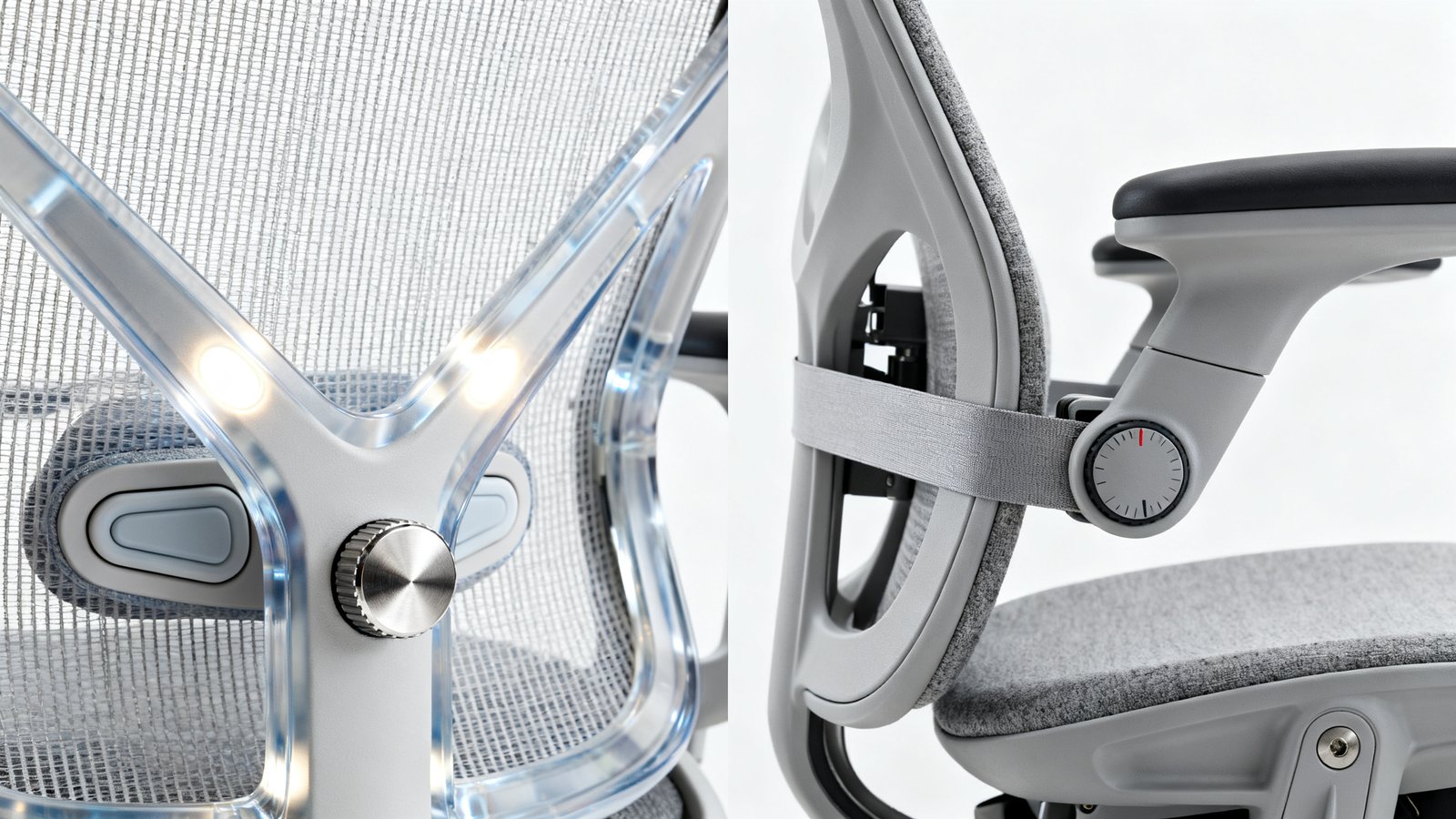
The Aeron Remastered uses Pellicle mesh stretched over a rigid polymer frame paired with PostureFit SL: two vertical pads positioned at the sacrum and lumbar, controlled by a single tension knob. The key limitation? No height adjustment for those pads. If your lumbar curve aligns with the fixed pad placement, you’ll feel cradled and supported. If it doesn’t, you’ll feel two hard knobs digging into the wrong spots — a complaint that dominates negative Aeron reviews. As BTOD’s long-term comparison noted, the Aeron back is “very rigid” and not bendable by hand, creating a locked-in sensation.
The steelcase leap v2 vs aeron remastered contrast is stark. The Leap uses a flexible LiveBack shell with an adjustable lumbar band — both height and firmness are independently tunable. The entire backrest flexes and twists with your movement rather than resisting it. Coggin SOS concluded: “If back support is your top priority, the Leap has the edge… It offers more adjustment options and the LiveBack system genuinely works over long hours.”
This explains the rating divergence perfectly. Aeron’s fixed geometry means it fits fewer people perfectly but creates evangelists among those it does fit. Leap’s tunability means it fits more people adequately but rarely generates the same “perfect chair” fervor. Research confirms that Aeron uses PostureFit SL with no height adjustment and a single tension knob, while Leap provides lower back height and firmness adjustments plus a flexible LiveBack shell — directly explaining Aeron’s “rigid/supportive but pressuring” complaints versus Leap’s “more consistently supportive” feedback.
Seat geometry and the unique role of seat depth (the overlooked dealbreaker)
Most aeron vs leap for tall people comparisons fixate on back support and completely miss the feature that often determines whether you’ll love or hate your chair: seat depth adjustment. This single spec affects thigh support, pelvic tilt, and downstream back comfort more than lumbar design ever could.
The Aeron has zero on-chair seat depth adjustment. Depth is baked into the size you choose (A, B, or C) and cannot be changed afterward. If you have longer femurs and buy a Size B, your thighs will overhang the front edge, concentrating pressure on a smaller area. You’ll unconsciously slide forward to compensate, breaking contact with the PostureFit SL pads and defeating the entire back support system. If your femurs are shorter and the seat is too deep, the front edge presses against the backs of your knees, encouraging slouching and cutting circulation.
The Leap V2 offers approximately 3″ of sliding seat depth adjustment, allowing you to dial in the standard 2–3 finger gap between seat edge and knee crease regardless of leg length. BTOD identified seat depth as one of three decisive comfort differences, noting: “The seat flexibility, the flexible backrest, and the seat depth adjustment were the three things that ultimately made the difference. The rigid Aeron seat was a [negative].”
For programmers sitting 8–12 hours daily, this isn’t minor. A mis-fit seat depth causes you to shift constantly, tucking one leg under or perching on the edge — exactly the behaviors that lead to hip flexor tightness, anterior pelvic tilt, and lower back pain. When evaluating a herman miller aeron or steelcase leap for programming, seat depth is arguably more important than backrest design because a perfect backrest can’t compensate for a pelvis that’s tilted forward due to insufficient thigh support.
Exact fit limits — precise height and weight specs and real‑world implications
Let’s get specific about what these chairs actually accommodate. The manufacturer specs are clear, but how they translate into daily comfort for tall and heavy users requires some interpretation.
Aeron Remastered sizing:
- Size A: ~4’10″–5’9″ (58–69 in)
- Size B: ~5’2″–6’6″ (62–78 in)
- Size C: ~5’3″–6’6″ (63–78 in)
- Weight rating (all sizes): 350 lb
Steelcase Leap V2:
- Height range: roughly 4’11″–6’4″ with standard cylinder
- Weight rating: 400 lb
- Tall cylinder option extends height range slightly
For aeron vs leap for tall people specifically: users over ~6’3″ face a genuine tradeoff. The Aeron Size C provides excellent thigh support and a high back that covers the upper thoracic region, but its armrests can feel too wide for narrower frames. The Leap’s adjustable seat depth handles long legs beautifully, but its backrest is notably shorter — reviewers consistently note it “provides less back support to tall users.” At 6’4″ or above, you may find the Leap’s lumbar band sits too low even at maximum height, and your shoulders float unsupported above the backrest.
For heavy users (≥250–275 lb): the Leap’s 400 lb rating outclasses the Aeron’s 350 lb on paper, but real-world experience is nuanced. Heavier users on Aeron report the mesh feels tighter and firmer, sometimes creating concentrated pressure at the ischial tuberosities. However, there’s no foam to bottom out. Leap users in the 280–350 lb range frequently report seat foam compression over time, eventually feeling the hard seat pan frame at the edges. The lower back firmness dial turned high can also feel like a hard bar across the lumbar for heavier torsos.
If you’re evaluating the steelcase leap v2 vs aeron remastered and weigh over 275 lb, your priority should be trying an Aeron Size C to see if the mesh tension is acceptable, and test a Leap with the lumbar dial turned low to avoid the ridge effect. An ergonomic workstation setup that includes a footrest can also mitigate some fit issues regardless of chair choice.
Long‑term durability: mesh vs foam — what warranty signals and refurbishers reveal
The question is herman miller aeron worth it over steelcase often comes down to how these chairs age under 8+ hours of daily programming. Both carry identical 12-year warranties covering 24/7 use — but warranty terms don’t tell the full story. Refurbisher data and long-term user reports reveal meaningful differences in what actually fails and when.
Coggin SOS, a major refurbisher, reports that on Aerons, “the Pellicle mesh usually outlasts other components,” with frame and mechanism being the most durable. Mesh failure — sagging or tearing — is comparatively rare under normal use. Most 10–15-year-old Aerons still have usable mesh unless abused. Common failure points are the tilt mechanism, cylinder, and arm pads, not the seat surface.
On the Leap, Coggin SOS states: “The frame, mechanism, and LiveBack system are extremely durable. What wears: arm pads (most common), gas lift, seat foam on high-use chairs, and fabric on the seat edges. All standard refurbishment items.” Refurbishers commonly replace Leap seat foam in 5–8 years under heavy use because of compression and edge breakdown. Many long-term users on forums report the seat becomes noticeably softer or flatter after 3–5 years of heavy daily use, especially for heavier individuals.
For the best premium office chair comparison 2026 buyer, the practical implication is this: within the 3–5 year window, Aeron’s Pellicle mesh has a demonstrably lower effective failure rate than Leap’s seat foam. Both are covered under warranty, but foam replacement means dealing with claims, shipping, or local refurbishment — whereas mesh typically just keeps working. This doesn’t make Leap a bad chair; it makes its primary wear component more predictable and more frequently serviced.
Top 3 negative complaints from programmers/desk workers — and how each manufacturer handles them
Here’s what real programmers and desk workers consistently complain about, drawn from Reddit threads, Amazon reviews, and long-term YouTube ownership reports — plus what manufacturers actually do about each issue.
Aeron Remastered negatives
1. PostureFit SL pressure points or misalignment. The dual pads can hit too high or low depending on your torso length, and there’s no height adjustment to fix it. Slender users especially report the pads feeling like “hard knobs” after hours. Manufacturer response: Herman Miller provides a tension knob but no height adjustment. If geometry mismatch exists, the only official solution is to try a different size or loosen the pads entirely.
2. firm mesh seat and edge pressure. Long coding sessions amplify the sensation of the seat’s firmness, and mis-sized chairs create concentrated pressure at the front edge. Manufacturer response: Herman Miller emphasizes Pellicle’s pressure-distributing properties, but the fix is simply correct size selection — there’s no seat-depth adjustment to fine-tune it.
3. Limited upper-back/neck support. Programmers who recline while reading documentation find no headrest option from Herman Miller, and the back doesn’t extend high enough for neck support in deep recline. Manufacturer response: Herman Miller positions Aeron as an upright-to-moderately-reclined task chair and doesn’t offer an official headrest. Third-party options exist but aren’t supported.
Steelcase Leap V2 negatives
1. Aggressive or ridge-like lumbar band. Even at moderate firmness, the lumbar band can feel like a hard bar across the lower back, causing aching after several hours. Many programmers immediately dial it to minimum. Manufacturer response: Steelcase provides separate height and firmness adjustments and recommends starting low and increasing gradually. Users who back it off completely often find adequate support from the LiveBack shell alone.
2. Seat heat and foam compression over time. The Leap runs warmer than mesh chairs, and foam loses resilience over years of 8–12 hour sessions. Manufacturer response: The 12-year warranty covers padding degradation, and Steelcase provides high-quality replaceable upholstery. Refurbishers routinely handle foam replacement.
3. Short back for tall users. Users above ~6’3″ often find the backrest doesn’t reach their upper thoracic region, and the lumbar band sits too low even at maximum height. Manufacturer response: Steelcase positions Leap as a task chair and sells taller-backed models like the Gesture for those who need more upper-back coverage. No official headrest is available in most markets.
When choosing a herman miller aeron or steelcase leap for programming, these complaints matter because they represent systemic product characteristics, not isolated defects. No adjustment can fix the Leap’s back height for a 6’5″ user, and no tension setting can move the Aeron’s PostureFit pads vertically. For guidance on what to look for before buying any chair, our office chair buying guide covers the non negotiable fit tests.
Objective posture correction — what testing and expert reviews actually show
Does either chair measurably improve posture for slouchers? The herman miller aeron vs steelcase leap question deserves an honest, data-anchored answer — and the evidence is more limited than most comparison articles admit.
There is no published peer-reviewed clinical trial directly comparing Aeron Remastered versus Leap V2 with quantitative spine angle or pressure mapping data for programmers. Existing research evaluates generic office chairs or much older chair generations. What we have are manufacturer research summaries, reviewer pressure mapping, and expert synthesis.
Herman Miller’s Aeron development emphasized sacral anchoring via PostureFit SL, designed to discourage posterior pelvic tilt. The rigid back frame resists slouching by physically holding you in a more neutral position. Independent reviewers consistently describe this as a “corrective” approach — the chair imposes posture rather than following your movements.
Steelcase developed the Leap with University of Michigan collaboration measuring spine motion and disc pressure. LiveBack is explicitly designed to mirror spinal shape changes during movement. This produces an “adaptive” posture system — the chair supports you through movement rather than locking you into one position.
Coggin SOS’s comparison states: “Aeron’s back support is very good, but it’s more passive than the Leap’s. It holds your lower back in position rather than actively moving with you” and explicitly concludes: “If back support is your top priority, the Leap has the edge.” Reviewers with chronic back issues and long sitting times frequently prefer the Leap for its combination of support and micro-movement allowance.
For the aeron vs leap comparison on strict postural correction for slouchers: Aeron appears more corrective due to firm sacral support. For real-world comfort over 8–12 hour coding sessions where you’ll inevitably shift positions: Leap’s adaptive support reduces pressure hot spots and may cause fewer end-of-day complaints. Neither approach is wrong — they address slouching differently with different tradeoffs. A proper ergonomic workstation setup will complement whichever chair you choose.
Price‑to‑value: exact late‑2025 dealer price gap for fully loaded configs
Let’s put concrete numbers on the steelcase leap v2 vs aeron remastered price decision. These are typical US authorized dealer prices as of late 2025, not manufacturer list prices or used/refurbished options.
Aeron Remastered fully loaded (Size B or C): tilt limiter, seat angle, fully adjustable arms, PostureFit SL, standard cylinder, carpet casters, standard finishes — approximately $1,695–$1,895, with $1,795 being a very common quote for standard configurations.
Leap V2 fully loaded with 4D arms and headrest: adjustable lumbar with height and firmness, seat depth adjustment, 4-way arms, factory or dealer-supplied headrest package — approximately $1,250–$1,350. Without headrest, the Leap typically runs $1,100–$1,200.
The price gap lands at roughly $450–$550, with Aeron being more expensive in like-for-like task configurations. For the best premium office chair comparison 2026, this gap matters because it doesn’t buy you objectively better durability (both have 12-year warranties) or universally better comfort (it depends on fit). What it buys is Pellicle mesh’s proven longevity advantage and Aeron’s iconic design — value that may or may not matter depending on your priorities. If you’re working with a tighter budget, our home office setup under 1000 guide explores alternatives that don’t force compromise on back support.

What top comparison articles miss — critical specs buyers overlook
Most aeron vs leap comparison articles fixate on mesh versus foam and lumbar design while completely ignoring features that matter more for specific body types. Here’s what they miss and why it could mislead your decision.
Seat depth adjustability. This is the single most commonly overlooked spec. Aeron’s fixed-by-size depth versus Leap’s ~3″ range means two programmers of identical height but different femur lengths will have radically different experiences. Average-sized reviewers rarely flag this because they fit the middle of the bell curve. For petite or very tall users, this omission is critical — a mis-fit seat depth causes pelvic tilt issues that no lumbar system can fix.
Cylinder height and minimum seat height. Most articles compare generic height ranges but ignore that Aeron Size A sits lower than Leap’s standard cylinder, allowing petite users under ~5’3″ to plant their feet flat. Leap may require a footrest for shorter users. Conversely, Leap’s tall cylinder option extends its range for very tall users — something rarely mentioned in standard aeron vs leap for tall people comparisons.
Armrest range and rotation. Leap’s 4D arms provide significant inward rotation and lateral width adjustment that Aeron’s arms lack. Broad-shouldered programmers and those who type with elbows adducted or use a narrow keyboard often find Aeron’s armrests can’t come close enough or rotate inward sufficiently. This detail is routinely glossed over despite being a daily comfort factor.
Back height for upper-back support. Leap’s shorter backrest is well-documented by a few thorough reviewers but ignored by many comparison articles. Tall users above ~6’3″ who expect full upper-back support may be disappointed — Aeron’s higher back on sizes B and C provides better thoracic coverage.
Body weight interaction with materials over time. Foam versus mesh isn’t just a comfort preference — heavier users compress foam faster, leading to earlier replacement. Aeron’s mesh simply doesn’t degrade in the same way. Articles that treat material as a neutral choice mislead heavy buyers about long-term ownership costs. If you’re still researching chairs, our standing desk buying guide covers sit-stand options that can reduce the pressure on whichever seat you choose.
Practical buying & setup checklist (sizing, initial settings, freelist of dealer questions)
Before you order either chair, use this checklist to ensure the herman miller aeron vs steelcase leap decision is based on fit, not marketing.
Sizing and fit tests
- Measure your femur length (hip socket to back of knee while seated). This determines whether Aeron’s fixed seat depth will work. Aeron Size B suits average femurs; long femurs need Size C.
- Test Leap’s seat depth slider at both extremes. The 2–3 finger gap between seat edge and knee crease should be achievable.
- For Aeron, sit and engage PostureFit SL at medium tension for 15 minutes minimum. Notice whether the pads feel supportive or pressuring by minute 10.
- For Leap, cycle the lumbar height through its full range. Check whether the band can reach your natural lumbar curve — tall users should verify it doesn’t top out too low.
- Set the lumbar firmness dial to minimum and increase gradually. Many programmers find the sweet spot far lower than default.
Dealer questions to ask
- “What cylinder options are available, and would a tall cylinder improve fit for me?”
- “Do you bundle a headrest, and is it factory or third-party?” Leap headrests vary; clarify what you’re getting.
- “Walk me through exactly how a warranty claim works for seat foam compression or mesh sagging — do you ship a replacement, send a tech, or require me to return the chair?”
- “What’s your return window, and are there restocking fees?” Even identical models can feel different due to manufacturing variance.
- “Do you sell refurbished units, and what’s your refurbishment process for seat foam/mesh?” This reveals what wears and whether the dealer stands behind their work.
Initial setup settings
- Set seat height so thighs are parallel to floor, feet flat.
- Set seat depth (Leap) or verify correct Aeron size so the gap is 2–3 fingers.
- Set armrests so elbows rest at 90° with shoulders relaxed — not hunched or splayed.
- Engage lumbar support to minimum effective level, not maximum. Start low and increase only if lower back feels unsupported after a full day.
If you’re setting up an entirely new workspace, a clutter free desk setup complements proper chair fit by ensuring your monitor and peripherals don’t sabotage good posture.
Final recommendation scenarios and ROI justification
Let’s close with three clear scenarios for the herman miller aeron vs steelcase leap decision — no hedging, no “it depends” without a framework.
Buy the Aeron Remastered if: you want a chair that enforces upright posture and you don’t fidget much; your body fits one of the three fixed sizes cleanly (especially the seat depth); you run hot and need maximum breathability; and you value mesh longevity over initial cost savings. Try the PostureFit SL for 15+ minutes before committing — some spines simply don’t match its fixed geometry.
Buy the Steelcase Leap V2 if: you’re an active sitter who shifts positions throughout the day; you have existing lower-back issues and need tunable support that adapts to movement; you’re heavy (especially 275–350 lb) and want the 400 lb rating with adjustable seat depth; or you’re tall and have long femurs that demand adjustable seat depth even if the backrest is shorter.
Return or exchange either if: after a full week of use, you experience consistent pressure points that don’t resolve with adjustment changes; your feet can’t sit flat on the floor even at minimum seat height; or the lumbar support cannot reach your natural lumbar curve regardless of adjustment range. A chair that misses your lumbar or causes leg pressure will not “break in” — return it within the window.
On ROI: the Aeron costs roughly $450–$550 more for fully loaded configs. Both chairs carry identical 12-year warranties. However, field reports and refurbisher data consistently indicate Aeron’s Pellicle mesh rarely fails within 3–5 years, while Leap’s seat foam is more commonly replaced in that timeframe under heavy daily use. If you expect 10+ years from this chair and prefer mesh longevity, the Aeron’s premium is amortized over a longer effective seat life. If you prefer tunable support and seat-depth adjustment and are comfortable with potential foam maintenance, the Leap saves significant upfront cost. The question is herman miller aeron worth it over steelcase ultimately depends on whether you value the Aeron’s mesh durability advantage more than the Leap’s fit flexibility — and for programmers sitting 8–12 hours daily, fit flexibility usually wins unless your body happens to match an Aeron size perfectly.
Frequently Asked Questions
Which chair is better for lower back pain: Aeron or Leap?
The Leap V2 is generally safer for existing lower back pain because its lumbar band adjusts for both height and firmness, allowing you to target support precisely where you need it. Aeron’s PostureFit SL pads are fixed in position and can create pressure points if your lumbar curve doesn’t align with the pad placement. Coggin SOS and multiple independent reviewers recommend the Leap specifically for back pain sufferers due to its tunability.
Can I add a headrest to the Aeron or Leap?
Both chairs accept third-party headrests, but neither manufacturer sells an official one in most markets. For the Aeron, Atlas Headrest makes a popular option that matches the aesthetic and attaches securely. Leap headrest options are less standardized, and some dealers bundle third-party solutions. If you recline deeply while reading code, factor this into your budget — a quality aftermarket headrest adds roughly $150–$200.
Which Aeron size should I get if I’m 6’0″?
At 6’0″, Size B is the default recommendation and works well for most people at this height. However, if you have proportionally long femurs relative to your height, Size C may provide better thigh support. The tradeoff with Size C is wider armrest spacing, which can cause shoulder discomfort for narrower frames. Test both sizes if possible, focusing on seat depth rather than back height — both sizes accommodate 6’0″ well in the backrest.
Does the Leap V2 seat get hot during long coding sessions?
Yes, the Leap’s foam-and-fabric seat runs noticeably warmer than the Aeron’s full-mesh design. Programmers who sit 8–12 hours in warm environments frequently cite this as a drawback. The Aeron’s Pellicle mesh is significantly more breathable and stays cooler over long sessions. If you work in a hot climate or a room without strong air conditioning, this difference matters more than most reviews acknowledge.
Which chair holds its resale value better?
Aerons consistently command higher resale and refurbished prices, partly due to brand recognition and partly because the Pellicle mesh ages more gracefully than foam. A 5-year-old Aeron with good mesh in a standard size typically resells for a higher percentage of its original price than a comparable Leap. However, both chairs depreciate significantly, and neither should be purchased primarily as an investment.